
Silk'n Bright Manual
PDF manual · 214 Pages
English



Quick check
Incorrect answer, please try again.
Chat with your Silk'n Bright manual using AI
Get instant AI answers from your Silk'n Bright manual
Ask anything about the Silk'n Bright. Answers come from this manual, with the pages they are based on.
Bright Maintenance Schedule
Wash with lukewarm water and soap, rinse thoroughly, and wipe dry. Do not submerge for more than 30 minutes.
Follow the cleaning instructions in the manual to prepare the device for its initial treatment.
Ask a Question
Do you recommend Bright?
Yes NoFrequently Asked Questions
Use the supplied USB cable and wall adapter. Connect cable to brush charging port and plug into adapter. Light blinks red while charging and turns solid white when full.
Is this answer helpful?
Yes, the facial brush is IPX7 rated and can be used in a shower or bath. It withstands immersion up to 1 meter for 30 minutes.
Is this answer helpful?
The timer stops the device after 2 minutes to prevent over-exfoliation and protect skin health. You can also end treatment early by pressing the control button.
Is this answer helpful?
No. The manual states it is exclusively designed for facial cleansing and massaging. It is intended for private use only.
Is this answer helpful?
This product is covered by a two-year warranty according to European regulations and law for technical defects caused by faulty production processes.
Is this answer helpful?
Store all parts completely dry in a clean dry place away from heat and direct sunlight. Keep away from children.
Is this answer helpful?
No. Do not use clay-based, silicone-based, or grainy cleansers as they may damage the soft silicone touch-points.
Is this answer helpful?
Advantages and Disadvantages
Advantages

- IPX7 waterproof rating allows use in shower or bath safely.
- Two operation modes plus seven speed settings offer customizable cleansing experience.
- Automatic shut off timer prevents skin irritation from overuse.
- LED light indicators provide clear status on charging and operation.
Disadvantages

- Children under eight years old must not use the device unsupervised.
- Cannot operate the brush while it is connected to power for charging.
- Clay or grainy exfoliators may damage the soft silicone brush points.
- Requires frequent cleaning with soap to prevent residue buildup.
Product Specification
Speed Settings
7
Cleaning Modes
Vibration
Display
No
Features
Timer 30 s, Auto-off after 2 min, Charging indicator light, washable, waterproof
Battery Life
2 h
Package Contents
Bag, USB charging cable
Product Description
Experience Perfect Skin with the Silk'n Bright Face Cleansing Brush Manual
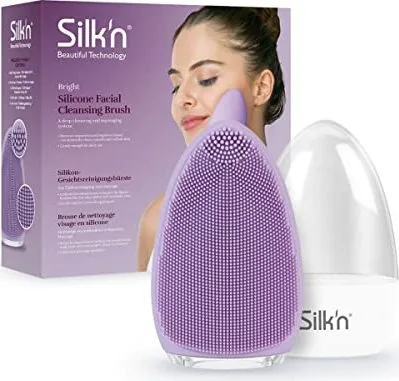
Welcome to your comprehensive guide on achieving a flawless skincare routine with the Silk'n Bright Face Cleansing Brush Manual. This detailed documentation accompanies the Bright silicone facial cleansing brush, ensuring you get the most out of your device while prioritizing safety and performance. Designed by Home Skinovations Ltd., this tool transforms daily washing into a professional spa experience right at home. Understanding the specific instructions provided in the manual is crucial for longevity and results.
Understanding Device Features and Zones
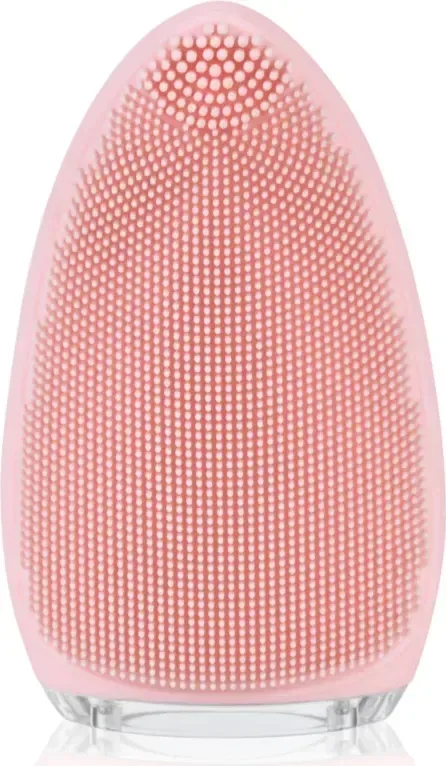
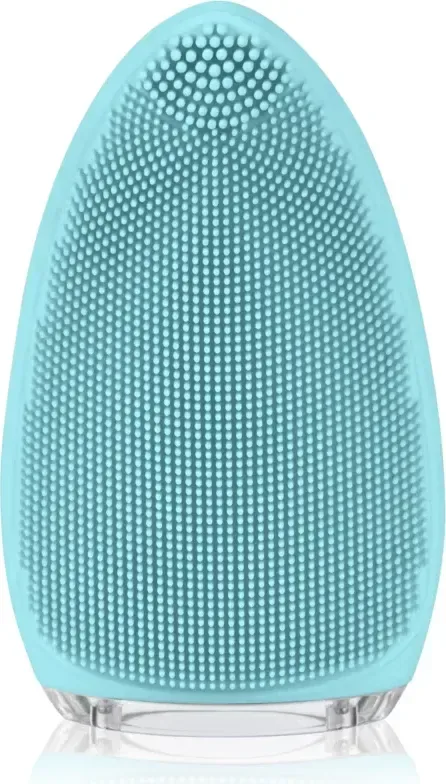
The facial brush features distinct cleaning zones to target different skin needs. Thicker studs handle precise cleansing on areas like the nose and chin, removing dead skin cells effectively. Thinner studs gently clean larger zones such as cheeks and the forehead. A massaging area with ridges promotes blood circulation and helps your skincare products absorb better. You get two operation modes to choose from: vibrating for deep gentle cleansing and pulsating for a soothing effect with alternating strong and weak vibrations. With seven speed settings available for each mode, customization is key to your personal comfort and skin type. The LED light stays solid white during operation.
Safety and Operation Guidelines
Following the Silk'n Bright Face Cleansing Brush Manual is vital for your safety and the device's health. The device is IPX7 rated, meaning it is waterproof and survives immersion up to one meter depth for thirty minutes. However, never submerge the USB power adapter or cable. The brush automatically turns off after two minutes to prevent over-exfoliation or skin damage. Always perform a skin sensitivity test on a small spot before the first full facial treatment. Avoid using clay-based or grainy cleansers to protect the soft silicone touch-points from damage.
Charging and Maintenance Protocols
To maintain optimal battery life, fully charge the device before the first use using the supplied USB cable. The LED indicator blinks red when the battery is low and stays solid white when fully charged. Never use the brush while it is charging. Cleaning requires washing with lukewarm water and mild soap after every use. Dry the device thoroughly before storage to avoid mold or electrical issues. The product carries a two-year warranty for technical defects caused by faulty production processes according to European regulations.
Essential Notes for Users
Keep children under eight years away from the device as it is not a toy. Do not use the brush on active acne, wounds, or inflamed areas. If you are pregnant, have a pacemaker, or suffer from skin conditions like allergies, consult a doctor before use. Regular use twice daily is recommended, but stop if irritation occurs. Always unplug the adapter when not in use to ensure safety at all times. Troubleshooting should be done by contacting customer service rather than opening the housing yourself. Proper disposal is required for old appliances to protect the environment. Store the brush in a clean dry place away from direct sunlight. By adhering to these guidelines, you ensure a safer and more effective skincare journey.
Search for 67,706 Manuals online


Type-in Brand or Model