
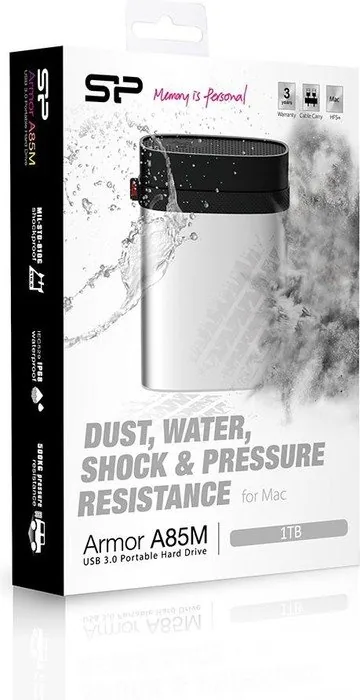
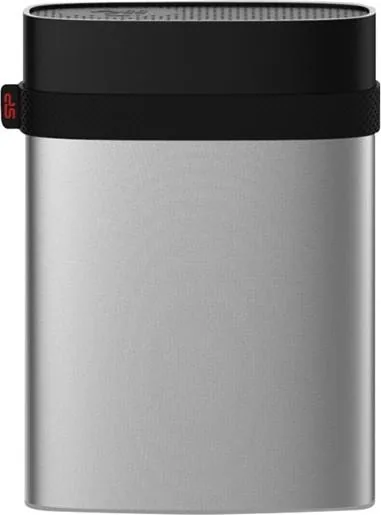
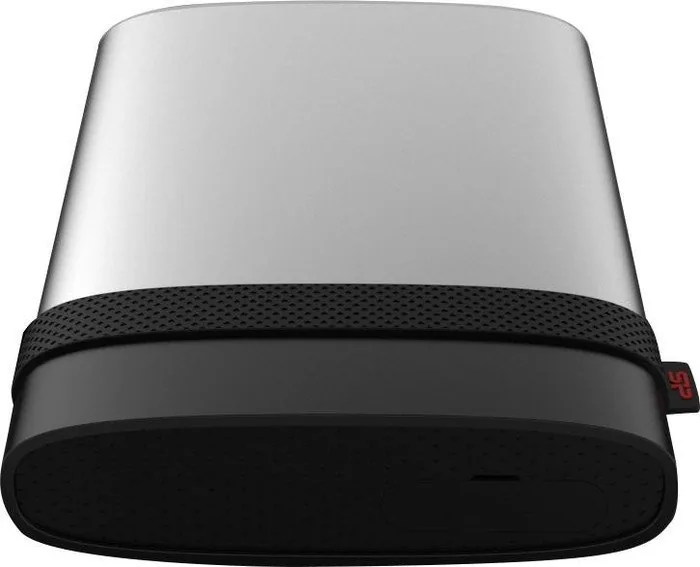
Silicon Power Armor A85M Manual
PDF manual · 11 Pages
English



Quick check
Incorrect answer, please try again.
Chat with your Silicon Power Armor A85M manual using AI
Get instant AI answers from your Silicon Power Armor A85M manual
Ask anything about the Silicon Power Armor A85M. Answers come from this manual, with the pages they are based on.
Ask a Question
Do you recommend Armor A85M?
Yes NoFrequently Asked Questions
It is an external 2.5-inch hard drive designed for portable storage, backups, and easy file transfer between devices. It suits everyday use at home, in the office, or while traveling.
Is this answer helpful?
No. The drive is plug-and-play, so most computers detect it automatically when connected to an available USB port. This makes setup quick and simple.
Is this answer helpful?
Connect one end of the USB cable to the drive and the other end to a free USB port on your computer or laptop. Using the proper cable helps ensure stable data transfer.
Is this answer helpful?
If a device cannot supply enough power through a single USB 2.0 port, a Y-cable may be required. It helps draw additional power from another USB port for reliable operation.
Is this answer helpful?
No. Formatting does not guarantee complete data removal, and deleted files may still be recoverable. If privacy matters, use secure deletion methods before service or disposal.
Is this answer helpful?
No. The warranty is limited and does not cover damaged or lost data. It is best to keep regular backups of important files to reduce the risk of permanent loss.
Is this answer helpful?
Advantages and Disadvantages
Advantages

- Plug-and-play setup keeps the drive easy to use with no driver installation needed.
- Compact 2.5-inch design makes it convenient for travel, work, and daily storage.
- Included USB cable supports straightforward data transfer and syncing.
- Helpful support resources add value through warranty, updates, and service options.
Disadvantages

- Limited warranty does not cover damaged or lost data, so backups are essential.
- Formatting a disk does not fully erase data, which can be a privacy risk.
- Some USB 2.0 ports may not provide enough power, requiring a Y-cable.
- Users must carefully manage data deletion before repair, transfer, or disposal.
Product Specification
Form Factor
2.5"
Internal Connection
1x SATA 6Gb/s
External Connection
1x USB-A 3.0
RAID Level
N/A
Fan
N/A
Dimensions
5.22x3.63x1.02in
Weight
0.80 lb
Manufacturer Warranty
three years
USB Naming Convention
Link
Product Description
Silicon Power Armor A85M External HDD
The Silicon Power Armor A85M external HDD is built for users who want a simple, portable way to store files, move data, and keep backups close at hand. The experience is intentionally easy: connect the drive to an available USB port, let the system detect it automatically, and begin using it right away. With no driver installation required, it offers a quick path from unpacking to productivity.
Its compact 2.5-inch design makes it a practical choice for everyday carry. Whether it is used at home, in the office, or while traveling, the drive is meant to fit naturally into a fast-moving digital routine. The included USB cable plays an important role as well, since stable connectivity helps with reliable transfers and syncing. In some older setups, especially where a USB 2.0 port does not provide enough power, a Y-cable may be needed to keep the drive working smoothly.
The Silicon Power Armor A85M external HDD Manual also highlights a few important habits that matter for long-term use. Backing up critical files is strongly recommended, because storage devices can fail and data loss is never fully covered by warranty. It also reminds users that deleting files or formatting a disk does not always remove information completely. That makes secure data handling important before repairs, transfers, or disposal.
Support resources add another layer of convenience. Users can look for warranty information, online support, software updates, and service request options when they need help. This makes the drive more than just a storage accessory; it becomes part of a broader system for managing data responsibly. The focus is not only on portability, but also on practical ownership and safe handling.
Overall, the Armor A85M is a straightforward external HDD for people who value ease of use, dependable connection, and a low-friction way to manage files. It is a solid fit for backups, transfers, and everyday storage, especially for users who prefer a plug-and-play solution with clear guidance and simple operation.
Notes
- Use the supplied USB cable for the best connection and transfer stability.
- Back up important data before using the drive for regular storage.
- Securely erase private files before service, transfer, or disposal.
- Check whether your USB port can provide enough power for reliable operation.
Search for 67,732 Manuals online


Type-in Brand or Model