
Siemens EQ.700 classic TP705D01 Manual
PDF manual · 128 Pages
English


Quick check
Incorrect answer, please try again.
Chat with your Siemens EQ.700 classic TP705D01 manual using AI
Get instant AI answers from your Siemens EQ.700 classic TP705D01 manual
Ask anything about the Siemens EQ.700 classic TP705D01. Answers come from this manual, with the pages they are based on.
EQ.700 classic TP705D01 Maintenance Schedule
Clean and empty the drip tray and coffee dregs container every day to prevent deposits.
Change the water filter after 2 months at the latest for hygiene and to minimize limescale.
Descale the appliance regularly when indicated to prevent limescale build-up and damage.
The milk system cleans itself automatically with steam after making a milk beverage.
Clean the outlet system with a soft damp cloth after dispensing beverages.
If not used for a long time, clean the complete device including the brewing unit and trays.
Free maintenance reminders
Timed to your purchase date. Always free, unsubscribe anytime.
Ask a Question
Do you recommend EQ.700 classic TP705D01?
Yes NoDo you recommend EQ.700 classic TP705D01?
Yes NoFrequently Asked Questions
Use the included test strip to determine water hardness, then set the corresponding level in basic settings. Insert the INTENZA filter following on-screen prompts, prime it by dispensing a cup of hot water, and replace the filter every two months or as indicated.
Is this answer helpful?
Adjust the grinder while grinding: a finer grind increases crema and strength, while a coarser grind reduces acidity and slows extraction. Make incremental adjustments and test with at least two cups since changes take full effect after the second extraction.
Is this answer helpful?
doubleShot and tripleShot re-mill and re-brew fresh beans to extract desirable aromatic compounds while limiting bitter substances. Availability depends on selected beverage size and strength and is disabled when preparing two cups simultaneously.
Is this answer helpful?
Regularly run the milk system cleaning program and wash dishwasher-safe milk components as specified. After each milk beverage, the machine issues a short steam rinse. If milk is not drawn, ensure tubes are properly assembled and immersed; use fresh, slightly warm milk for better froth.
Is this answer helpful?
Use Service Programs for INTENZA filter insertion/replacement, milk-system cleaning, calc’nClean (combined clean and descaling), brewing unit and outlet cleaning. Follow display prompts for intervals; run descaling when indicated and after long storage run frost protection before transport.
Is this answer helpful?
Check for air in the water filter (prime it), ensure beans are not too oily, clean the brewing unit, verify correct water tank placement and perform descaling if the machine is calcified. The troubleshooting guide provides step-by-step checks for each symptom.
Is this answer helpful?
Set up Wi‑Fi and install the Home Connect app; the app guides linking and configuration. Initial registration transmits device identification, firmware info and a security certificate to Home Connect servers; review the app for full privacy details.
Is this answer helpful?
Advantages and Disadvantages
Advantages

- Wide beverage customization: temperature, aroma, strength, milk ratio and cup volume.
- Adjustable ceramic grinder can be tuned while running for precise extraction.
- INTENZA water filter support reduces descaling frequency and improves water quality.
- Home Connect compatibility enables remote control, monitoring and software updates.
- Comprehensive service programs (calc’nClean) and easy-to-clean parts simplify maintenance.
Disadvantages

- Not all accessories or Home Connect services are available in every region.
- Sensitive components (some parts) are not dishwasher-safe and need hand care.
- Requires regular maintenance (descaling, filter changes) to avoid performance issues.
- Oily or treated coffee beans can clog the grinder—bean restrictions apply.
- Magnetic components require a 10 cm minimum distance for people with electronic implants.
Product Specification
Power
1500W
Color
black
Pump pressure
275.57 psi
Coffee system
Coffee beans
Milk system
yes
Grinder
adjustable ceramic grinder
Water tank capacity
0.63 gal
Bean container capacity
0.77 lb
Display
yes
Special features
Touch control operation, double height-adjustable beverage spout (max. 140mm), memory function (10 memory slots), hot water function, removable water tank, integrated water filter, removable brewing unit, adjustable water hardness, automatic cleaning program, automatic cleaning program for milk frothing system, automatic descaling program
Smart Home
App control (Home Connect)
Dimensions
12.17x14.96x18.39in (WxHxD)
Weight
20.94lb
Product Description
Siemens EQ.700 classic TP705D01 — Manual-focused Product Overview
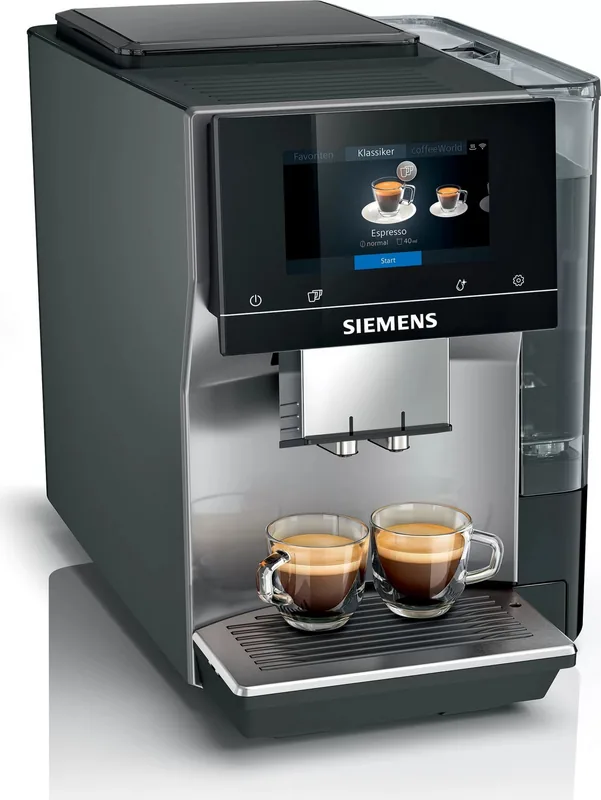
The Siemens EQ.700 classic TP705D01 is a fully automatic espresso machine designed for home coffee enthusiasts who want café-quality beverages with minimal effort. Built with a ceramic grinder, intuitive touch display and comprehensive customization options, this model balances robust engineering with user-friendly features. Key functions include doubleShot and tripleShot modes, milk-system integration for lattes and cappuccinos, programmable favourites, and Home Connect compatibility for remote control and updates.
What makes it stand out
The EQ.700 classic offers precise brewing control: adjustable grind settings while the grinder is running, multiple programmable beverage parameters (temperature, aroma, strength, milk ratio, and cup volume), and the ability to prepare two cups simultaneously. The integrated INTENZA water filter reduces limescale and improves water quality, extending maintenance intervals. Service programs such as calc’nClean combine cleaning and descaling, while dedicated cleaning and dishwasher-safe parts simplify routine upkeep.
User experience and daily use
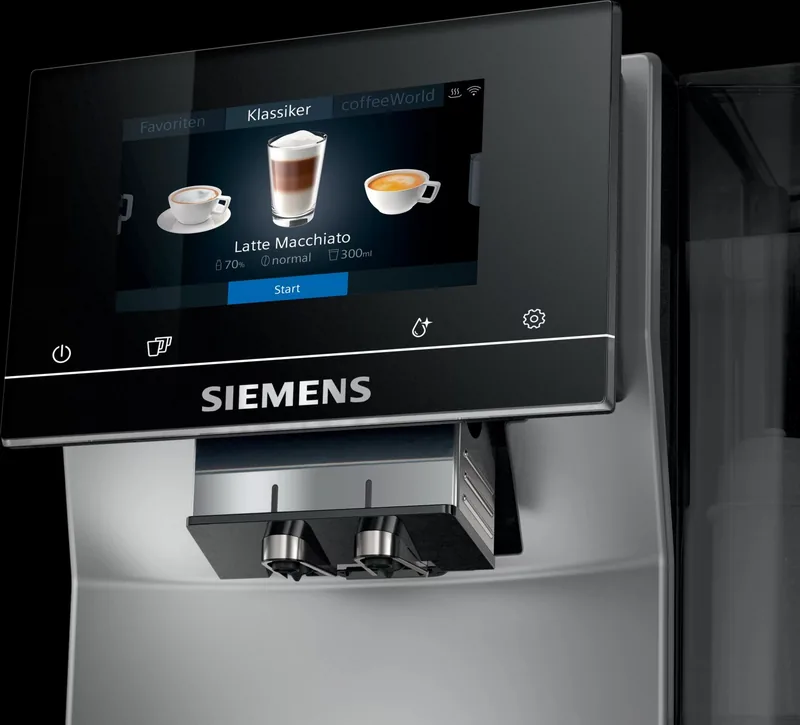
Operation centers on a responsive touch display with clearly labeled touch fields for Classics, coffeeWorld, favourites and service menus. Beginners benefit from guided first-time setup and on-screen prompts for filter changes, cleaning cycles and maintenance. The milk system auto-cleans after beverage preparation and the cup warmer keeps cups ready for ideal serving temperature. Safety is comprehensive: child-lock, warnings about hot surfaces and magnetic components, and clear instructions for proper installation and handling.
Build & practical details
The machine features a 2.6 L (model-dependent) water tank, up to 350 g bean hopper capacity, a maximum pump pressure of 20 bar and ceramic burrs for consistent grinding. Dimensions and power specs fit typical kitchen setups; Home Connect enables Wi‑Fi control and firmware updates. The unit also provides an accessible troubleshooting guide, specifying solutions for common issues like air in the water filter, brewing unit cleaning, and grind adjustments to optimize crema.
Maintenance & longevity
Designed for long-term use, the EQ.700 includes service programs for descaling, milk-system cleaning, brewing unit maintenance and frost protection for transport or storage. Use of manufacturer-recommended cleaning and descaling tablets and timely filter replacement maintains performance and minimizes repair needs. Original replacement parts and accessories are available through Siemens customer service.
Notes:
- Use only recommended coffee beans (no glazed, caramelised or oily beans) to avoid grinder blockage.
- Rinse and prime new water filters before first use and replace every 2 months or as prompted.
- Observe safety distances for electronic implants due to internal magnets.
Quick summary
- Programmable beverages with saved favourites
- Adjustable ceramic grinder while running
- INTENZA water filter support and calc’nClean service program
- Home Connect Wi‑Fi integration
- Comprehensive safety and maintenance features
Search for 67,732 Manuals online


Type-in Brand or Model
Tomás Krüger
7 months ago
After max temperature my Siemens EQ700 brews coffee too cool. What should I check or adjust before returning it?
Manual.ly
7 months ago
First run a fresh rinse: the machine performs a short flush at start, so discard that water and let the brewer finish. Use preheated cups (rinse with hot water). Check that the cup size setting and temperature level match your recipe, and that the grinder setting is not too coarse (finer for full extraction). Clean the brew unit and descale regularly; milk/coffee residues can reduce heat. If you use the milk hose, clean the milk circuit too. If it is still consistently lukewarm after these steps, contact support or service with your model and serial number for inspection.