
Siedle BTS 850-02 Manual
PDF manual · 16 Pages
English



Quick check
Incorrect answer, please try again.
Chat with your Siedle BTS 850-02 manual using AI
Get instant AI answers from your Siedle BTS 850-02 manual
Ask anything about the Siedle BTS 850-02. Answers come from this manual, with the pages they are based on.
Ask a Question
Do you recommend BTS 850-02?
Yes NoFrequently Asked Questions
The Siedle BTS 850-02 uses different ringing tones for each location. When a visitor presses the bell, the unique tone indicates whether they are at the front door or the apartment door.
Is this answer helpful?
Yes, you can choose from eleven different melodies. To select one, press the mute button after listening to the current setting, then hold the mute button for three seconds to save your choice.
Is this answer helpful?
Pressing the mute button briefly silences all ringing tones. The button lights up red to confirm muting. If someone rings while muted, the button will flash until the call is answered or ignored.
Is this answer helpful?
When you press the door release button, the door from which the last call came opens for exactly three seconds before automatically closing again.
Is this answer helpful?
Yes, the Light, Monitor, and Mute buttons can be assigned different functions. You must contact your electrical installer to perform these custom programming changes.
Is this answer helpful?
Clean the device using a soft cloth dampened with a mild soap solution. Avoid dry cleaning, aggressive agents, or abrasive detergents to prevent surface damage.
Is this answer helpful?
Advantages and Disadvantages
Advantages

- Distinct ringing tones differentiate between front door and apartment door calls
- Customizable with eleven selectable ringtone melodies and five volume levels
- Intuitive mute function with clear visual indicators like red light or blinking
- Programmable button assignments for enhanced flexibility via electrician
- Durable design requiring only mild soap solution for safe cleaning
Disadvantages

- Door opening duration is fixed at three seconds without user adjustment
- Advanced programming requires a professional electrical installer
- Service and warranty replacements must be processed through installers
- Volume and melody settings require specific button combinations to save
- Lighting activation depends entirely on prior installation by an electrician
Product Specification
Display
N/A
Image Sensor
N/A
Detection Range
N/A (horizontal), N/A (vertical)
Connection
2-wire
Participants
1
Package Contents
1x Indoor Station
Dimensions
7.91x3.58x1.81 in
Features
Ringtone Variants (11)
Product Description
Enhance Your Home Security with the Siedle BTS 850-02 Bus Telephone Standard
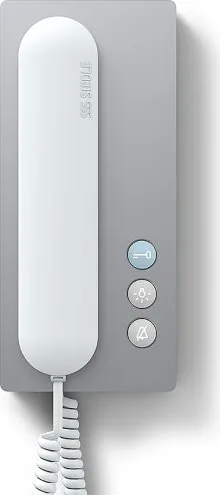
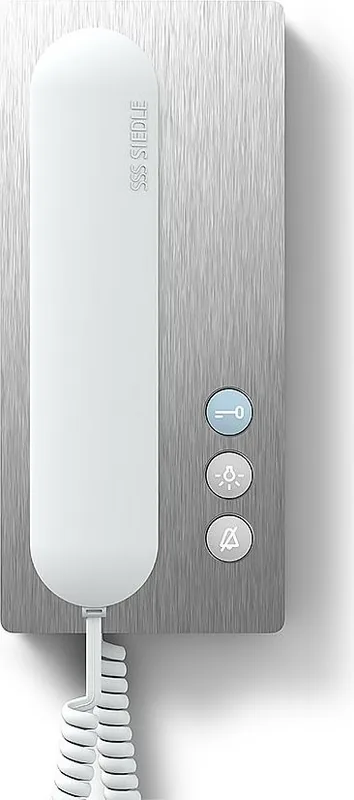
The Siedle BTS 850-02 Bus Telephone Standard represents a pinnacle of residential communication technology, designed to seamlessly integrate security and convenience into modern living spaces. This standard bus telephone is not merely an intercom; it is a sophisticated control center for your home entrance system. When a visitor arrives at either the front door or the apartment door, the device distinguishes between the two distinct ringing tones, ensuring you always know who is calling before you even answer.
One of the standout features of this unit is its intuitive operation. Within forty-five seconds of the last ring, you can effortlessly accept the call. The interface includes a dedicated mute button that provides immediate visual feedback by flashing or lighting up red when activated. This allows you to silence unwanted noise while still monitoring incoming calls, indicated by the blinking light on the mute button. For added security, the door release function opens the specific door from which the last call originated for exactly three seconds, granting access only when needed.
Customization is at the heart of the Siedle experience. Users can tailor their environment by selecting from eleven different ringtone melodies, ensuring the sound fits their personal preference or ambient noise levels. The volume itself is adjustable across five distinct levels, allowing for quiet mornings or loud environments. Furthermore, the functionality of key buttons such as Light, Monitor, and Mute can be reprogrammed by a qualified electrician to suit specific household needs. Whether you wish to switch on hallway lighting or activate a monitor, the possibilities are vast.
Maintenance is equally straightforward. The indoor unit requires only gentle cleaning with a soft cloth dampened in mild soapy water. Harsh chemicals or abrasive materials should be avoided to preserve the sleek finish. This commitment to quality ensures that the Siedle BTS 850-02 remains a reliable companion for years. Service and warranty exchanges are handled through professional electrical installers, guaranteeing that any technical support meets the highest standards. With the Siedle BTS 850-02 Manual guiding you through setup, this device offers a robust solution for secure and stylish home management.
Search for 67,706 Manuals online


Type-in Brand or Model