
Siedle Access AHT 870-0 Manual
PDF manual · 24 Pages
English



Quick check
Incorrect answer, please try again.
Chat with your Siedle Access AHT 870-0 manual using AI
Get instant AI answers from your Siedle Access AHT 870-0 manual
Ask anything about the Siedle Access AHT 870-0. Answers come from this manual, with the pages they are based on.
Ask a Question
Do you recommend Access AHT 870-0?
Yes NoFrequently Asked Questions
To accept a call, briefly lift the receiver when the door station or a user calls. To make a call, lift the receiver, select the destination from the phonebook using the 5-way control, and confirm with the Enter button. End calls by replacing the receiver.
Is this answer helpful?
Press the dedicated door release button to unlock the door that last called for three seconds. The action is immediate and controlled by the system; availability depends on the installation and server configuration.
Is this answer helpful?
Yes — if your indoor device supports video or the system includes a video license. You can select door cameras from the menu and access or delete images stored on the server for this device. Video functions require appropriate hardware or licensing.
Is this answer helpful?
Users can adjust call and conversation volume and display brightness in six increments (up to 100%). You can also read or delete messages and access licence and software information. Many functions and key assignments are managed by the administrator.
Is this answer helpful?
The administrator organizes the contact list into named areas (e.g., Internal, Private, Groups) and can assign speed-dial targets to specific keys. End users can navigate the contact list, but creation and grouping are controlled centrally.
Is this answer helpful?
Follow statutory warranty rules. For service or device exchange, contact your electrical installer via the system administrator. The administrator will check and, if necessary, replace and reconfigure the device; replacements must be configured before use.
Is this answer helpful?
Clean only with a soft cloth dampened in a mild soapy solution. Avoid dry cleaning, aggressive cleaners and abrasive materials that can damage the surface. Detailed care instructions are available on the manufacturer's download page.
Is this answer helpful?
Advantages and Disadvantages
Advantages

- Flexible configuration via server and administrator allows tailored functions for each user.
- Clear call handling: quick accept, place and end calls using receiver, 5-way control and Enter key.
- Integrated door release opens the last-called door for three seconds with a dedicated button.
- Expandable contact management with grouped lists and speed-dial assignments.
- Video support and image storage accessible when device has video capability or license.
Disadvantages

- Full functionality depends on server configuration and admin setup—limited out of the box.
- Video features require additional license or specific video-capable hardware.
- Device replacement requires installer and administrator involvement and reconfiguration.
- Limited on-device customization for end users; many settings must be set by administrator.
- Cleaning restrictions (no aggressive agents) require care to avoid surface damage.
Product Specification
Display
8.8" Color LCD
Image Sensor
N/A
Detection Range
N/A
Connection
LAN (PoE)
Users
1
Package Contents
1x Indoor Station
Dimensions
10.94x4.17x2.01in
Product Description
Siedle Haustelefon AHT 870-0 — Practical Overview and Manual Highlights
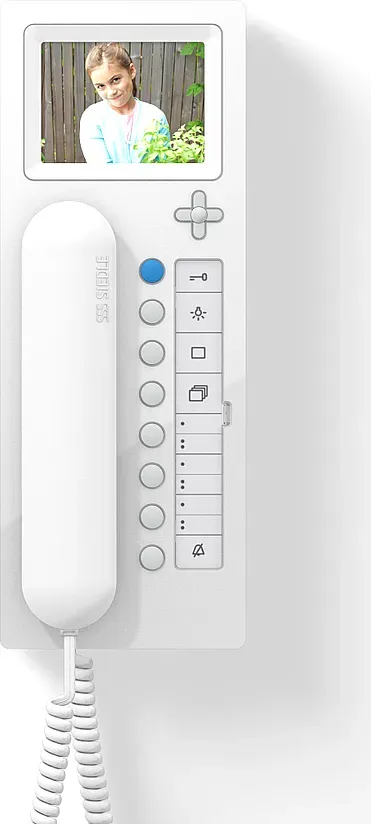
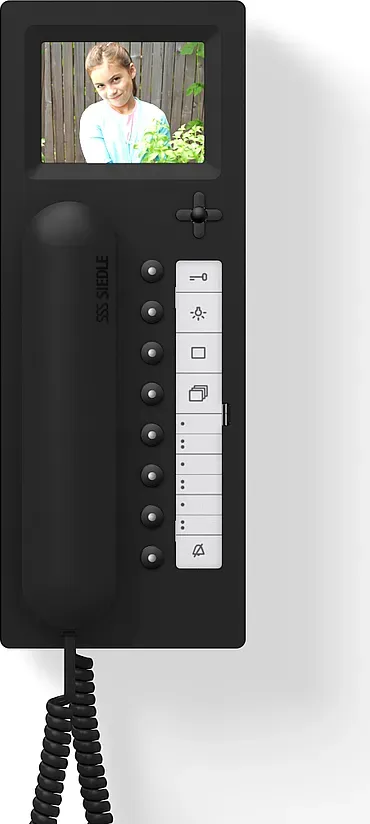
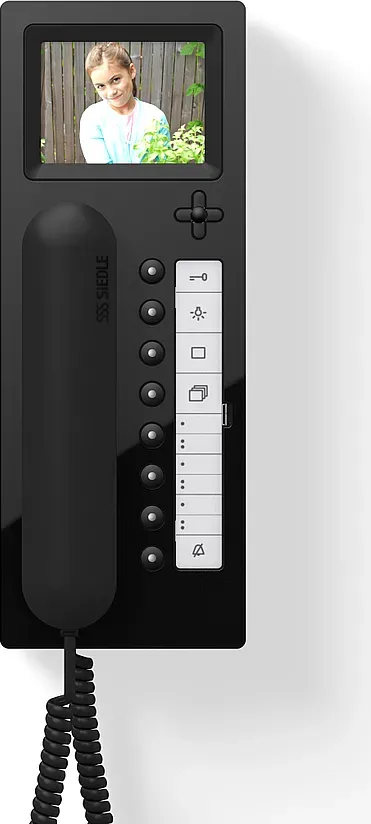
The Siedle Haustelefon AHT 870-0 is a versatile indoor intercom handset designed for modern door communication systems. It integrates call handling, door release control, contact management, message handling and optional video support when paired with compatible door cameras or a video license. The unit’s feature set is governed by the central system server and configured by an administrator, allowing functions and call destinations to be assigned to buttons or icons for rapid access.
Using the handset is straightforward: lift the receiver to accept an incoming call or to place a call from the phonebook via the 5-way control and confirm with the Enter key. Calls end by replacing the receiver. A dedicated door release button opens the last-called door for three seconds. The display-based main menu shows icons for assigned functions, making extensive call lists accessible even when the device has a limited number of physical keys. Active functions are indicated by integrated LEDs and display symbols.
Navigation relies on a 5-way control button for display movement and an Enter button to confirm selections. Switching functions or other actions can be preprogrammed on specific keys during system configuration so that a single press executes the stored action. Administrators can segment the contact list into named groups (e.g., Internal, Private, Groups) and set speed-dial assignments for frequently used call destinations.
Audio and screen settings are adjustable: both call and conversation volume, and display brightness, can be set across six increments up to 100%. System settings also expose license and software information. Message and answering-machine features let users listen to, read or delete recorded entries. Call rerouting, Doormatic (automatic door control) and timed activation of features are supported through the System menu.
For devices with video capability or with a video license, users can access door cameras and stored images on the server. The handset allows retrieval and deletion of images associated with the device. Administrators control which cameras or door stations are selectable from the indoor unit.
Care and servicing guidance is simple: clean with a soft cloth dampened in mild soapy water—avoid dry cleaning, aggressive chemicals and abrasives that could damage surfaces. Warranty and service follow statutory provisions; exchanges or repairs should be handled by the electrical installer in coordination with the system administrator. Replaced units must be configured before use.
Notes:
- Feature availability depends on server-side configuration and administrator assignments.
- Video functions require a video-capable indoor device or a video license.
- Always contact the system administrator first for configuration or service issues.
Search for 67,706 Manuals online


Type-in Brand or Model