
Shuttle XPC nano NC40U Manual
PDF manual · 26 Pages
English



Quick check
Incorrect answer, please try again.
Chat with your Shuttle XPC nano NC40U manual using AI
Get instant AI answers from your Shuttle XPC nano NC40U manual
Ask anything about the Shuttle XPC nano NC40U. Answers come from this manual, with the pages they are based on.
Ask a Question
Do you recommend XPC nano NC40U?
Yes NoFrequently Asked Questions
Power on the system and press the Delete key when prompted (sometimes F1/F2 on certain boards) to enter the AMIBIOS setup utility. Use arrow keys and hotkeys (F1 for help, F4 to save and exit, Esc to cancel) to navigate.
Is this answer helpful?
The BIOS permits enabling/disabling features such as Intel VT-x/VT-d, Hyper-Threading, Turbo Boost, Enhanced Intel SpeedStep (EIST), Speed Shift, C-state support, and selecting active CPU cores for performance or power optimization.
Is this answer helpful?
Under Power Management you can set RTC wake alarms, enable wake-by-USB (S3), wake-by-LAN, and configure behavior after AC power loss (Power On, Power Off, Former-sts). EuP and fast-boot options are also available to manage power profiles.
Is this answer helpful?
The motherboard driver DVD bundled with the system contains Windows drivers and user manuals. If AutoRun does not start, run the Autorun executable from the DVD or visit Shuttle’s website for downloads and updated documentation.
Is this answer helpful?
Security options include setting supervisor and user passwords, configuring password login control (Setup/Boot/Both), enabling/disabling Secure Boot, and flash write protection to prevent unauthorized BIOS modification.
Is this answer helpful?
Use Hardware Health Configuration to set FAN1 speed control with options like Smart Fan Mode, Ultra-Low, Low, Mid, and Full Speed to balance cooling and acoustic preferences.
Is this answer helpful?
The NC40U complies with FCC Part 15 and includes RoHS-related material declarations per GB/T 26572. Some parts may contain exempted restricted substances; refer to Shuttle’s documentation for component-level details.
Is this answer helpful?
Advantages and Disadvantages
Advantages

- Compact, low-power design suitable for edge computing, signage, and home office use.
- Comprehensive BIOS controls including CPU, power management, security, and boot options.
- Support for modern Intel features: VT-x/VT-d, Turbo Boost, Hyper-Threading, and Speed Shift.
- Onboard toggles for LAN, audio, CNVi, IGD memory, and SATA for flexible configurations.
- Driver DVD and Shuttle support links simplify Windows driver installation and documentation access.
Disadvantages

- Limited internal expansion typical of nano-form-factor systems compared with full desktops.
- Some BIOS options and screen layouts may vary by firmware version or manufacturer customization.
- Thermal constraints may require fan tuning or external cooling in high-load scenarios.
- Certain components may contain restricted substances per GB/T 26572 limits, noted for specific parts.
- Reliance on a driver DVD may be less convenient than preloaded OS images or online-only driver distribution.
Product Specification
Type
Mini PC
Chipset
System-on-Chip (SoC)
Socket
N/A
RAM
2x DDR4 SO-DIMM, dual PC4-25600S/DDR4-3200, max. 64GB (UDIMM)
Storage
1x SATA 6Gb/s, 1x M.2/M-Key (PCIe 4.0 x4, 2280), 1x M.2/M-Key (PCIe 3.0 x4/SATA, 2280)
External Bays
N/A
Internal Bays
1x 2.5" (0.59 in)
Rear Ports
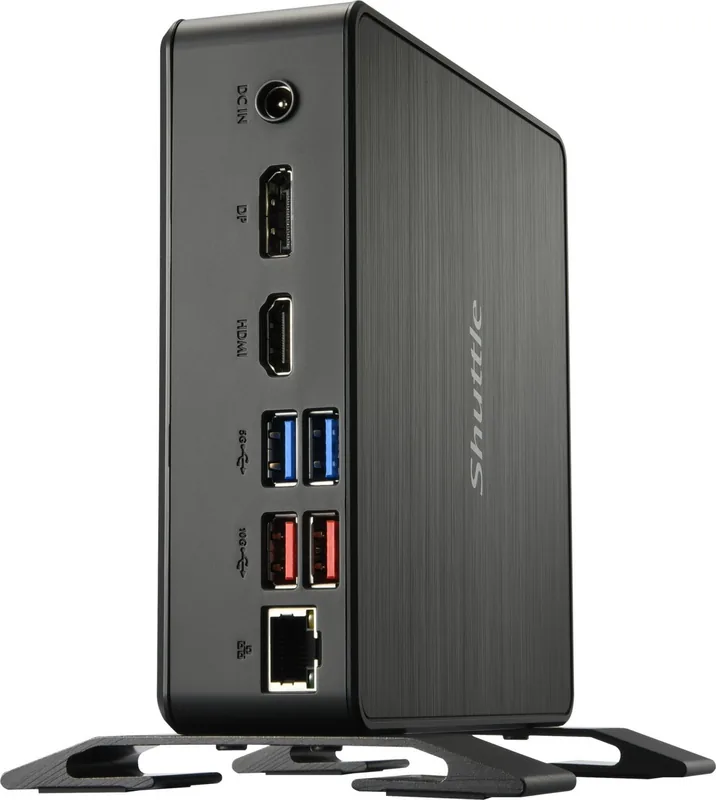
1x HDMI 2.0b, 1x DisplayPort 1.4a, 2x USB-A 3.1 (10Gb/s), 2x USB-A 3.0 (5Gb/s), 1x RJ-45 1Gb LAN (Intel I219-V), 1x DC Jack (Power Connector)
Front/Side Ports
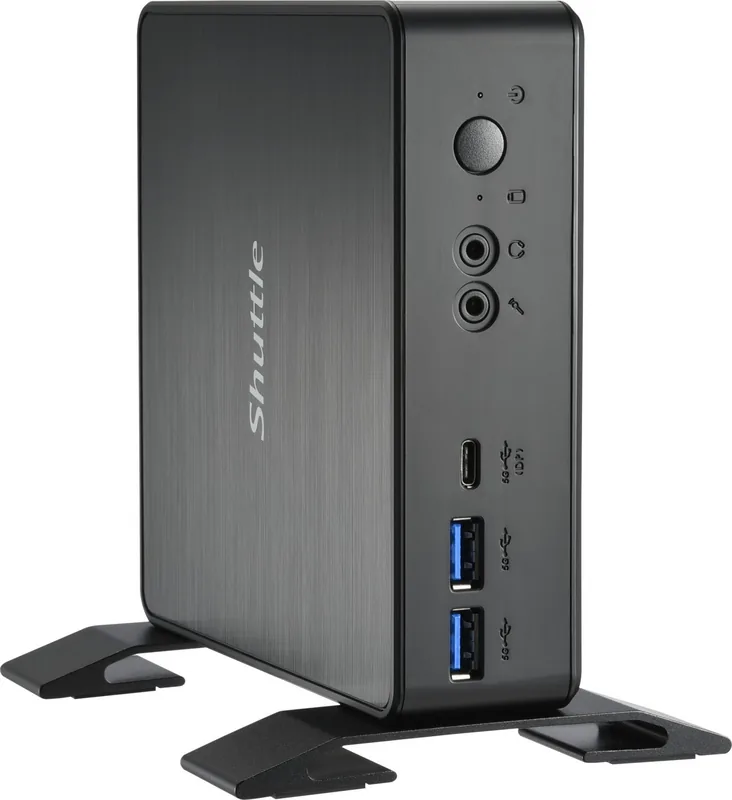
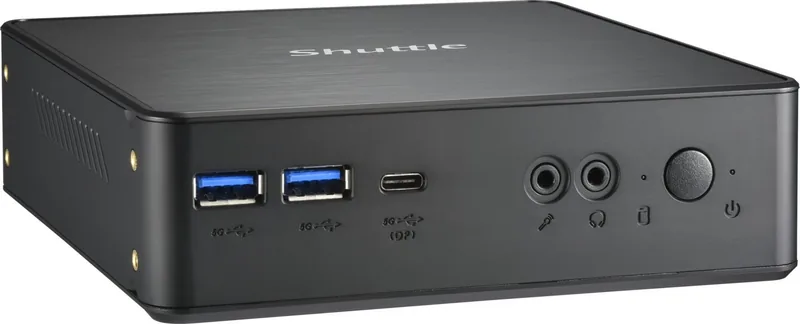
1x USB-C 3.0 with DisplayPort 1.4a (5Gb/s), 2x USB-A 3.0 (5Gb/s), 2x 3.5mm Jack (C-Media CM6542)
Expansion Slots
1x M.2/E-Key (PCIe, 2230)
Wireless
N/A
Audio
7.1 (C-Media CM6542)
Card Reader
N/A
Power Supply
external, 1x barrel connector (65W/19V/3.42A)
VESA Mount
2.95x2.95/3.94x3.94 in (included)
Dimensions (WxHxD)
5.59x1.65x5.59 in
Volume
0.85 qt
CPU Cooler
included
Special Features
Security Lock (Kensington), 3x Display Support, suitable for continuous operation
Manufacturer's Warranty
two years
USB Naming Convention
Link
Product Description
Shuttle XPC nano NC40U Manual: Compact Powerhouse for Edge and Home Use
The Shuttle XPC nano NC40U is a compact, robust mini-PC designed for versatile deployment in home offices, digital signage, industrial control, and edge computing. Built around Shuttle's small-footprint chassis and an NC40U-series motherboard, this unit delivers reliable performance with a focus on low power consumption, wide compatibility, and accessible BIOS-level controls. The system supports modern Intel features such as VT-x/VT-d, Turbo Boost, Hyper-Threading, Speed Shift, and configurable CPU core and power states, making it adaptable to both lightweight server tasks and everyday desktop workloads.
This model emphasizes stability and manageability. The onboard BIOS (AMIBIOS) exposes an extensive setup menu where users can tune system time, boot order, security options, and hardware features. Advanced menus allow fine-grained control over CPU configuration (active cores, C-states, EIST, Turbo), power management (RTC wake, power-on after AC restore, EuP settings), and peripheral behavior (USB wake, onboard LAN, audio, CNVi, and IGD memory allocation). Hardware health options include fan speed modes to balance thermal performance and acoustic needs.
Connectivity and expandability are practical: SATA configuration supports multiple storage setups, while onboard device toggles let you enable or disable LAN, audio, boot ROM, and other integrated functions. The system ships with a motherboard driver DVD and links to Shuttle’s support resources, ensuring drivers and user manuals are readily accessible to optimize Windows installations. Regulatory compliance (FCC Part 15) and industry trademarks are acknowledged, and the product includes safety guidance for installation, battery replacement, and environmental considerations.
Shuttle also provides clear security controls within the BIOS—supervisor and user password management, flash write protection, and secure boot options—so administrators can protect firmware and control boot behaviors. The documentation notes warranty and disclaimer details, and it outlines component materials and RoHS-related information for environmental compliance.
Notes:
- BIOS access is typically via the Delete key during POST; other hotkeys like F1/F2 may apply in some setups.
- Use the driver DVD or Shuttle website to install motherboard drivers after Windows installation.
- Observe safety instructions: avoid high humidity, block airflow, or improper battery replacement.
Search for 67,706 Manuals online


Type-in Brand or Model