
Shuttle P22U P2200PA Manual
PDF manual · 25 Pages
English



Quick check
Incorrect answer, please try again.
Chat with your Shuttle P22U P2200PA manual using AI
Get instant AI answers from your Shuttle P22U P2200PA manual
Ask anything about the Shuttle P22U P2200PA. Answers come from this manual, with the pages they are based on.
Ask a Question
Do you recommend P22U P2200PA?
Yes NoFrequently Asked Questions
Power on the motherboard and press the Delete key when prompted. The main BIOS setup menu will display. Use arrow keys to navigate options. F1 provides help, F4 saves changes and exits, ESC aborts changes.
Is this answer helpful?
Do not place under heavy loads or unstable positions. Avoid direct sunlight and high humidity. Do not block air vents. Replace batteries with equivalent types only. These steps prevent damage and ensure safety.
Is this answer helpful?
It uses the Intel Celeron 5205U processor. This chip provides sufficient performance for standard POS tasks. It works with 4GB of RAM and a 120GB SSD for storage.
Is this answer helpful?
Yes, the Boot BIOS Setup screen allows configuration. You can prioritize USB devices or card readers. Adjust Boot Device Priority settings in the utility menu to change sequence.
Is this answer helpful?
The device complies with Part 15 of the FCC Rules. It may not cause harmful interference and must withstand background interference. RoHS regulations also guide material content limits.
Is this answer helpful?
Advantages and Disadvantages
Advantages

- Fast SSD storage improves boot speeds significantly.
- Intel Celeron 5205U offers energy efficient performance.
- Compact black chassis fits well in retail counters.
- BIOS allows detailed security and power customization.
- FCC compliant for safe electronic interference management.
Disadvantages

- Limited 4GB RAM may restrict heavy multitasking needs.
- 120GB SSD space fills up quickly with large software.
- BIOS manual requires careful navigation for new users.
- No external GPU support limits graphical capabilities.
- Sensitive to high humidity and direct sunlight exposure.
Product Specification
Form Factor
All-in-One
Display
11.6", 1366x768 (HD), 16:9, 135ppi, 60Hz, Multi-Touch, non-glare (matte), TN, 250cd/m2
CPU
Intel Celeron 5205U, 2C/2T, 1.90GHz, 2MB+0.5MB Cache, 15W TDP, 12.5W cTDP, Codename "Comet Lake-U" (Comet Lake, Intel 14nm++)
RAM
4GB DDR4-2400 (1x 4GB SO-DIMM module, 2 Slots, max. 64GB)
SSD
120GB M.2
HDD
N/A
Flash
N/A
Graphics
Intel UHD Graphics (iGPU), 23EU/184SP, 0.30-0.90GHz, Architecture "Gen 9.5" (Comet Lake GT2)
Rear ports
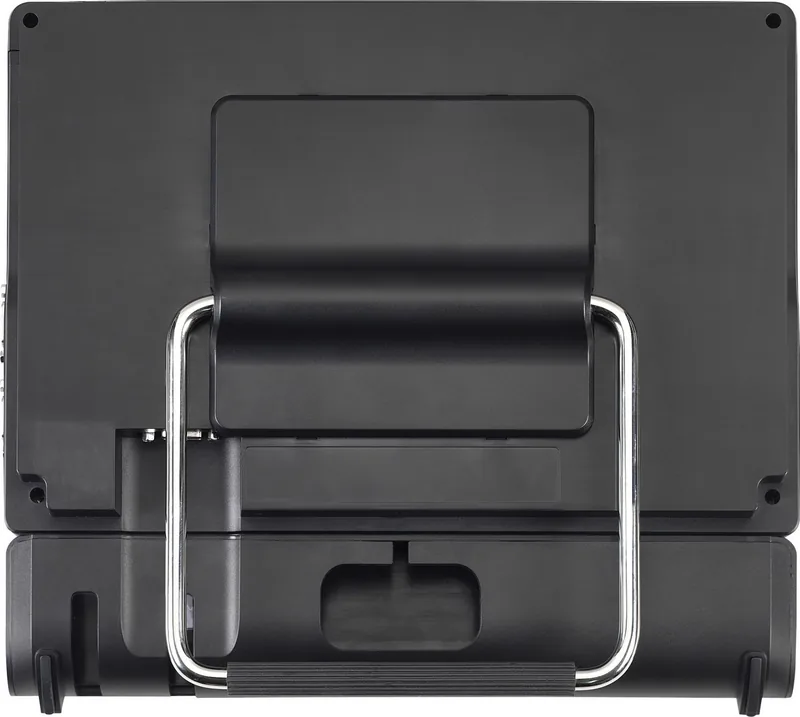
2x USB-A 3.0 (5Gb/s), 2x USB-A 2.0 (480Mb/s), 1x VGA, 1x HDMI 1.4b, 2x 3.5mm Jack, 1x RJ-45 1Gb LAN (Intel I219-V), 2x serial, 1x DC-In Power Socket (Power)
Front/Side ports
2x USB-A 3.0 (5Gb/s), 1x SD Card
Optical Drive
N/A
Camera
2 Megapixel
Operating System
Windows 10 IoT Enterprise
Power Supply
external 65W, 1x Power Plug (19V)
Dimensions
11.77x10.67x1.97in (WxHxD)
Weight
5.45lbs
Volume
250.20 cu in (calculated)
Special Features
passively cooled (fanless), suitable for continuous operation, security lock (Kensington Security Slot), VESA mount (100x100), IP54 certified (front), speakers (2x 2W), microphone
Color
black
Warranty
3 years (send-in, including 2 years send-in with pickup)
USB Spelling
Left
Product Description
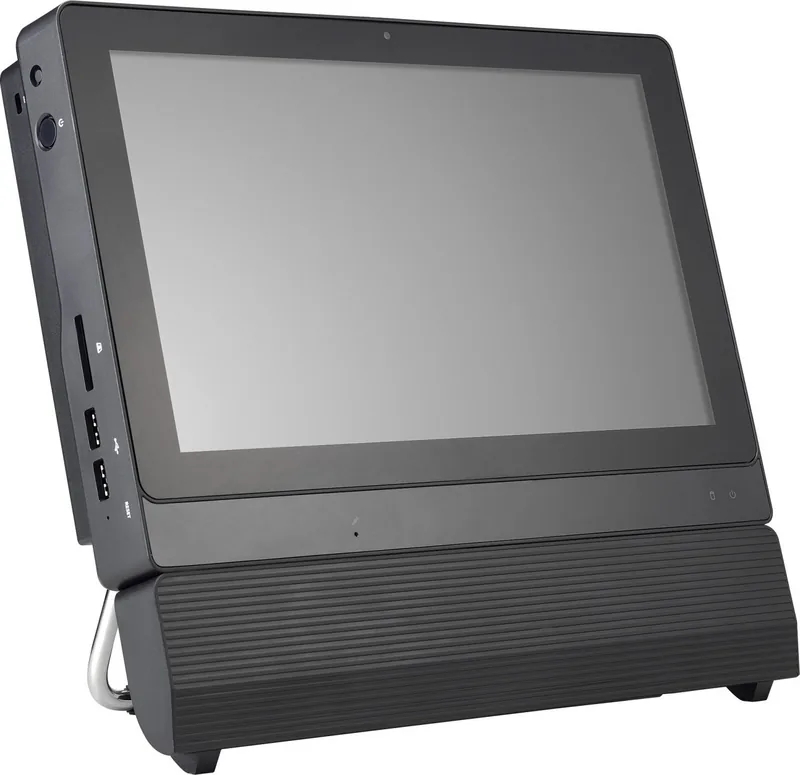
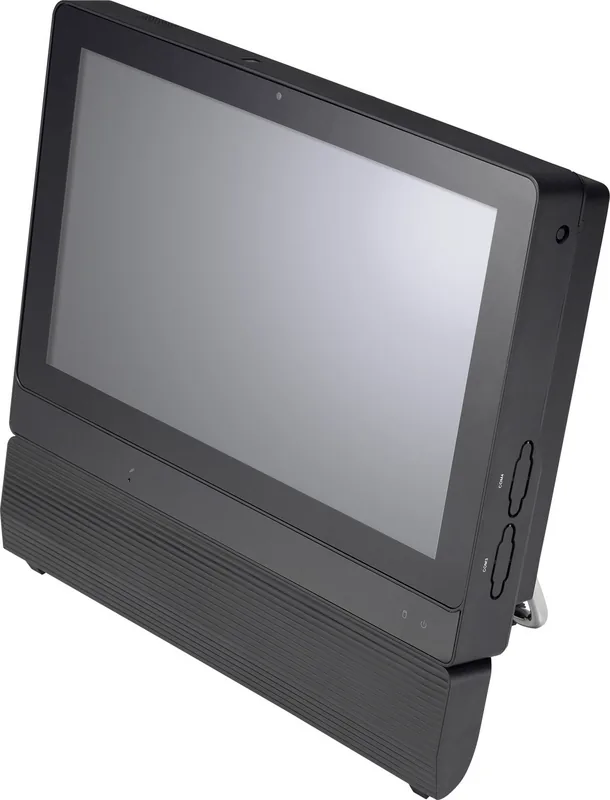
Discover the Shuttle POS P22U P2200PA Black
This compact unit features a Celeron 5205U processor that delivers reliable computing power for various retail environments. The system includes 4GB RAM to handle multitasking smoothly while the 120GB SSD ensures rapid boot times and efficient data retrieval. Designed for durability, the chassis requires careful placement away from direct sunlight and heavy objects. It is ideal for businesses requiring a stable platform.
Performance and Design
The hardware layout supports essential business applications without unnecessary bloat. Installation involves straightforward driver setup using the provided media for Windows compatibility. Users can access BIOS settings to configure security, boot order, and power management easily. The black finish blends into modern workspaces. Performance is managed through the motherboard drivers found on the included disc. These drivers ensure the hardware communicates efficiently with the operating system. The SSD storage significantly reduces load times compared to traditional hard drives. This speed is vital for transaction processing environments. Power management features allow the system to adjust CPU states for energy efficiency.
Safety and Compliance
Maintaining proper airflow is critical for thermal management. Do not block air vents or expose the device to wet conditions. The unit complies with FCC Part 15 regulations ensuring minimal interference in crowded spaces. Safety precautions advise replacing batteries with equivalent types only to prevent damage. High humidity areas should be avoided to protect internal components. Magnetic fields must also be kept away from the device.
BIOS and Configuration
The AMIBIOS utility allows deep system control for technicians. You can enable TPM, configure USB wake settings, and manage CPU power states. Password protection prevents unauthorized access to system settings. Secure Boot helps verify operating system integrity during startup. Users should reference detailed navigation guides for optimal setup. Install notices highlight not to place the device in unstable positions. This ensures the hardware remains secure during operation. Thermal vents must stay clear to prevent overheating. Driver installation via DVD optimizes performance for the motherboard. Advanced settings include SATA configuration and device selection. Boot options can be prioritized for USB drives or network boot. Security tabs allow changing supervisor and user passwords easily.
Conclusion
A solid choice for point-of-sale systems needing dependable performance. The combination of processor, memory, and storage delivers speed. Compliance ensures safe operation in electrically noisy environments. Careful setup guarantees longevity and stability for daily operations. This system provides a solid foundation for modern retail technology.
Search for 67,706 Manuals online


Type-in Brand or Model