
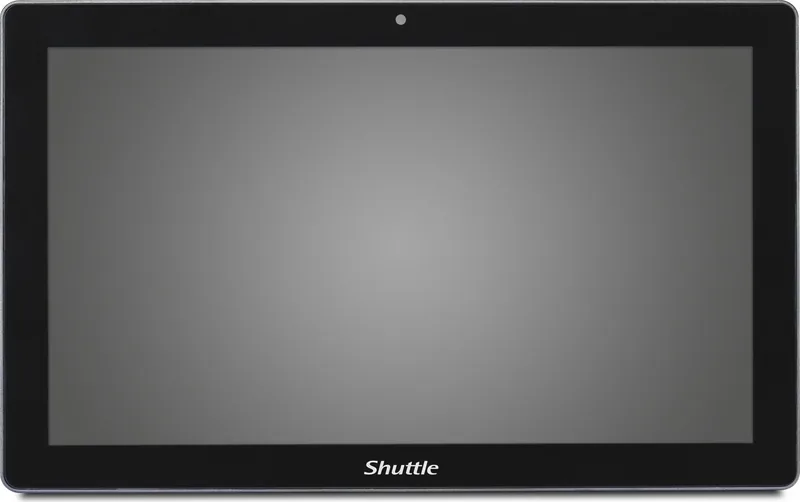
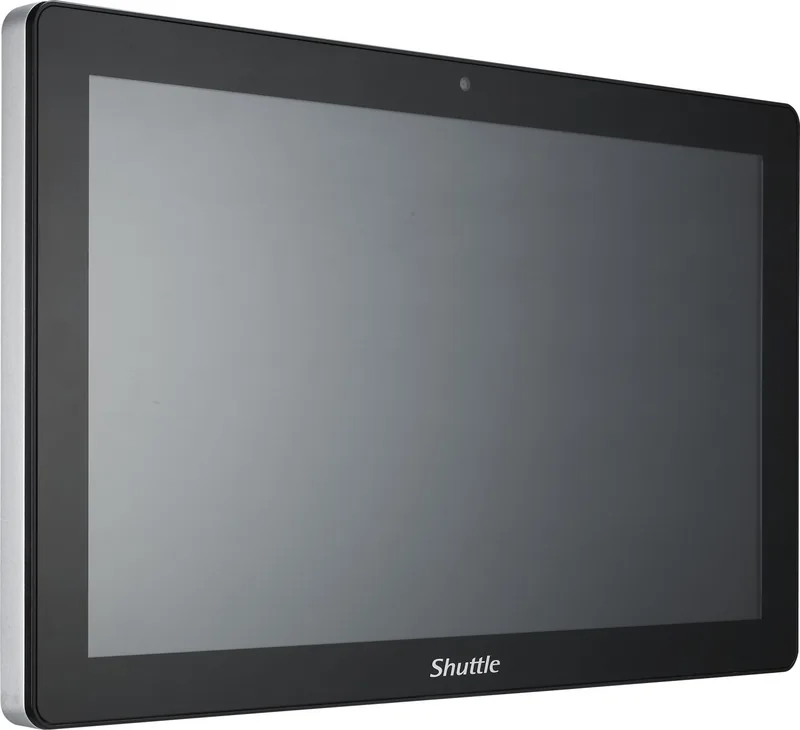
Shuttle P21WL01-i3 Manual
PDF manual · 21 Pages
English



Quick check
Incorrect answer, please try again.
Chat with your Shuttle P21WL01-i3 manual using AI
Get instant AI answers from your Shuttle P21WL01-i3 manual
Ask anything about the Shuttle P21WL01-i3. Answers come from this manual, with the pages they are based on.
Ask a Question
Do you recommend P21WL01-i3?
Yes NoFrequently Asked Questions
No. You must use the specific DC adapter rated at 19Vdc and 4.74A to ensure safety and prevent damage to the internal components.
Is this answer helpful?
Yes. It features a True-Flat PCAP touch screen that functions like a mouse for easy management.
Is this answer helpful?
Yes. It supports a 2.5-inch SATA SSD and has an optional M.2 slot for additional storage flexibility.
Is this answer helpful?
VESA standards allow secure wall or arm attachment using 100x100 mm brackets for space saving.
Is this answer helpful?
Yes, but replace only with equivalent types recommended by the manufacturer to avoid computer damage.
Is this answer helpful?
The unit can operate between 0 degrees C and 40 degrees C for best performance and safety.
Is this answer helpful?
Use a soft cloth with water or alcohol max 75%. Never spray directly on the screen or use strong solvents.
Is this answer helpful?
Advantages and Disadvantages
Advantages

- Intel Whiskey Lake-U platform ensures reliable performance for demanding tasks.
- True-flat capacitive touch screen provides intuitive user interaction and control.
- Dual LAN ports support flexible network configurations and redundancy.
- VESA 100x100 mounting compatibility simplifies wall and arm installations.
- Expandable storage includes SATA SSD and optional M.2 slot for data.
Disadvantages

- Weight between 7.6 and 8 kg makes portable handling more difficult.
- Front IP65 rating does not fully protect backside components from moisture.
- Strict temperature range limits use in extremely cold or hot environments.
- Requires specific DC adapter to function safely and avoid damage.
- Optional parts like antennas and COM boards add installation complexity.
Product Specification
Form Factor
All-in-One
Display
21.5", 1920x1080 (FHD), 16:9, 102 ppi, 60Hz, Multi-Touch, VA, 300 cd/m2, 3000:1
CPU
Intel Core i3-8145UE, 2C/4T, 2.20-3.90GHz, 4MB+0.5MB Cache, 15W TDP, 12.5-25W cTDP, Codename "Whiskey Lake-U" (Coffee Lake, Intel 14nm++)
RAM
4GB DDR4-2400 (1x 4GB SO-DIMM Module, 2 Slots, max. 64GB)
SSD
120GB M.2 PCIe
HDD
N/A
Flash
N/A
Graphics
Intel UHD Graphics 620 (iGPU), 23EU/184SP, 0.30-1.00GHz, Architecture "Gen 9.5" (Whiskey Lake GT2)
Rear Ports
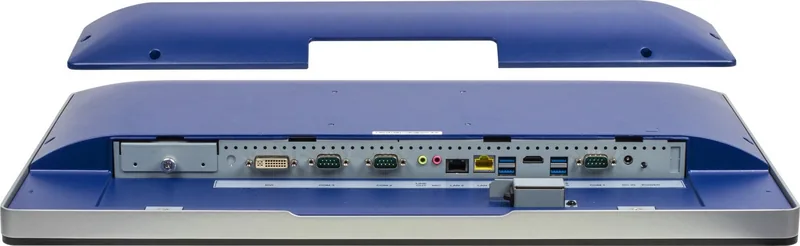
4x USB-A 3.0 (5Gb/s), 1x HDMI 1.4b, 1x DVI, 2x 3.5mm Jack, 1x RJ-45 1Gb LAN (Intel I219-LM), 1x RJ-45 1Gb LAN (Intel I211-AT), 3x serial, 1x DC-In Power Socket (Power)
Front/Side Ports
1x SD Card
Wireless
Wi-Fi 5 (WLAN 802.11a/b/g/n/ac), Bluetooth 4.2
Optical Drive
N/A
Camera
2 Megapixel
Operating System
N/A
Power Supply
External 90W, 1x Barrel Connector (19V/4.7A, 5.5mm)
Dimensions
21.38 x 13.15 x 1.97 inches (WxHxD)
Weight
16.76 lbs
Volume
555.32 cubic inches (calculated)
Features
Fanless (passive cooling), suitable for continuous operation, 3x Display Support, VESA Mount (100x100), IP65 certified (front), Speakers (2x 2W), Microphone
Color
Black
Warranty
2 Years (Bring-In)
USB Reference
Link
Product Description
Elevating Industrial Efficiency with the Shuttle P21WL01-i3 Panel-PC
Introduction to the System
The Shuttle P21WL01-i3 Panel-PC Manual serves as a vital resource for professionals deploying industrial computing solutions. This device combines robust construction with advanced connectivity options suitable for demanding sectors. Engineers and technicians prioritize clarity when handling complex hardware configurations. The information ensures safe operation and optimal performance throughout the product lifecycle. Users often refer to these guidelines during initial setup phases to avoid common pitfalls associated with new machinery. Reliability is paramount in automation and retail fields where downtime affects productivity significantly. Consulting the Shuttle P21WL01-i3 Panel-PC Manual helps prevent installation errors. It includes sections for regulations and safety instructions. It covers essential troubleshooting steps for daily use.
Detailed Technical Specifications
Specifications highlight a 21.5-inch Full High Definition LCD panel offering sharp visuals. The display supports true-flat capacitive touch technology for responsive interactions. Computing power stems from the Intel Whiskey Lake-U processor integrated into the chassis. Memory capacities reach 32GB DDR4 to support heavy workloads efficiently. Storage flexibility includes standard SATA SSDs and optional M.2 expansion slots. Connectivity ports offer dual LAN connections alongside multiple USB 3.0 interfaces. Audio jacks and HDMI outputs provide versatile multimedia capabilities for diverse applications.
Safety and Operational Guidelines
Operational safety depends on strict adherence to environmental guidelines. The unit tolerates temperatures between zero and forty degrees Celsius. Direct sunlight and moisture pose risks that can damage internal components quickly. Never block air vents to prevent overheating during extended usage periods. Liquid protection applies strictly to the front surface rated at IP65 standards. Backside components remain vulnerable so cleaning should focus on the display area only. Power requirements dictate using the specific manufacturer adapter to ensure stability. Recycling protocols follow WEEE regulations to protect the environment responsibly.
Installation Procedures and Maintenance
Installation requires precise handling of screws and mounting brackets for stability. VESA standards allow secure wall or arm attachments for space saving. Users must verify potential equalization pins to prevent electrical interference issues. BIOS updates or resets should be performed cautiously by trained personnel. Battery replacement involves careful selection of approved types to avoid system errors. Regular cleaning with appropriate alcohol solutions maintains screen clarity and touch sensitivity. When replacing the SSD, unscrew the bracket carefully to avoid damaging the chassis. Connector covers must be removed before accessing rear ports.
Conclusion and Final Thoughts
Proper utilization of this equipment ensures long-term value and functionality. The Shuttle P21WL01-i3 Panel-PC Manual remains a cornerstone for maintenance teams. Compliance with regulations protects users from liability and equipment failure. Investing time in understanding these instructions leads to fewer errors during deployment. Ensure you have backup drives to manage configuration data.
Search for 67,706 Manuals online


Type-in Brand or Model