
Severin RB 7026 Manual
PDF manual · 152 Pages
English



Quick check
Incorrect answer, please try again.
Chat with your Severin RB 7026 manual using AI
Get instant AI answers from your Severin RB 7026 manual
Ask anything about the Severin RB 7026. Answers come from this manual, with the pages they are based on.
RB 7026 Maintenance Schedule
Empty the dust container after every vacuuming operation.
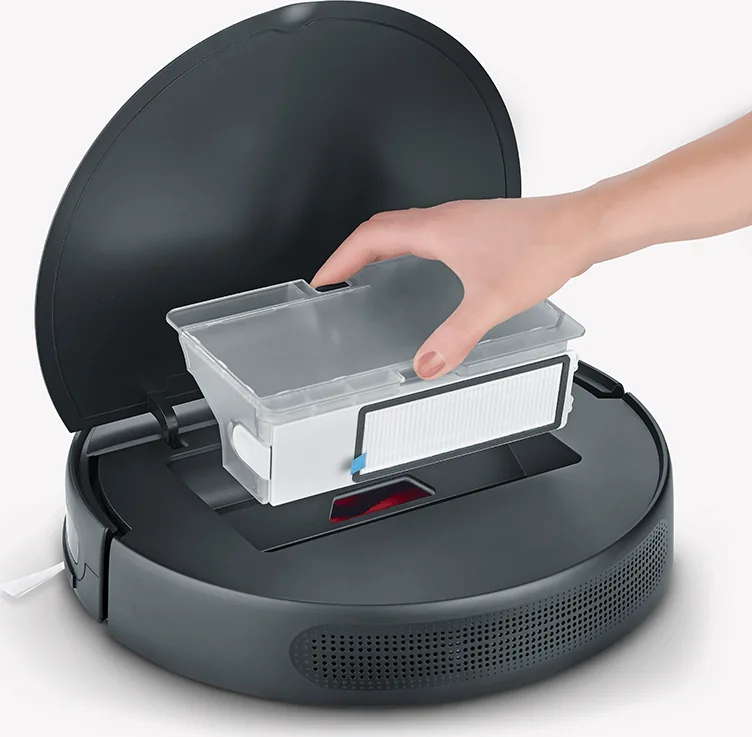
Tap out the filter in the flap thoroughly; clean the dust container with a dry cloth if necessary.
Remove dirt from the brush roller using tweezers or scissors if needed; vacuum the area.
Remove hair or lint caught in side brushes; wipe hairs gently with a soft cloth.
Remove any lint or hair caught in the front wheel using tweezers if necessary.
Wipe all four anti-fall sensors with a clean, lint-free cloth if the underside is very dirty.
Regularly clean electrical contacts to ensure proper charging function.
Replace round brushes every 3 to 6 months or as needed when worn.
Replace the filter unit every 6 months for optimal performance.
Replace the brush roller every 6 to 12 months depending on usage conditions.
Free maintenance reminders
Timed to your purchase date. Always free, unsubscribe anytime.
Ask a Question
Do you recommend RB 7026?
Yes NoDo you recommend RB 7026?
Yes NoFrequently Asked Questions
The device takes up to five hours to fully charge the battery from empty to full capacity before use.
Is this answer helpful?
No, anti-fall sensors will prevent it, and you should keep the unit away from stairs to prevent drops or damage.
Is this answer helpful?
The remote control requires two AAA batteries which are included in the initial package for immediate use.
Is this answer helpful?
Filters should be shaken out weekly and replaced every six months to maintain optimal air quality and suction performance.
Is this answer helpful?
The manufacturer provides a two-year guarantee from the purchase date covering material or manufacturing defects.
Is this answer helpful?
No, obstacles like walls may block the signal, so use the remote within twenty meters of the vacuum unit.
Is this answer helpful?
Press the release latch, open the flap, empty contents, tap the filter, dry completely, and reassemble carefully.
Is this answer helpful?
Advantages and Disadvantages
Advantages

- Includes remote control for easy operation and manual direction
- Auto returns to charging station when battery is low or cycle completes
- Anti-fall and anti-collision sensors ensure safe navigation on multiple floors
- Large 600 ml dust container reduces the need for frequent manual emptying
- LED ring and sound signals provide clear status updates on performance issues
Disadvantages

- Remote control range is limited to approximately 20 meters maximum distance
- Filters require regular cleaning and must be replaced every six months for peak suction
- Not suitable for vacuuming high pile carpets or wet liquid surfaces effectively
- Battery does not recharge during usage and may need replacement after two years
- Setup requires specific free space around the charging station for reliable docking
Product Specification
Robot Vacuum
Battery
1 Battery (14.4V, 2.6Ah, Li-Ion)
Color
Black
Capacity
13.53 fl oz
Cleaning Modes
Vacuuming
Navigation
Laser Sensor, Obstacle Detection, Obstacle Overcoming (up to 0.67 in), Stair Detection
Filtration
Yes
Display
No
Features
2 Side Brushes, Programmable Cleaning Times
Smart Home
No
Run Time
1.5 hours
Charge Time
5 hours
Charging System
Automatic
Noise Level
65 dB(A)
Dimensions
13.78 x 3.35 in (D x H)
Weight
7.05 lbs
Package Contents
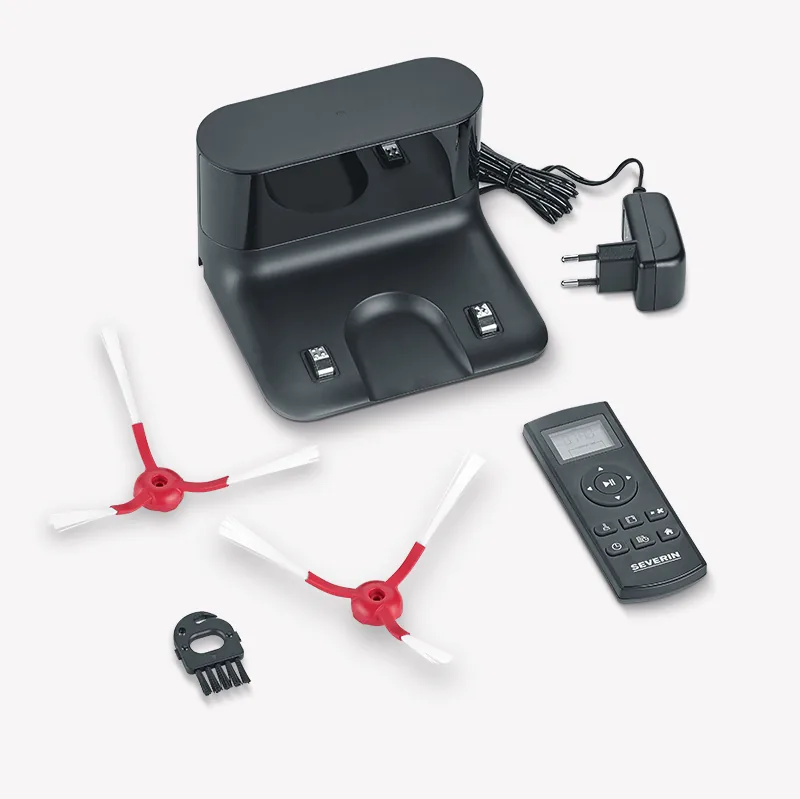
Station, Remote Control, Cleaning Tool, 2 Side Brushes
Station
Station Color
Black
Station Display
No
Station Features
Automatic Charging Function
Product Description
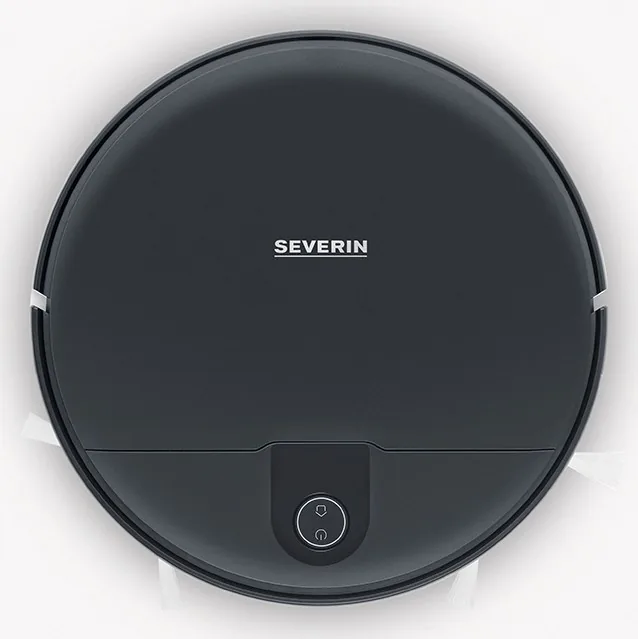
Sevein RB 7026 Overview
The Severin RB 7026 Manual serves as an essential guide for understanding the full capabilities of this automated home cleaning appliance. This robot vacuum cleaner is designed to simplify household chores by navigating hard floors and short-pile carpets independently. With a powerful remote control included in the package, users can direct the device to specific areas or start cleaning cycles remotely without moving around the room. The unit features a rechargeable battery system that offers approximately ninety minutes of continuous operation before automatically returning to the charging station to restock power. Safety is a major priority in the design, with anti-fall and anti-collision sensors preventing falls from stairs and collisions with furniture or obstacles. The dust container holds up to six hundred milliliters of debris, significantly reducing the frequency of emptying during typical usage patterns. Maintenance instructions emphasize regular cleaning of filters and brushes to ensure optimal suction power over the lifespan of the device. Users should consult the Severin RB 7026 Manual for detailed troubleshooting steps when the device signals an issue via LED rings. Proper setup requires placing the charging station in an accessible location near a power socket with clear space around it. This ensures the robot can find its way back for recharging without blockage or error detection failures. Cleaning protocols advise against using the vacuum on carpets with long piles or wet surfaces like damp mops. The remote control allows for manual adjustments like moving forward, turning left, or entering turbo mode for intensive cleaning tasks in stubborn spots. Battery longevity depends on keeping the unit dry and avoiding extreme temperatures during storage periods in winter or summer. Regular maintenance includes wiping sensors and removing hair from the brush rollers to prevent dragging and mechanical jams. The device supports a timer function allowing scheduled cleaning sessions to keep floors clean while you are away from home. Overall, this intelligent companion helps maintain hygiene standards throughout the living space efficiently. Spare parts like filters and brushes are available for replacement to extend the machine life. Charging takes up to five hours for a full cycle. The appliance meets specific EU directives for safety compliance. Careful handling ensures the warranty remains valid for two years from the date of purchase. Enjoy a cleaner home with minimal effort by following the recommended daily and weekly care routines. Children over eight years old can operate it under supervision. Younger children must stay away from the unit to avoid injury or tampering with the battery pack. The power supply unit must be connected to a matching socket for safe electricity transfer during charging cycles. Do not attempt to repair internal components yourself as this voids the guarantee. The LED ring indicates status clearly with white for standby and orange for errors. Empty the dustbin after every cycle to prevent blockages during operation. The air filter requires weekly tapping and replacement every six months for peak performance. If liquid contacts the battery, immediately rinse skin and seek medical advice. Do not dispose of batteries in standard trash.
Search for 67,732 Manuals online


Type-in Brand or Model