
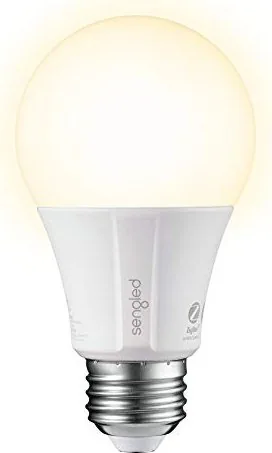
Sengled Element Classic Manual
PDF manual · 48 Pages
English


Quick check
Incorrect answer, please try again.
Chat with your Sengled Element Classic manual using AI
Get instant AI answers from your Sengled Element Classic manual
Ask anything about the Sengled Element Classic. Answers come from this manual, with the pages they are based on.
Ask a Question
Do you recommend Element Classic?
Yes NoFrequently Asked Questions
It provides warm white light at about 2700K, which gives rooms a soft and comfortable feel. This makes it a good choice for relaxing home spaces like bedrooms, living rooms, and lounges.
Is this answer helpful?
The smart features depend on the Sengled hub. The bulb itself is designed to be added through the hub and controlled through the Element app, so the hub is an important part of the system.
Is this answer helpful?
The bulb produces around 806 lumens. That is enough for general room lighting in many everyday settings, especially when you want efficient light with a warm color tone.
Is this answer helpful?
Yes. The system supports remote app control, so you can manage lighting from home or while you are on the move, as long as your setup is connected properly.
Is this answer helpful?
One hub can manage up to 64 Element lights and accessories. This makes it suitable for expanding a smart lighting setup across multiple rooms.
Is this answer helpful?
No. The manual states that it should not be used with dimmers. It is intended for standard on/off use and app-based smart control instead.
Is this answer helpful?
Advantages and Disadvantages
Advantages

- Warm 2700K light creates a cozy atmosphere for daily use.
- Low 8.5W power consumption helps reduce energy use.
- App control supports remote access, scheduling, and scenes.
- One hub can manage up to 64 lights and accessories.
Disadvantages

- Requires a hub, so it is not a direct standalone smart bulb.
- Not compatible with dimmers, limiting some fixture options.
- Indoor and dry-location use only, so it is not for outdoor spaces.
- Setup can involve reset/pairing steps when changing networks or accounts.
Product Specification
Old energy efficiency class
A+ (A++ to E)
Rated power
8.6 W
Energy consumption
10 kWh/1000 h
Base
E27
Rated voltage
230 V
Luminous flux
806 lm
Luminous efficacy (Lumen/Watt)
93.7
Energy efficiency index
0.13
Light color
warm white (2700K)
Color rendering
Ra80
Shape
Bulb
Finish
frosted
Outer bulb
A60
Beam angle
240°
Diameter
2.36 in
Length
4.53 in
Special features
dimmable (only via app), programmable lighting settings
Smart Home
App control (ZigBee), Voice assistant (Amazon Alexa, Google Assistant)
Note
For full functionality, a manufacturer's gateway may be required. This can also change with a firmware update. Please observe the manufacturer's specific details!
Product Description
Sengled Element Classic LED 8.6W/827 E27: Smart Lighting Made Simple
The Sengled Element Classic LED 8.6W/827 E27 is a warm white smart bulb designed for everyday comfort, easy control, and energy-conscious lighting. It blends the familiar feel of a classic lamp with connected features that make it more flexible than a standard bulb. If you are looking for a practical upgrade for living rooms, bedrooms, hallways, or workspaces, this model offers a balanced mix of brightness, efficiency, and app-based convenience.
At the center of its appeal is a soft 2700K warm light that creates a relaxed atmosphere without feeling dull. With around 806 lumens and a low power draw of roughly 8.5W, the bulb is built to provide useful illumination while keeping consumption modest. The E27 fitting makes it suitable for many common fixtures, and the design also supports B22 compatibility in related configurations, making it easy to match with existing lamps.
What makes this bulb stand out is the smart ecosystem around it. Through the Element app and Sengled cloud account, users can control lighting remotely, create schedules, and build scenes based on brightness and timing. The system also supports energy monitoring, so you can review live and historical consumption data and better understand how your lighting is being used over time.
The included hub plays an important role in the experience. It connects the bulb to your network through Zigbee and Wi‑Fi, and one hub can manage up to 64 Element lights and accessories. That makes the setup useful for smaller homes as well as larger multi-room lighting plans. The manual also highlights local pairing and reset options, which are helpful when moving to a new Wi‑Fi network or re-adding a bulb to a different account.
For readers comparing smart lighting options, the Sengled Element Classic LED 8.6W/827 E27 Manual shows that the product is designed around convenience, control, and dependable everyday use rather than flashy effects. It is a straightforward smart bulb solution for users who want warm light, scheduling, and app control in one package.
Notes
- Indoor use only
- Not suitable for emergency lighting
- Do not use with dimmers
- Best used in dry locations
Search for 67,732 Manuals online


Type-in Brand or Model