
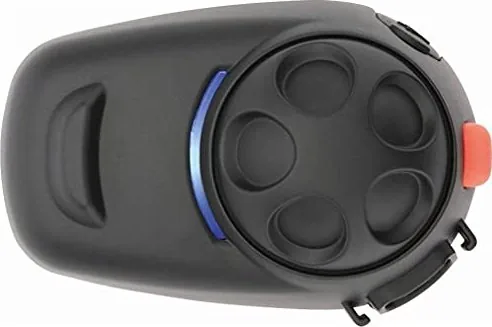
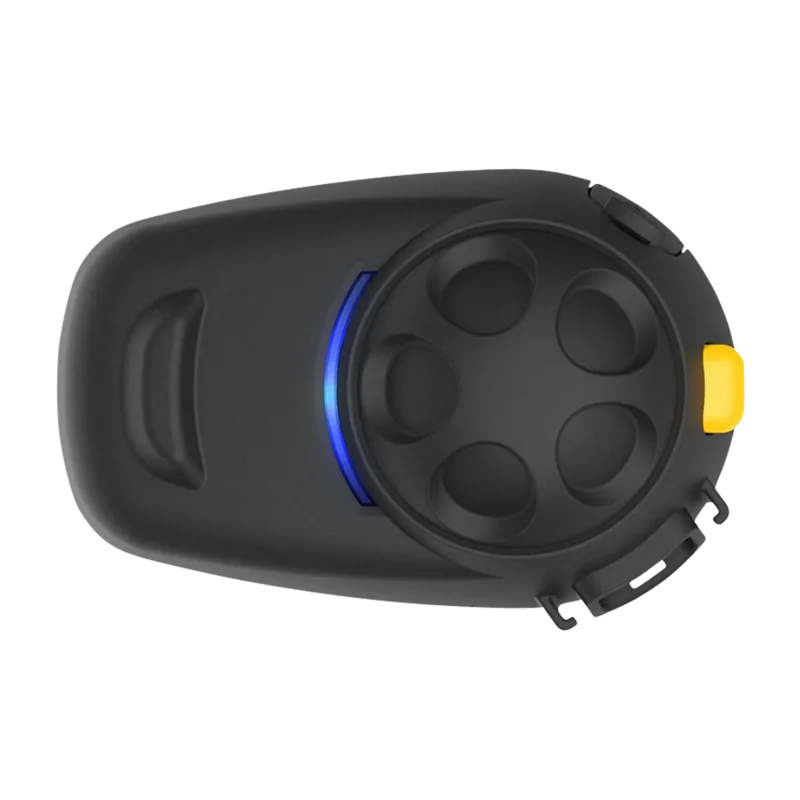
SENA SMH5-10 Manual
PDF manual · 38 Pages
English



Quick check
Incorrect answer, please try again.
Chat with your SENA SMH5-10 manual using AI
Get instant AI answers from your SENA SMH5-10 manual
Ask anything about the SENA SMH5-10. Answers come from this manual, with the pages they are based on.
Ask a Question
Do you recommend SMH5-10?
Yes NoFrequently Asked Questions
Turn on the headset, press the Phone Button for five seconds until LEDs flash red and blue. Search for 'Sena SMH5' on your phone, select it, and enter PIN 0000 if prompted.
Is this answer helpful?
Yes, you can pair it with GPS devices using either the HFP profile for voice instructions or A2DP for stereo audio. Multipoint pairing allows simultaneous connection with a phone and GPS.
Is this answer helpful?
The SMH5 supports intercom conversations up to 400 meters (430 yards) in open terrain without obstacles.
Is this answer helpful?
Press and hold the Phone Button for 12 seconds until the LED turns solid red. Within five seconds, tap the Jog Dial to confirm the reset.
Is this answer helpful?
Yes, it features Advanced Noise Control which reduces background noise during intercom conversations. It can be enabled or disabled via the voice configuration menu.
Is this answer helpful?
It takes approximately 2.5 hours to fully charge the SMH5 using a standard micro-USB cable connected to a computer or wall charger.
Is this answer helpful?
Yes, by pressing and holding the Jog Dial for one second during an intercom conversation, you can start music sharing so both riders hear the same audio.
Is this answer helpful?
Advantages and Disadvantages
Advantages

- Supports up to 400-meter intercom range in open terrain
- Advanced Noise Control reduces background wind and engine noise
- Multipoint pairing allows connection to two mobile phones simultaneously
- Universal Intercom enables communication with non-Sena Bluetooth headsets
- Voice prompts guide users through all operations and settings
Disadvantages

- Intercom priority is lower than mobile phone calls, requiring call end to answer intercom
- Universal Intercom distance is shorter than standard Sena-to-Sena intercom
- Clamp installation may be difficult on helmets with very deep ear pockets
- GPS turn-by-turn instructions may not play during active phone calls
- Requires firmware update to enable music sharing feature
Product Specification
Type
Mounting set
Connection type
Bluetooth 3.0
Number of participants
2
Communication mode
Driver to passenger, driver to driver
Max range
1312 ft
Battery life
7 h
Features
automatic volume regulation
Weight
1.4 oz
Product Description
Discover the SENA SMH5-10 (2021) Manual Experience
The SENA SMH5-10 represents a pinnacle in motorcycle communication technology, designed specifically for riders who demand reliability and clarity. This Bluetooth headset transforms your riding experience by offering seamless hands-free calling, crystal clear stereo music streaming, and intuitive GPS navigation instructions. Whether you are commuting through city streets or cruising on open highways, the SMH5 ensures you stay connected without compromising safety.
One of the standout features of this device is its robust intercom capability. Riders can engage in full-duplex conversations with passengers or fellow motorcyclists over distances reaching up to 400 meters in open terrain. The system supports multipoint pairing, allowing you to connect with three other headsets simultaneously, creating a dynamic group conversation network. For those traveling with non-Sena users, the Universal Intercom function bridges the gap, enabling communication with other Bluetooth devices that support the Hands-Free Profile.
Installation is straightforward and versatile. The kit includes a clamp unit designed to fit securely between the helmet padding and shell, though a glued surface mounting plate is available as an alternative for specific helmet types. The included boom microphone positions itself perfectly near the mouth for optimal voice pickup, while the wired microphone option caters to full-face helmet requirements. Advanced Noise Control technology actively filters out wind and engine noise, ensuring your voice remains distinct during calls and intercom chats.
Power management is efficient, featuring a charging LED indicator that guides you through the battery status. Voice prompts provide real-time updates on battery levels, connection status, and configuration settings, keeping you informed without needing to look at the device. The jog dial offers tactile control for volume adjustments, track skipping, and menu navigation, making operation intuitive even while wearing gloves.
Essential Notes
- Always ensure the microphone fin faces outward when using the boom mic.
- Use only approved USB chargers to prevent battery damage.
- Firmware upgrades are supported via the included USB data cable.
- Check local laws regarding headset usage before riding.
Search for 67,706 Manuals online


Type-in Brand or Model