
SENA RC4 Manual
PDF manual · 2 Pages
English



Quick check
Incorrect answer, please try again.
Chat with your SENA RC4 manual using AI
Get instant AI answers from your SENA RC4 manual
Ask anything about the SENA RC4. Answers come from this manual, with the pages they are based on.
Ask a Question
Do you recommend RC4?
Yes NoFrequently Asked Questions
Remove the plastic tape from the battery slot, then power on the RC4 using the center button. After powering on, follow the Bluetooth pairing steps to connect it to your compatible Sena headset.
Is this answer helpful?
When powered on and active, the RC4 uses an LED battery indicator to show remaining charge in ranges: 70 to 100 percent, 30 to 70 percent, and 0 to 30 percent. Use these ranges to decide when to replace or recharge the battery.
Is this answer helpful?
The RC4 supports Sena headsets that use Bluetooth 4.1 or higher. If your headset is older, pairing may not work correctly. Confirm headset Bluetooth version before relying on RC4 remote control features.
Is this answer helpful?
Use the RC4 button sequence for Bluetooth pairing and headset pairing. After pairing, the RC4 can control headset functions. The text also notes you can control the headset only after the RC4 and headset are paired together.
Is this answer helpful?
The RC4 supports headset control for common rider actions such as phone management, music playback, and intercom functions. For exact button operations, the RC4 uses the related quick reference guide for button behavior by function.
Is this answer helpful?
Yes. The RC4 can enter deep sleep by pressing the plus button and the center button together for about one second. Deep sleep helps reduce power consumption when you are not riding.
Is this answer helpful?
The RC4 provides a factory reset method using specific button presses with the (-) button, (+) button, and the center button. Use the stated sequence to clear pairing information before setting up again.
Is this answer helpful?
Advantages and Disadvantages
Advantages

- Quick setup: remove the battery tape and start using the RC4 immediately.
- Clear battery awareness with LED ranges to help you plan charging.
- Efficient pairing flow for RC4-to-headset Bluetooth control.
- Deep sleep mode helps conserve power during stops.
- Multifunction button enables special remote control for select Sena models.
Disadvantages

- Compatibility depends on Sena headsets with Bluetooth 4.1 or higher.
- Full button-to-function details are not fully covered in the provided content.
- Battery indication is coarse (range-based), not exact to the last percent.
- Pairing and reset require specific button press sequences.
Product Specification
Type
Accessory
Product Description
SENA RC4 Manual
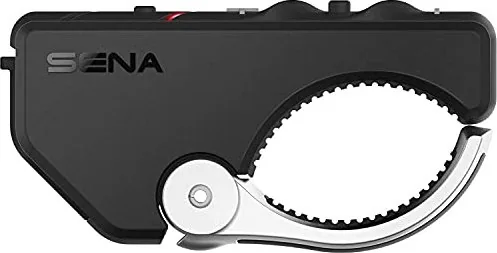
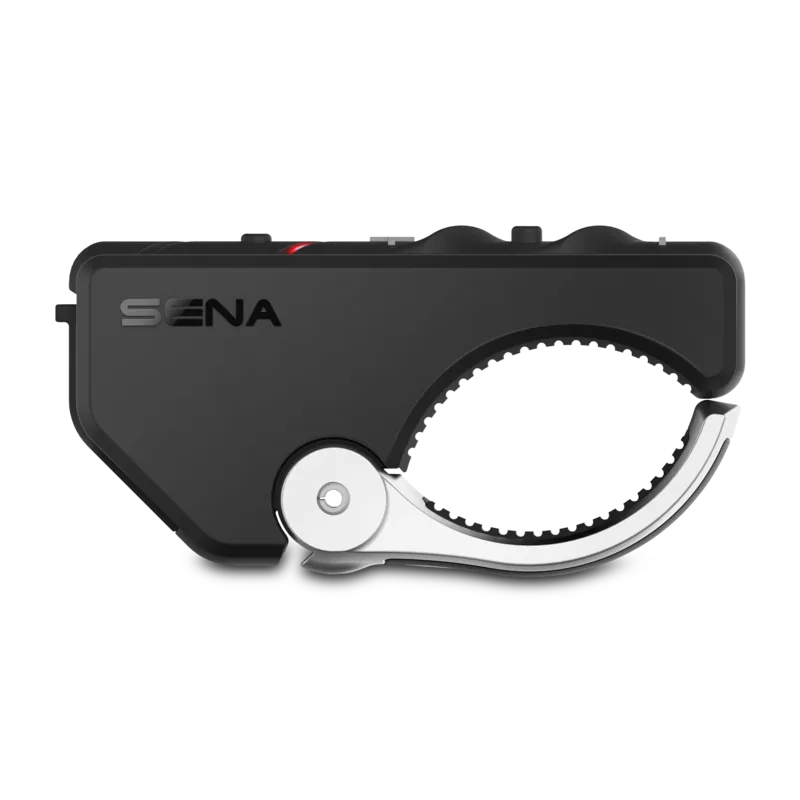
The SENA RC4 is a compact Bluetooth remote built to make on-bike control simple. Instead of reaching for your headset or mounted controls, you can manage key functions with clear button actions and pairing features designed for everyday riding. It is especially useful when you want quick access to phone, music, and intercom controls while keeping your hands on the bars.
Get ready in minutes
Starting with your RC4 is straightforward. Remove the plastic tape from the battery slot to begin using the remote. The RC4 includes a battery check system and a set of buttons that work together for power, pairing, and control. For riders who mount the remote in a stable position, an extra rubber band can help improve grip when handlebar fit needs a little support.
Power, battery, and standby behavior
Power is handled through simple button taps. Battery status is indicated by an LED level that groups remaining power into clear ranges (70 to 100 percent, 30 to 70 percent, and 0 to 30 percent). When you are not riding, the RC4 can enter deep sleep. This helps reduce power drain during breaks, so the remote stays ready when you are.
Bluetooth pairing and headset control
Pairing is the heart of the RC4 experience. You can pair the RC4 with a headset and also manage headset-related connections. After pairing, you can control supported Sena headsets using the remote. The RC4 is designed to work with Sena headsets using Bluetooth 4.1 or higher, making compatibility a key consideration before purchase.
Once connected, the RC4 lets you operate headset functions such as phone handling, music playback, and intercom features. The multifunction button adds extra convenience by remotely controlling special buttons for compatible Sena models, including Ambient Mode on the 20S and the Camera button on the 10C. For full command mapping, the RC4 relies on the corresponding button operation reference.
Reset and troubleshooting
If you need to clear connections, the RC4 includes a factory reset procedure using button presses. This can be helpful when troubleshooting pairing issues or preparing the remote for a new headset.
Notes
- Battery status is shown via LED ranges rather than fine-grain percentages.
- Special feature control depends on the connected Sena headset model.
- For detailed button-to-function mapping, use the related quick reference for your headset.
Key results
- Fast start by removing the battery tape and using straightforward button power actions.
- Reliable connection workflow using Bluetooth and headset pairing steps.
- Battery health awareness through LED level indicators.
- Deeper power conservation via deep sleep mode.
Search for 67,706 Manuals online


Type-in Brand or Model