
Schneider Electric KNX Multitouch Pro Manual
PDF manual · 31 Pages
English



Quick check
Incorrect answer, please try again.
Chat with your Schneider Electric KNX Multitouch Pro manual using AI
Get instant AI answers from your Schneider Electric KNX Multitouch Pro manual
Ask anything about the Schneider Electric KNX Multitouch Pro. Answers come from this manual, with the pages they are based on.
Ask a Question
Do you recommend KNX Multitouch Pro?
Yes NoFrequently Asked Questions
It can control up to 32 KNX room functions, including switching and dimming lights, operating blinds and slats, recalling scenes, and managing room temperature settings.
Is this answer helpful?
Yes. The controller has an integrated room temperature regulator that supports different control types. An optional remote sensor can be connected for applications requiring temperature measurement away from the display.
Is this answer helpful?
When enabled, the display wakes as a person approaches to approximately 20 cm. It returns to standby after an adjustable period without detected proximity. Ambient light and direct sunlight can affect detection performance.
Is this answer helpful?
The controller recognizes horizontal and vertical hand movements. Each gesture can be assigned to a chosen KNX function, such as switching on room lighting.
Is this answer helpful?
Yes. Cleaning mode disables touch and gesture recognition for a configurable period between 30 and 90 seconds, helping prevent accidental operation while the display is cleaned.
Is this answer helpful?
The Multi-Touch Pro is powered through the KNX bus at 24 V DC and consumes approximately 28 mA. It includes an integrated bus coupler for KNX connection.
Is this answer helpful?
Advantages and Disadvantages
Advantages

- Controls up to 32 KNX room functions, including lighting, blinds, scenes, and temperature.
- Integrated room thermostat and optional remote sensor connection support flexible climate control.
- Touchscreen, proximity sensing, and two gesture options provide convenient daily operation.
- Cleaning mode, screen lock, screen saver, and adjustable backlight improve practical usability.
Disadvantages

- A compatible System Design frame is required and is not included with the controller.
- Direct sunlight can reduce or prevent reliable proximity detection.
- IP20 protection limits use to suitable indoor locations without exposure to water.
- Installation and ETS commissioning require qualified KNX electrical professionals.
Product Specification
Type
Sensor, actuator
Standard
KNX
Function
Heating control, thermostat, temperature
Topology
Bus
Dimensions
2.8 x 2.8 x 1.18 in
Features
IP20, display
Product Description
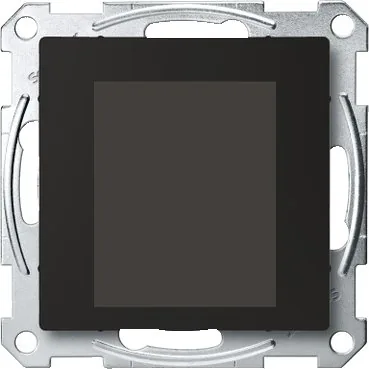
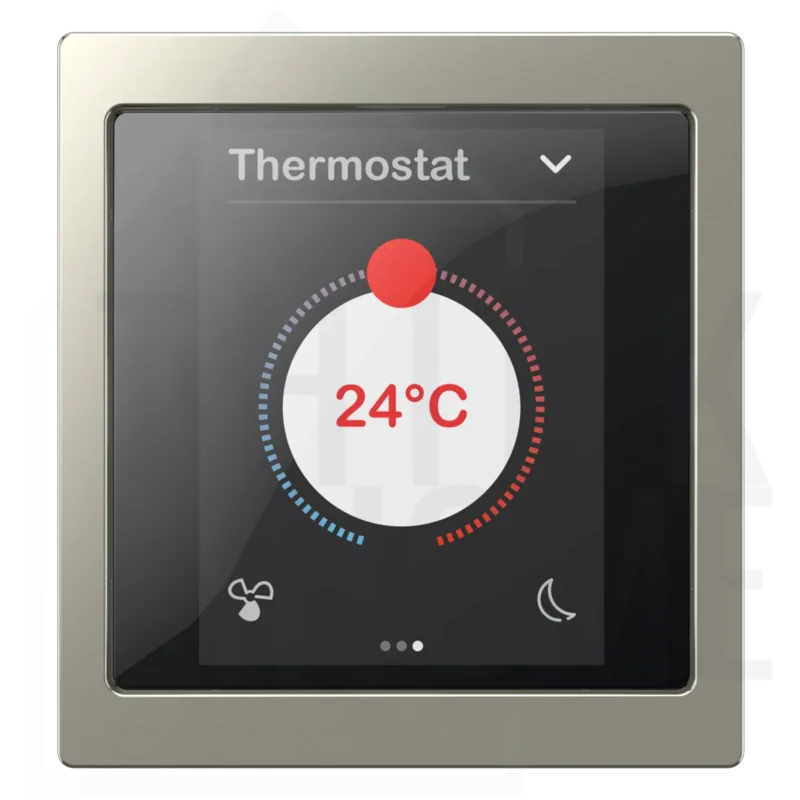
Schneider Electric KNX Multi-Touch Pro Wall Thermostat with Display
The Schneider Electric KNX Multi-Touch Pro, Wall Thermostat with Display Manual highlights a sophisticated KNX control unit designed to bring lighting, climate, shading, and scene control together in one elegant wall-mounted interface. Built for smart residential and commercial interiors, this compact controller combines a responsive touch display with an integrated room temperature regulator for intuitive everyday operation.
The 2.8-inch touchscreen presents room functions clearly and can control up to 32 separate functions. Users can switch or dim lights, operate blinds and slats, activate saved scenes, and manage temperature settings from a central point. Navigation is simple: swipe between function screens, tap to open controls or set values, and press and hold for selected advanced actions such as storing scenes or moving blinds.
Touch, Proximity, and Gesture Control
A key benefit of the Multi-Touch Pro is its proximity function. When enabled, the home screen becomes visible as a user approaches the unit at approximately 20 cm, then returns to standby after an adjustable delay. This helps create a discreet, energy-conscious interface that appears when needed.
Gesture control adds another layer of convenience. Horizontal or vertical hand movements, recognized at roughly 5 cm from the display, can trigger an assigned KNX function. For example, a gesture can turn on lighting when entering a room. A dedicated cleaning mode temporarily disables touch and gesture input for 30 to 90 seconds, making display care easier without accidental commands.
Integrated Temperature Management
The built-in room thermostat supports different control types and provides an accessible way to view temperature and operating mode. An optional remote sensor can be connected where the measuring point needs to be separated from the wall controller, such as in floor sensing applications. Careful sensor positioning helps ensure accurate temperature measurement and dependable climate regulation.
The interface also supports adjustable backlighting, a configurable screen saver, and screen locking. Multiple main function pages and subpages allow a KNX installation to be organized around the needs of each room. Colors and symbols may also be customized through Schneider Electric support services, enabling a more tailored visual experience.
Installation Considerations
The Multi-Touch Pro is powered directly by the KNX bus and includes an integrated bus coupler. It requires a compatible System Design frame for installation. Because it is an electrical KNX product, connection, commissioning, and configuration should be performed by qualified installation professionals. Avoid direct sunlight, as intense light may affect proximity detection.
Note: The unit is intended for indoor use, with IP20 protection, an operating range of -5 C to +45 C, and up to 93% non-condensing relative humidity.
Search for 67,706 Manuals online


Type-in Brand or Model