
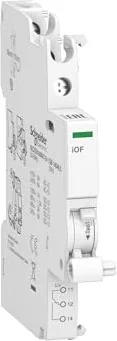
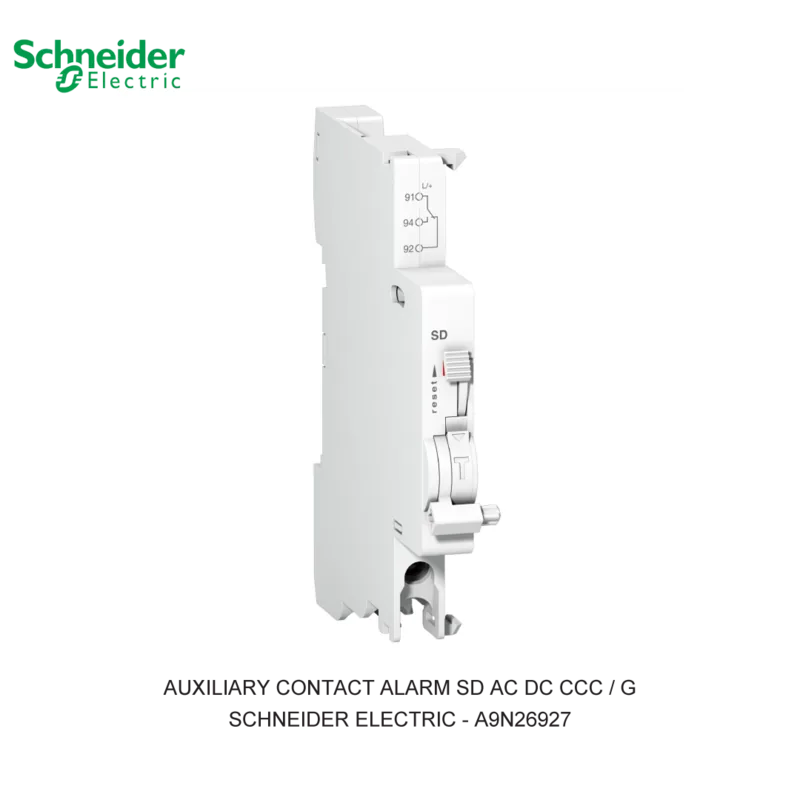

Schneider Electric Acti9 iOF Manual
PDF manual · 1 Pages
English


Quick check
Incorrect answer, please try again.
Chat with your Schneider Electric Acti9 iOF manual using AI
Get instant AI answers from your Schneider Electric Acti9 iOF manual
Ask anything about the Schneider Electric Acti9 iOF. Answers come from this manual, with the pages they are based on.
Ask a Question
Do you recommend Acti9 iOF?
Yes NoFrequently Asked Questions
A single changeover contact (SPDT) provides one common, one normally open, and one normally closed terminal. It switches between NO and NC states to indicate the breaker position (ON/OFF/trip) to external circuits.
Is this answer helpful?
The iOF is designed for the iC60 family but compatibility can vary by specific model and version. Confirm model numbers and mounting orientation with Schneider Electric documentation or product compatibility lists before installation.
Is this answer helpful?
Top connection terminals enable neater wiring in panels where access from above is easier, reduce wiring congestion in crowded DIN-rail setups, and can simplify harness routing in compact enclosures.
Is this answer helpful?
No. The iOF supplies a mechanical status signal reflecting breaker position; it does not issue trip commands. Use it for indication and monitoring, pairing it with control systems that can trigger protection actions if needed.
Is this answer helpful?
Connect the common and either the NO or NC terminal to the PLC or alarm input according to the desired logic (signal when ON or when TRIPPED). Ensure input voltage and contact ratings match the receiving device and follow Schneider Electric wiring guidelines.
Is this answer helpful?
Yes, the iOF’s robust mechanical design suits commercial and light industrial use for status signaling, but ensure environmental conditions, vibration, and ingress requirements are met for your application.
Is this answer helpful?
Installation typically requires basic hand tools and following the breaker accessory mounting instructions. No specialized tools are generally needed, but always follow safety procedures and disconnect power before working.
Is this answer helpful?
Advantages and Disadvantages
Advantages

- Compact add-on that preserves DIN-rail space while adding status signaling.
- Top connection terminals simplify wiring in dense panel layouts.
- Mechanical coupling provides immediate, reliable indication of breaker state.
- Compatible with iC60 family for modular expansion of protection systems.
- Reduces troubleshooting time by supplying clear remote trip/position signals.
Disadvantages

- Single changeover contact may be insufficient for complex monitoring schemes.
- Requires physical mounting to specific iC60 breakers; not universal.
- Not a substitute for electronic telemetry—provides only mechanical status.
- Top terminals may not suit panels designed for bottom-entry wiring.
- Installation requires adherence to wiring standards to avoid misreporting.
Product Specification
Type
Auxiliary current switch
Mounting type
Rail
Fastening type
Screws
Frame
no
Bezel
no
Product Description
Schneider Electric Auxiliary Switch iOF for iC60, 1 changeover, Top Connection Terminals Manual
The Schneider Electric Auxiliary Switch iOF for the iC60 is a compact, reliable add-on designed to expand the functionality of iC60 miniature circuit breakers. This 1-changeover contact unit mounts directly to the breaker and uses top connection terminals for neat, space-saving wiring. It’s built to communicate breaker position (ON/OFF/trip) to control systems, indicator panels, or remote monitoring equipment.
Key features and use cases
The auxiliary switch provides a single changeover contact (one common, one normally open, one normally closed) that mirrors the mechanical status of the associated iC60 breaker. With top connection terminals, installation becomes straightforward in panel assemblies where wiring access from above is preferred. Typical applications include building automation, machine control, and protective relay integration where quick status feedback is needed.
The iOF accessory is compatible with a range of iC60 variants and complements Schneider Electric’s modular approach to protection and control. Its compact footprint preserves DIN-rail space and supports tidy wiring runs, while mechanical coupling ensures reliable, instantaneous state reporting. Technicians will appreciate the clear mechanical action and the consistent performance across repeated operations.
Practical benefits
Using the iOF switch simplifies remote status monitoring and can reduce fault-finding time by providing an immediate electrical signal when a breaker trips or is manually switched. The top-terminal arrangement is particularly useful in high-density panels, enabling easier harness routing and reducing the risk of terminal interference. Robust construction and precise switching mechanics make it suited to commercial and light industrial environments.
Notes
- The iOF is intended for mechanical signaling and should be integrated according to Schneider Electric wiring recommendations and applicable safety standards.
- Verify compatibility with specific iC60 variants and mounting orientation before installation.
- For automation or telemetry functions, pair the iOF contact with appropriate control inputs or PLC channels.
Search for 67,706 Manuals online


Type-in Brand or Model