
Satechi USB-C Multimedia Adapter for M1 Manual
PDF manual · 1 Pages
English


Quick check
Incorrect answer, please try again.
Chat with your Satechi USB-C Multimedia Adapter for M1 manual using AI
Get instant AI answers from your Satechi USB-C Multimedia Adapter for M1 manual
Ask anything about the Satechi USB-C Multimedia Adapter for M1. Answers come from this manual, with the pages they are based on.
Ask a Question
Do you recommend USB-C Multimedia Adapter for M1?
Yes NoFrequently Asked Questions
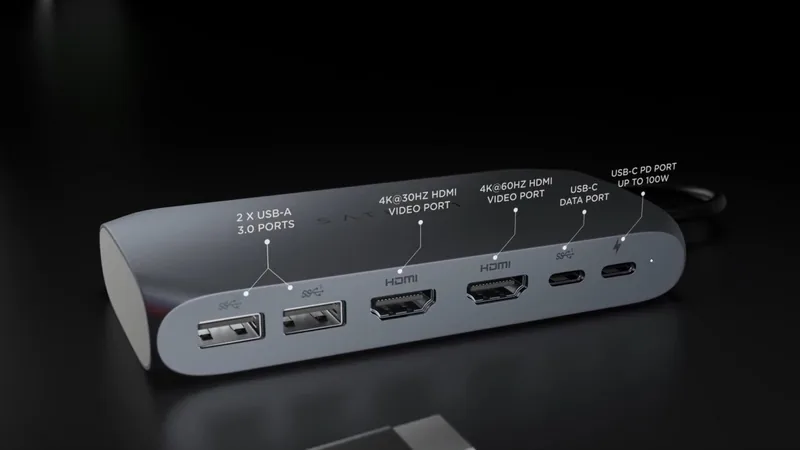
Yes, the adapter allows for dual 4K HDMI display output. One port supports 60Hz for smooth video while the other supports 30Hz, suitable for extended desktop usage.
Is this answer helpful?
No, the separate USB-C charging port is dedicated solely to powering your device with up to 85W and cannot be used for video or data transfer signals.
Is this answer helpful?
Yes, it is designed specifically as a USB-C Multimedia Adapter for M1, ensuring compatibility and optimal performance with Apple Silicon hardware systems.
Is this answer helpful?
No, the USB-A 3.0 ports are intended for data transfer and file backup only and do not support charging capabilities for peripheral devices.
Is this answer helpful?
Both USB-A and USB-C data ports provide speeds up to 5 Gbps for efficient file transfer and connection to external peripherals.
Is this answer helpful?
Most systems support this hardware automatically as a display and connection hub, but you should check your host device manufacturer guidelines for specific port mapping protocols.
Is this answer helpful?
Advantages and Disadvantages
Advantages

- Dual HDMI ports support 4K display output for expanded visual workspace
- USB-C charging port provides up to 85W power delivery for laptop
- USB-A and USB-C data ports offer high-speed 5 Gbps transfer rates
- Space Gray design matches Apple hardware for aesthetic consistency
Disadvantages

- USB-A ports cannot charge devices or read CD drives like SuperDrive
- HDMI second port is limited to 30Hz refresh rate instead of 60Hz
- USB-C data port does not support video output functionality
- Charging port is dedicated to power only with no data transfer support
Product Specification
Type
USB Hub, Video Adapter
Form Factor
1x External Wired (Connection Cable Not Detachable)
Connection
1x USB-C 3.0 (Plug via Cable, 5Gb/s, USB PD Max. 85W)
Ports
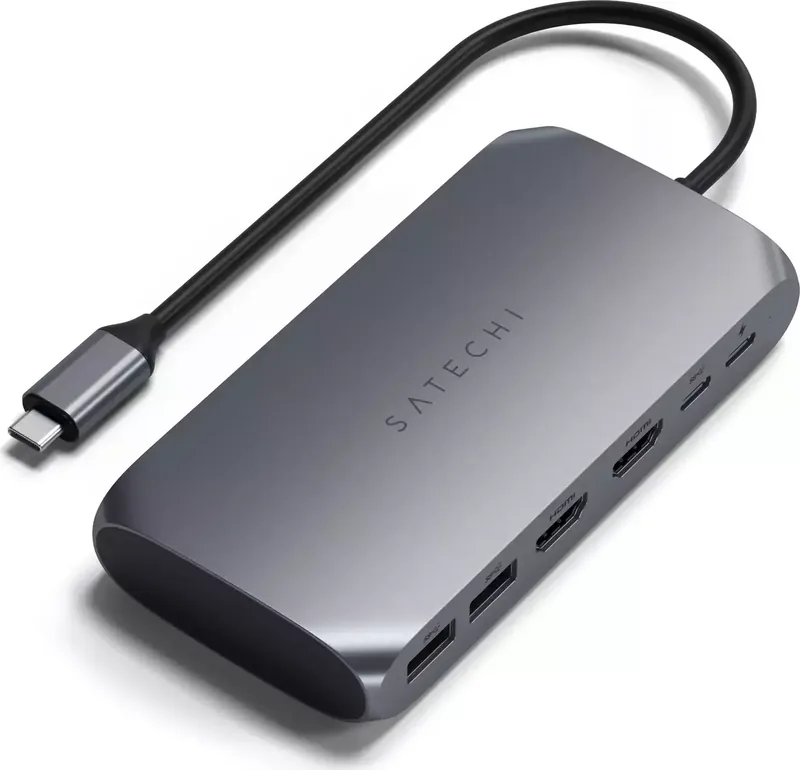
1x USB-C 3.0 (Port), 2x USB-A 3.0 (Port), 2x HDMI (Port)
Data Transfer
1x USB-C 3.0 (Port, 5Gb/s), 2x USB-A 3.0 (Port, 5Gb/s), 1x HDMI (Port, Max. 3840x2160@60Hz), 1x HDMI (Port, Max. 3840x2160@30Hz)
Power Supply
Power supply also via connection, Power Port (1x USB-C Port USB PD, Max. 100W, Passthrough 85W), External Power Supply Possible but Not Included
Dimensions
2.36x0.71x4.72 in (WxHxD)
Weight
0.31 lbs
Enclosure Color
Gray
Compatibility
Universal
Manufacturer Warranty
One Year
USB Labeling
Left
Product Description
Elevate Your M1 Workspace Efficiency Today with Satechi
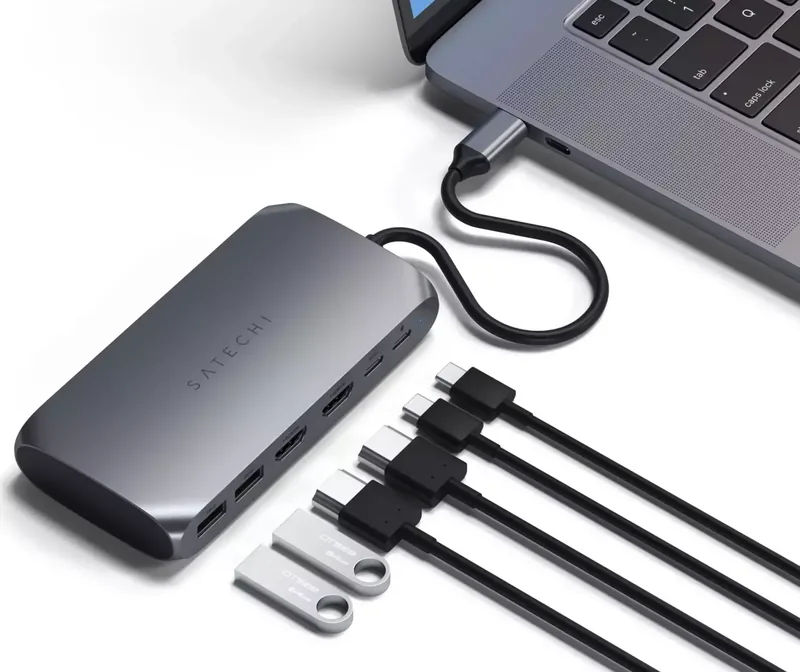
The Satechi USB-C Multimedia Adapter M1, Space Gray, USB-C 3.0 (Plug) Manual serves as a comprehensive guide for users seeking to maximize their desktop potential through enhanced connectivity solutions. This peripheral is specifically engineered to transform a single port into a full workstation hub capable of handling demanding professional tasks efficiently. If you rely on your laptop for creative work, video editing tasks, or complex multitasking, expanding connectivity options is absolutely essential for maintaining a smooth workflow without compromise. The device features a sleek Space Gray finish that matches your hardware perfectly, ensuring no mismatched colors disrupt your visual setup or desk aesthetic.
Seamless Dual Display Support for Modern Creatives
One of the standout features is the incredible dual HDMI capability built directly into the chassis for visual expansion. Connect two HDMI-enabled monitors for dual 4K HDMI display output to expand your visual real estate significantly during intense projects. One HDMI port supports up to 60Hz for smooth video playback on primary screens, while the second port supports 30Hz for additional secondary displays. This flexibility allows for high-resolution primary screens and secondary reference monitors simultaneously without any performance degradation or latency issues. You can stream content, manage stock footage, or code applications on separate displays without lagging behind in performance metrics during critical deadlines.
Versatile Data Transfer and Storage Options
Beyond video capabilities, data management is critical for modern computing environments requiring fast access speeds. Use the USB-C data port to connect an USB-C device or peripheral for transfer speeds up to 5 Gbps for rapid backups. Additionally, utilize the two USB-A 3.0 ports for data transfer and file backup at maximum efficiency using standard external drives and flash memories. Users should note that USB-A ports do not support charging or CD readers, including Apple SuperDrive, to prevent power conflicts and electrical surges. This separation of duties ensures that power remains dedicated to necessary functions and battery life optimization.
Power Delivery Integration and System Efficiency
Charging your device is prioritized through the dedicated USB-C charging port found on the dock side. This connector is designed to power your device with loads up to 85W efficiently while performing high-intensity tasks. It is important to remember that this specific port does not support video or data transfer to maintain signal stability. Separation of duties ensures signal stability across all connections for consistent and reliable performance under heavy load.
Important Implementation Notes for Users
Connect the adapter to an USB-C port on your host device to begin operations properly and safely. Always inspect cables for damage before plugging into high-wattage ports to avoid electrical issues or port failure. Ensure your monitors receive the latest firmware updates for optimal 4K performance settings before connecting the hub to prevent sync errors. The combination of high performance and premium aesthetics makes this hub essential for professional setups in 2024. Whether for video editing, office productivity, remote work sessions, or coding development, reliability is key to your daily success rates. Stay organized and maintain your hardware longevity by following manufacturer guidelines for connection protocols and usage limits. Proper cable management is recommended to prevent accidental disconnection during critical data transfer sessions.
Search for 67,732 Manuals online


Type-in Brand or Model