

Saitek Expression Mini-UFO Manual
PDF manual · 19 Pages
English



Quick check
Incorrect answer, please try again.
Chat with your Saitek Expression Mini-UFO manual using AI
Get instant AI answers from your Saitek Expression Mini-UFO manual
Ask anything about the Saitek Expression Mini-UFO. Answers come from this manual, with the pages they are based on.
Ask a Question
Do you recommend Expression Mini-UFO?
Yes NoFrequently Asked Questions
No, the hub does not have a separate power source. It relies entirely on the electrical power supplied through the main USB cable from your computer.
Is this answer helpful?
The hub supports PC running Windows 2000, XP, XP64, Vista, and Mac OS X.
Is this answer helpful?
If certain devices are not recognized, unplug the devices one by one until the hub is recognized again by your computer.
Is this answer helpful?
The warranty period is 2 years from the date of purchase with proof of purchase submitted.
Is this answer helpful?
Yes, it is ideal for use with large digital files such as photo downloads from digital cameras due to the high-speed data transfer capabilities.
Is this answer helpful?
Do not dispose of it in household waste. It must be handed in to an official, officially recognized electronic waste recycling facility.
Is this answer helpful?
Advantages and Disadvantages
Advantages

- Adds 4 USB 2.0 Hi-Speed ports to PC or Mac
- Simple Plug and Play installation requires no drivers
- Compatible with all standard USB devices
- Wide OS support includes Windows and Mac OS X
- Compact design suitable for portable use
Disadvantages

- No separate power source means limited power supply
- Power hungry devices may cause recognition issues
- Older USB 2.0 speed compared to modern standards
- Requires bus power which might not suffice for all gear
- Windows Vista and XP legacy support
Product Specification
Type
USB-Hub
Form Factor
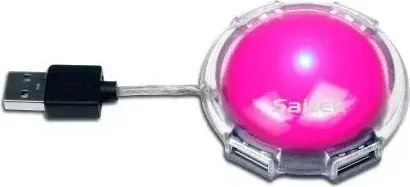
1x external cable-connected (connecting cable not detachable)
Interface
1x USB-A 2.0 (Plug via Cable, 480Mb/s)
Ports
4x USB-A 2.0 (Ports)
Transfer
4x USB-A 2.0 (Ports, 480Mb/s)
Power Supply
Powered via connection only
Dimensions
2.44x0.98x2.44 in (WxHxD)
Weight
0.31 lbs
Color
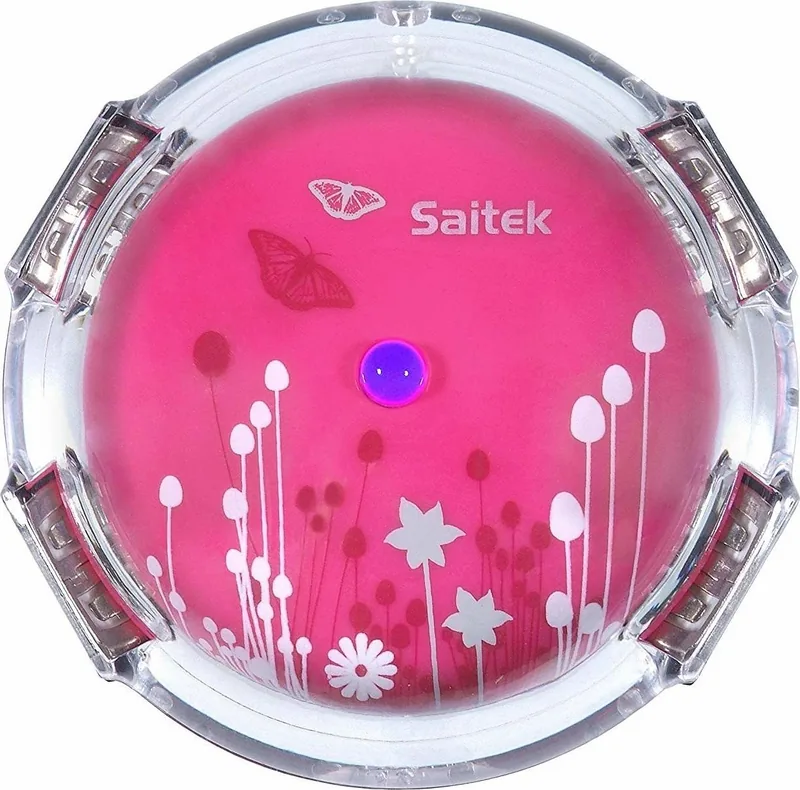
pink, transparent
Compatibility
universal
USB Labeling
Left
Product Description
Welcome to Expanded Connectivity
Welcome to the world of expanded connectivity with the Saitek Expression Mini-UFO USB-Hub. This device transforms your computer into a powerhouse for data transfer and peripheral management. If you are tired of searching for open ports on your desktop or laptop, this solution offers a seamless way to extend your USB capabilities. It brings the latest USB 2.0 technology to your PC or Macintosh-compatible setup, ensuring high speed and efficiency. The installation process is designed to be trouble free. You simply insert the hub's USB plug into one of your available PC sockets. This simple Plug and Play install means no complex driver software is required, allowing you to start connecting devices immediately.
The hub features four USB 2.0 Hi-Speed ports. These ports are compatible with all standard USB devices, including digital cameras, keyboards, and mice. It is ideal for use with large digital data files, making file management easier for creative professionals or everyday users. The transfer speeds are optimized to match your computer's capabilities. Even if your system does not support the highest Hi-Speed rates, the hub will still function perfectly at the optimum speed available to the host machine.
However, users should note a critical detail regarding power consumption. The Saitek UFO Hub does not have a separate power source. It relies entirely on the electrical power supplied through the main USB cable. While this keeps the design compact and portable, external devices that draw significant power may exceed the limits. If your computer ceases to recognize the hub, try unplugging devices one by one until it reacts again. This ensures stable operation without overloading the bus.
System compatibility covers a wide range of operating systems. It works with PC running Windows 2000, XP, XP64, and Vista. Mac users with OS X are also supported fully. You can connect your hub while the computer is on without restarting the machine. Technical support is available via the Saitek website or local centers if setup problems occur. Users should check for interference from radio signals if issues arise unexpectedly. A two-year limited warranty protects your investment against manufacturing defects. Proper disposal at the end of life is encouraged to help the environment by using recycling systems. This hub brings significant convenience and reliable speed to your digital life, solving the common problem of limited connectivity. Whether managing large image files or needing extra ports, ensure your workflow remains uninterrupted for many hours of use. It represents a standard of quality in the USB expansion market that prioritizes ease of use and broad compatibility. Should you encounter difficulties, the website provides a dedicated support area. Returning products usually indicates improper installation rather than a fault.
Search for 67,732 Manuals online


Type-in Brand or Model