
Sage Smart Waffle Pro SWM620 Manual
PDF manual · 16 Pages
English



Quick check
Incorrect answer, please try again.
Chat with your Sage Smart Waffle Pro SWM620 manual using AI
Get instant AI answers from your Sage Smart Waffle Pro SWM620 manual
Ask anything about the Sage Smart Waffle Pro SWM620. Answers come from this manual, with the pages they are based on.
Smart Waffle Pro SWM620 Maintenance Schedule
Wipe with a soft cloth while slightly warm to remove food residue. Do not use metal scourers or spray-on non-stick coatings.
Wipe the waÿle maker cooking plates with a damp sponge or cloth and dry thoroughly before operating for the first time.
Ask a Question
Do you recommend Smart Waffle Pro SWM620?
Yes No
Klaus Weber
5 months ago
Can I make savory sandwiches or toast in this machine besides waffles?
omnis_enim
7 months ago
Does this waffle iron come with a recipe book, and is it necessary to grease the plates before baking?

Manual.ly
7 months ago
Thank you for your inquiry. While the product includes a measuring spoon and features a high-quality non-stick coating that eliminates the need for greasing, unfortunately, a recipe book is not included in the package. However, users report excellent results with various recipes, from classic Belgian waffles to savory sandwiches and fruit-filled variations, simply by adjusting the browning settings on the digital display.

Maegan Von
5 months ago
I am worried about making a mess if I pour too much batter. Does this model have any overflow protection?
Frequently Asked Questions
Rotate the Light-Dark browning control dial clockwise to increase brownness or counterclockwise to reduce it. There are twelve settings available.
Is this answer helpful?
No, you must not use metal utensils as they will scratch and damage the PFOA-free non-stick coating on the cooking plates.
Is this answer helpful?
This button adds a small amount of proportional cooking time during or immediately after the cycle finishes for a crunchier texture.
Is this answer helpful?
Children aged eight and older can use it only under adult supervision. They must understand the hazards of hot surfaces.
Is this answer helpful?
Wipe with a soft cloth or nylon brush using warm soapy water. Avoid abrasive scourers or spray-on non-stick coatings.
Is this answer helpful?
Three audible alerts signal that the cooking cycle has completed and the waffles are ready to be removed.
Is this answer helpful?
No, always unplug the unit and allow it to cool completely before setting the storage clip to the locked position.
Is this answer helpful?
Advantages and Disadvantages
Advantages

- Automatic cooking time calculation adjusts variables for perfect results
- Twelve adjustable browning settings allow for customized crispness
- PFOA-free non-stick coating ensures easy release and simple cleaning
- Integrated overflow moat prevents messes on the countertop
- LCD display provides clear visual feedback during all cooking stages
Disadvantages

- Metal utensils cannot be used as they will scratch the non-stick plates
- Appliance must cool completely before engaging the storage lock
- Initial use may emit harmless vapors that some users might find noticeable
- Requires specific voltage matching (220-240V) for safety compliance
- Storage clip must be open during operation to prevent damage
Product Specification
Power
1000W
Color
stainless steel, black
Temperature settings
yes
Features
non-stick coating
Package contents
waffle plate
Product Description
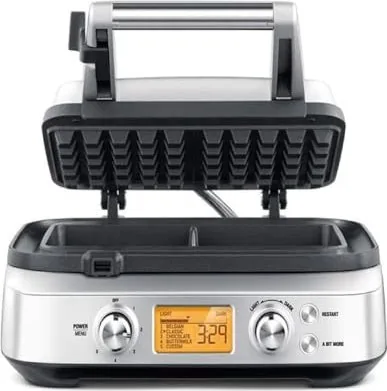
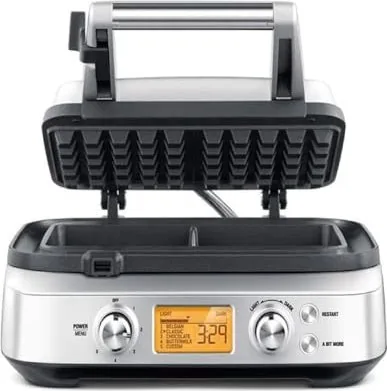
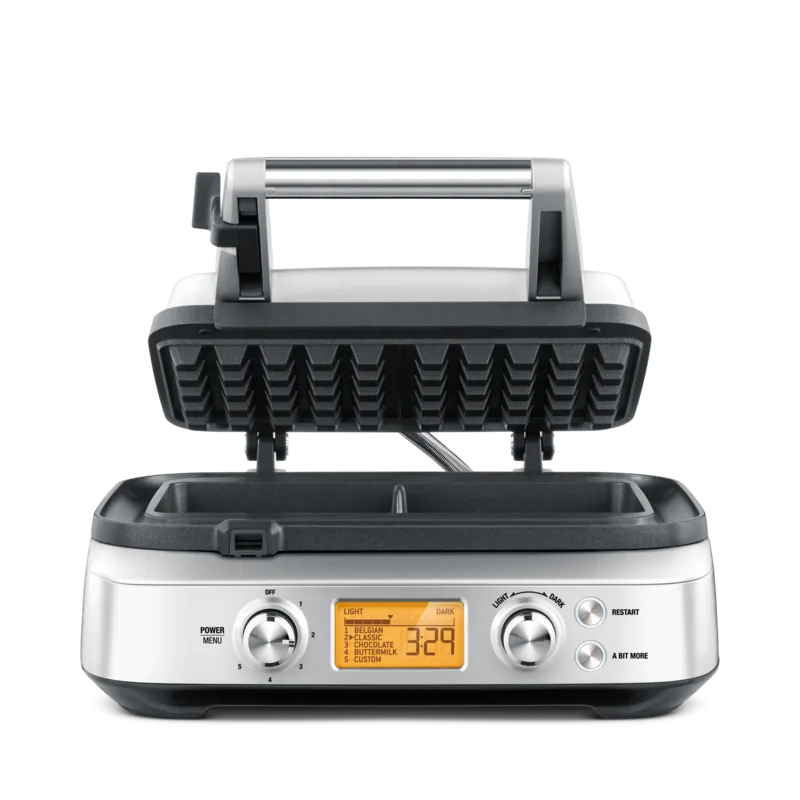
Experience the Sage SWM620 The Smart Waffle Pro Double Waffle Iron Manual
Baking perfect waffles at home has never been easier with the Sage SWM620 The Smart Waffle Pro. This double waffle iron is designed to bring professional results to your kitchen counter. It features an intelligent system that calculates cooking time automatically, ensuring every batch is golden brown and crispy on the outside while remaining fluffy inside. The device includes a clear LCD display that guides you through preheating, cooking, and completion signals with audible alerts.
One of the standout features is the customizable browning control. With twelve distinct settings ranging from light to dark, you can tailor the texture exactly to your preference. The default setting is six, but rotating the dial allows for precise adjustments. The machine also boasts an A Bit More function, which conveniently adds extra cooking time if you prefer a crunchier result without needing to restart the cycle manually.
Safety is paramount in the design of this appliance. The housing is made of durable stainless steel, and the cooking plates are constructed from die-cast aluminum with a PFOA-free non-stick coating. This ensures that food releases easily and cleaning requires minimal effort. The integrated moat catches any batter overflow, keeping your countertops clean. Additionally, the storage locking clip keeps the unit compact when not in use, making it ideal for kitchens with limited space.
The manual emphasizes proper usage, such as unwinding the power cord completely before operation and placing the unit on a stable, heat-resistant surface. Children aged eight and older may use the appliance under supervision. After cooking, the unit signals completion with three beeps and displays End on the screen. Always ensure the appliance is unplugged and cooled before storing or cleaning. The non-stick surfaces should only be wiped with a soft cloth or nylon brush; metal utensils must be avoided to preserve the coating.
Important Notes
- Do not immerse the plug or cord in water.
- Allow the appliance to cool fully before locking the storage clip.
- Use the provided dosing cup for consistent batter portions.
Search for 67,706 Manuals online


Type-in Brand or Model
Alexa Ward
6 months ago
Does this waffle iron come with a recipe book, and does it require greasing before use?
Manual.ly
6 months ago
Thank you for your inquiry. While the product features an excellent non-stick coating that eliminates the need for greasing, some users have noted that a recipe booklet is not included in the package. However, the device offers versatile settings including Belgian, Classic, Chocolate, Buttermilk, and Individual modes, making it easy to bake various types of waffles without additional instructions.