
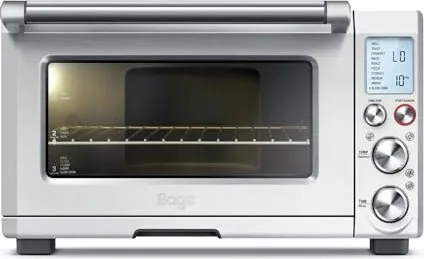
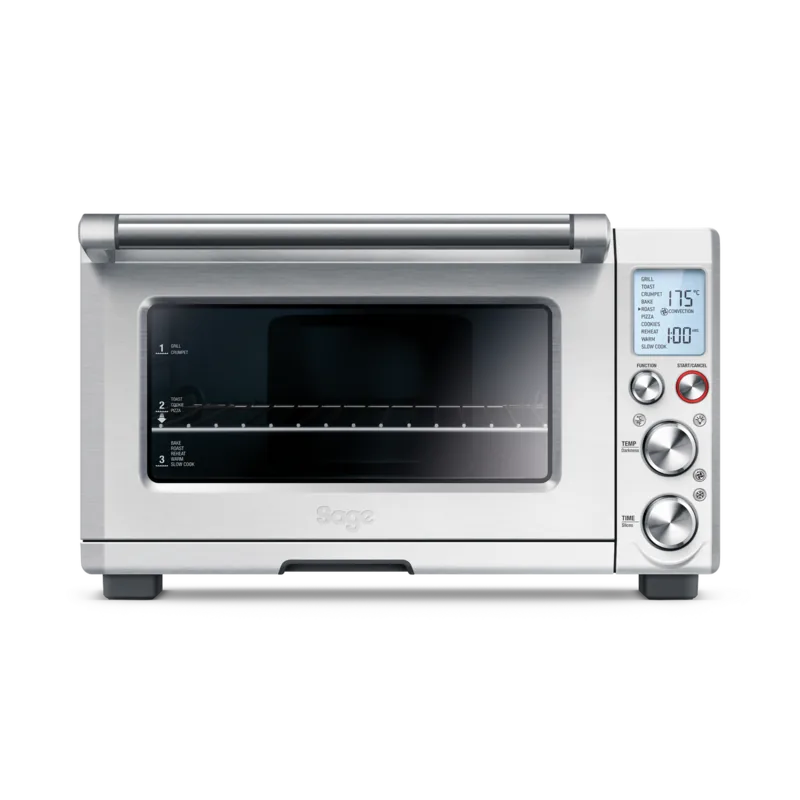
Sage Smart Oven Pro SOV820 Manual
PDF manual · 28 Pages
English



Quick check
Incorrect answer, please try again.
Chat with your Sage Smart Oven Pro SOV820 manual using AI
Get instant AI answers from your Sage Smart Oven Pro SOV820 manual
Ask anything about the Sage Smart Oven Pro SOV820. Answers come from this manual, with the pages they are based on.
Smart Oven Pro SOV820 Maintenance Schedule
Slide out the crumb tray and discard crumbs. Wipe with a soft, damp sponge using non-abrasive cleanser if needed. Dry thoroughly before re-inserting.
Regularly inspect the appliance. Do not use if the power cord, plug, or appliance is damaged in any way.
Ask a Question
Do you recommend Smart Oven Pro SOV820?
Yes No
Markus Klein
4 months ago
Is there an on/off switch on the device or does it rely on unplugging?

Ellie Holmes
7 months ago
Does this mini oven have a slow cooking function and how long does preheating take?

Manual.ly
7 months ago
Yes, this model features a dedicated slow cooking function, which is rare for ovens in this category. The preheating process is very fast, typically taking only about 2 to 3 minutes before you can start cooking. It also includes convection settings and automatic shut-off with an alert tone when the timer ends.
Shanel Farrell
7 months ago
Is the user interface in English or German, and can I turn off the preheat feature manually?
Frequently Asked Questions
Element IQ technology controls the heat inside the oven by pulsing power to the heating elements in short bursts. This ensures precise temperature regulation and even cooking throughout the chamber.
Is this answer helpful?
To restore factory settings, unplug the oven from the power outlet, wait five seconds, and plug it back in. This clears all stored preferences and resets the LCD to default configurations.
Is this answer helpful?
Steam escaping from the top vents is normal. It occurs when cooking high-moisture foods like frozen breads. The door is vented specifically to release this moisture safely.
Is this answer helpful?
Yes, the oven has a specific Frozen Foods button. This feature is only available when using the Toast, Crumpet, Pizza, or Cookies functions to optimize cooking times.
Is this answer helpful?
The preheat alert sounds at 75% of the target temperature to allow for faster overall cooking. Opening the door causes heat loss, so starting earlier helps recover the target temp faster.
Is this answer helpful?
Advantages and Disadvantages
Advantages

- Element IQ technology provides precise and even heat distribution for superior cooking results
- Magnetic auto-eject rack safely slides food out when the door is opened
- Includes versatile accessories like pizza pan, roasting pan, and grilling rack
- Dedicated Frozen Foods function optimizes cooking for pre-frozen ingredients
- Clear LCD display and intuitive dial controls simplify operation
Disadvantages

- Requires a dedicated electrical circuit for optimal performance and safety
- Exterior surfaces become very hot during operation and remain hot after use
- Some large pizzas may brown unevenly without manual rotation mid-cycle
- Accessories should not be placed in the dishwasher to extend their lifespan
- Preheat alert sounds at 75% of target temperature which may confuse some users
Product Specification
Power
2400W
Color
stainless steel
Oven Capacity
7.39 qt
Cooking Burners
no
Programs
Hot Air, Grill, Toast, Defrost, Bake, Keep Warm
Display
no
Features
Non-stick Coating, Interior Light
Dimensions
18.5x11x12.6 in (WxDxH)
Package Contents
Baking Tray, Grill Rack, Crumb Tray, Pizza Pan
Product Description
Experience Culinary Mastery with the Sage SOV820 The Smart Oven Pro
The Sage SOV820 The Smart Oven Pro redefines kitchen convenience by combining powerful performance with intuitive smart technology. This countertop appliance is designed for those who demand professional results without the bulk of a full-sized oven. Featuring Element IQ technology, the oven intelligently transfers power to the heating elements in short bursts, ensuring precise temperature control and even cooking every time. Whether you are baking artisan breads, roasting vegetables, or crisping up frozen foods, this oven adapts to your needs seamlessly.
One of the standout features is the magnetic auto-eject rack. When positioned in the middle slot, opening the door automatically slides the rack halfway out, allowing for safe and easy removal of hot toast or baked goods without reaching into a scorching cavity. The unit comes equipped with essential accessories including a non-stick pizza pan, an enamel roasting pan, and a grilling rack, making it ready for a wide variety of culinary tasks right out of the box.
Operation is straightforward thanks to the clear LCD screen and simple dial controls. Users can select from multiple functions such as Bake, Roast, Pizza, Cookies, Slow Cook, Reheat, and Warm. For quick meals, the Toast and Crumpet settings offer adjustable darkness levels and slice counts. The oven also includes a dedicated Frozen Foods button that optimizes cooking times for pre-frozen items. Safety is paramount, with built-in safeguards preventing overheating and ensuring stable operation on dedicated circuits.
Cleaning is hassle-free due to the non-stick interior walls and removable crumb tray. Regular maintenance involves wiping the exterior with a damp cloth and washing accessories in warm soapy water. The oven alerts users when preheating is complete and signals the end of cooking cycles with audible tones and visual cues on the display. It is an ideal addition to any modern kitchen seeking versatility and reliability.
Note: Always ensure the oven has sufficient ventilation space around it to prevent overheating. Do not use metal foil to cover the crumb tray as this can cause fire hazards.
Search for 67,706 Manuals online


Type-in Brand or Model
SedIpsam56
4 months ago
Does this oven have a slow cooking function and how long does it take to preheat?
Manual.ly
4 months ago
Yes, this model features a dedicated slow cooking function, which is a unique feature for this type of mini-oven in the German market. Regarding preheating, most users report that the unit heats up very quickly, typically taking only about 2 to 3 minutes before you can start cooking. This rapid preheating applies to various modes including convection and standard baking.