
Sabrent Rocket Q Manual
PDF manual · 14 Pages
English



Quick check
Incorrect answer, please try again.
Chat with your Sabrent Rocket Q manual using AI
Get instant AI answers from your Sabrent Rocket Q manual
Ask anything about the Sabrent Rocket Q. Answers come from this manual, with the pages they are based on.
Ask a Question
Do you recommend Rocket Q?
Yes NoVideo Manual
Sabrent 1tb Rocket NVME SSD: unbox & benchmarks
Frequently Asked Questions
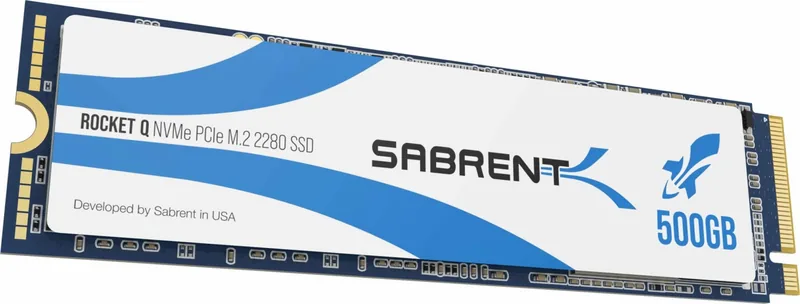
The Sabrent Rocket Q M.2 is an NVMe solid-state drive using the M.2 2280 form factor designed for PCIe M.2 slots on modern motherboards and compatible laptops.
Is this answer helpful?
Yes. The Rocket Q can be used as a primary OS drive, but you should confirm your motherboard supports PCIe/M.2 boot in BIOS and use Windows 8.1 or Windows 10 for reliable boot and installation support.
Is this answer helpful?
Install the drive into the M.2 slot, boot Windows from your existing drive, open Disk Management, initialize the SSD as MBR or GPT, create a new volume, assign a drive letter, and format the partition to make it ready for use.
Is this answer helpful?
Sabrent offers a limited warranty against defects in materials and workmanship. Warranty length varies by model and capacity; product registration within 90 days may extend coverage. Warranty excludes damage from misuse, tampering, or unauthorized modification.
Is this answer helpful?
Back up important data, power down and disconnect your PC per manufacturer guidance, verify the M.2 slot and BIOS settings, and use the correct screw or standoff to secure the drive. Avoid physical shock and do not disassemble the SSD.
Is this answer helpful?
No. Sabrent does not provide warranty coverage for data recovery or data loss. Users are responsible for maintaining backups of important files.
Is this answer helpful?
Some motherboards include the necessary standoff or screw; if yours does not, contact your motherboard or system manufacturer to obtain the correct mounting hardware before installation.
Is this answer helpful?
Advantages and Disadvantages
Advantages

- Compact M.2 2280 form factor fits most modern motherboards and laptops with M.2 slots.
- High-capacity options suitable for large installs like games and media libraries.
- Simple installation process: insert into M.2 slot and secure with screw or standoff.
- Compatible with Windows 8.1/10 for PCIe/M.2 boot support and standard Windows disk tools.
- Registering product within 90 days can extend the limited warranty period.
Disadvantages

- Not intended for critical medical, military, or safety applications where failure risks are unacceptable.
- Warranty void if the device is disassembled, physically damaged, or labels removed.
- Sabrent does not warranty data recovery or cover data loss—users must back up important data.
- May require motherboard-specific standoff or screw; hardware might not be included with all systems.
- Boot compatibility depends on motherboard BIOS and may require configuration or modern OS versions.
Product Specification
Design
Solid State Module (SSM)
Form Factor
M.2 2280
Interface
M.2/M-Key (PCIe 3.1 x4)
Memory Type
3D-NAND QLC, Micron, 96 Layer
Controller
Phison PS5012-E12S
Protocol
NVMe 1.3
Special Features
L1.2 Low-Power-Standby
Warranty
60 months (Registration required! Standard Warranty: 1 year)
Product Description
Sabrent Rocket Q, M.2 Manual
The Sabrent Rocket Q, M.2 is a consumer NVMe SSD designed for desktop and laptop upgrades, offering compact M.2 form-factor performance with capacities suitable for modern storage needs. Engineered for straightforward installation and reliable everyday performance, the Rocket Q line balances affordability with solid-state responsiveness for gaming, content creation, and general system acceleration.
Overview and Key Features
Sabrent Rocket Q NVMe drives arrive in an M.2 2280 form factor, intended for PCIe-enabled M.2 slots. The drive supports booting as a primary OS device or mounting as a secondary data volume. It’s compatible with Windows 8.1 and Windows 10 for native PCIe/M.2 boot support and can be formatted using Disk Management tools on Windows platforms. Capacities range across multiple terabyte options, making it an attractive choice for users needing large, fast storage without the bulk of 2.5" drives.
Installation Notes
Installation is straightforward for anyone comfortable opening a desktop case: locate the motherboard M.2 slot, insert the Rocket Q pin-side first, and secure the opposite end with the appropriate screw or standoff. When used as a primary drive on a new system, users should verify BIOS boot order and confirm PCIe boot support prior to OS installation. As a secondary drive, standard Windows initialization, partitioning (MBR or GPT), and formatting procedures apply.
Usage and Care
Back up critical data before handling hardware. The Rocket Q should be protected from physical shock and not disassembled—doing so voids the warranty. The product is not intended for life-critical, medical, military, or similar high-risk applications. Sabrent provides a limited warranty that varies by registered product and capacity; registration within 90 days can extend coverage.
Warranty and Legal
Sabrent disclaims liability for data loss and recommends regular backups. The warranty covers defects in materials and workmanship under stated terms, but excludes damage from misuse, unauthorized modification, improper packaging, or tampering. Additional regulatory and safety notices apply, including FCC compliance and a California Proposition 65 warning.
Notes
- Confirm motherboard compatibility and BIOS settings before installation.
- Keep a valid proof of purchase for warranty claims.
- Register the product within 90 days to extend the standard warranty where applicable.
Search for 67,706 Manuals online


Type-in Brand or Model