
Sabrent EC-TFNE Manual
PDF manual · 4 Pages
English



Quick check
Incorrect answer, please try again.
Chat with your Sabrent EC-TFNE manual using AI
Get instant AI answers from your Sabrent EC-TFNE manual
Ask anything about the Sabrent EC-TFNE. Answers come from this manual, with the pages they are based on.
Ask a Question
Do you recommend EC-TFNE?
Yes No
QuisAut39
4 months ago
Is this drive compatible with older MacBook Pro models like the 2018 version?
Frequently Asked Questions
It supports NVMe PCIe M key M.2 SSDs specifically. It does not work with SATA M.2 drives or those with different key types like B+M key.
Is this answer helpful?
Rotate the knob counter-clockwise, remove the bottom plate, insert the SSD at a 45-degree angle until it clicks, then replace and lock the plate.
Is this answer helpful?
No, it is designed to be tool-free and user-friendly, requiring no screws or specialized equipment to assemble.
Is this answer helpful?
Speeds depend on your SSD and host port, but it utilizes USB 3.1 Gen 2 capabilities for high throughput suitable for NVMe drives.
Is this answer helpful?
Yes, it is compatible with both macOS and Windows systems as long as they have a USB Type-C port or the included adapter is used.
Is this answer helpful?
Yes, Sabrent typically offers a limited warranty; check their website for specific terms regarding this model.
Is this answer helpful?
While it lacks a fan, the aluminum casing helps dissipate heat. Avoid using it in direct sunlight or enclosed spaces for extended periods.
Is this answer helpful?
Advantages and Disadvantages
Advantages

- Tool-free installation saves time and effort during setup
- Magnetic pin system ensures secure drive seating without screws
- Supports high-speed NVMe PCIe M.2 drives for fast transfers
- Includes USB Type-C adapter for versatile connectivity options
Disadvantages

- Requires specific alignment angle for initial drive insertion
- No built-in cooling fan which may lead to heat under heavy load
- Cable length may be short for some desktop setups
- Plastic construction might feel less durable than metal alternatives
Product Specification
Form Factor
M.2 2280, M.2 2260, M.2 2242, M.2 2230
Internal Connector
1x M.2 (PCIe, NVMe)
External Connector
1x USB-C 3.1 (10Gb/s)
RAID Level
N/A
Fan
N/A
Dimensions
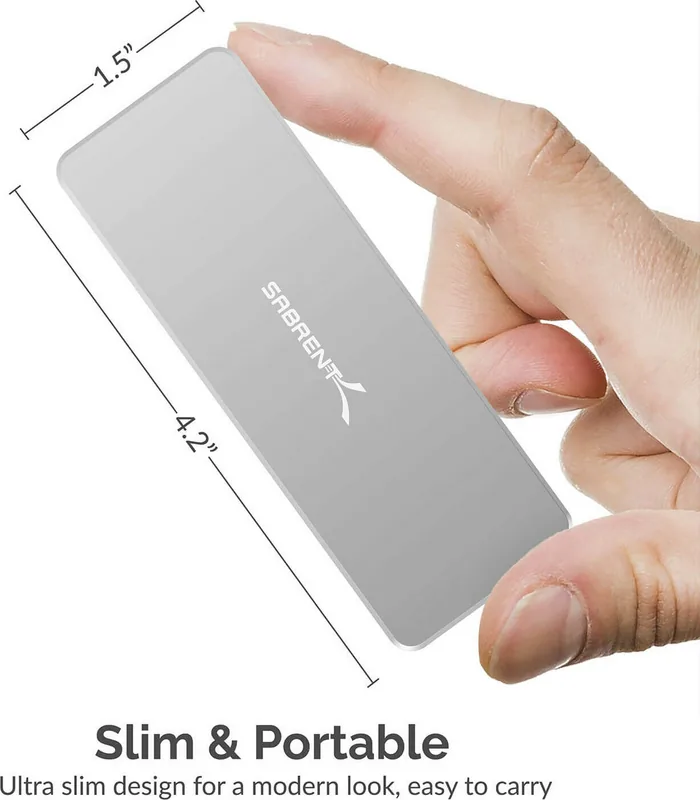
4.57x1.46x0.59 in
Weight
7.2 oz
Color
silver
Features
Aluminum case, tool-less installation
USB Spelling
Link
Product Description
Unlocking Speed with the Sabrent NVMe PCIe M.2 M-Key Enclosure
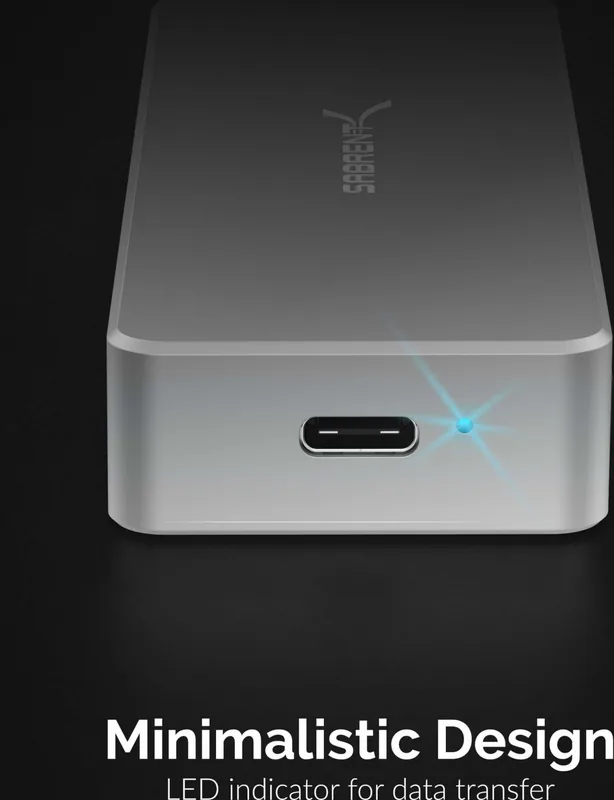
The Sabrent NVMe PCIe M.2 M-Key Enclosure transforms your standalone SSD into a high-speed portable drive ready for action. This device is designed for users who demand rapid data transfer without the hassle of complex tools or screws. By utilizing the USB-C 3.1 interface, it bridges the gap between modern internal storage and external connectivity, allowing you to access files instantly on any compatible computer.
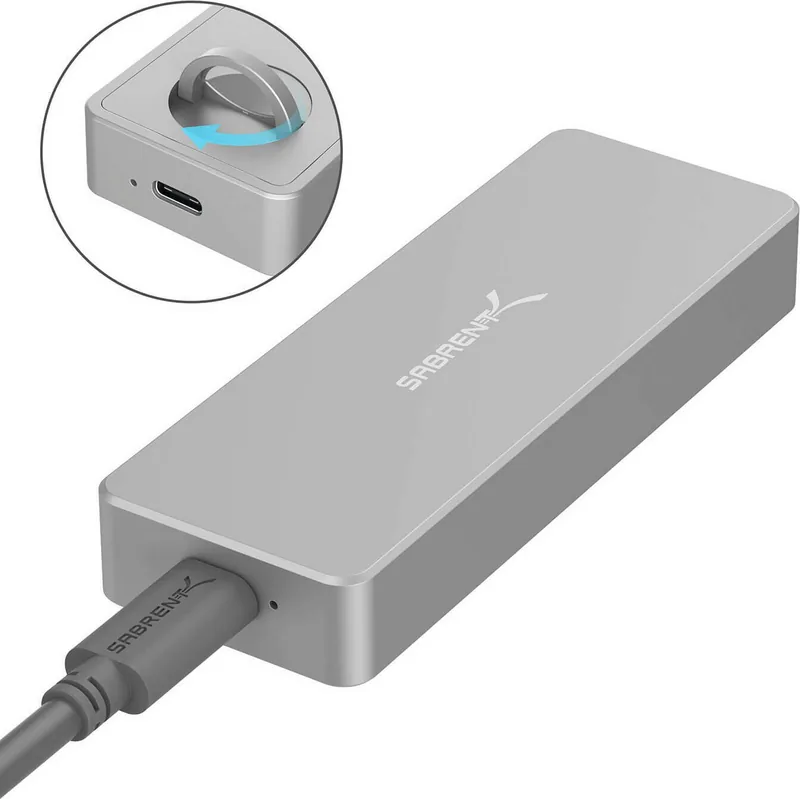
Installation is remarkably straightforward thanks to the tool-free design. You simply lift and rotate the knob counter-clockwise to unlock the mechanism. Once opened, the bottom plate can be removed easily. The enclosure features a clever magnetic pin system that guides the SSD into place at a 45-degree angle. You slide the drive in until it clicks securely into one of four fitting positions, accommodating various SSD lengths. After ensuring the pin has locked, you reattach the bottom plate and rotate the knob clockwise to secure everything tightly.
This enclosure supports NVMe PCIe drives, offering significantly faster read and write speeds compared to traditional SATA-based external drives. Whether you are a content creator moving large video files or a gamer looking to expand your console storage, this unit provides the reliability and performance needed. The package includes a USB cable and a Type-C adapter, ensuring compatibility across different ports and devices.
Important Notes
- Ensure the SSD is fully seated before locking the knob.
- Use only the provided USB cable for optimal power delivery.
- Check your computer's USB port version for maximum speed potential.
Pros and Cons
Pros
- Tool-free installation saves time and effort during setup.
- Magnetic pin system ensures secure drive seating without screws.
- Supports high-speed NVMe PCIe M.2 drives for fast transfers.
- Includes USB Type-C adapter for versatile connectivity options.
Cons
- Requires specific alignment angle for initial drive insertion.
- No built-in cooling fan which may lead to heat under heavy load.
- Cable length may be short for some desktop setups.
- Plastic construction might feel less durable than metal alternatives.
Frequently Asked Questions
Q: Does this enclosure support all M.2 SSDs? A: It supports NVMe PCIe M key M.2 SSDs specifically. It does not work with SATA M.2 drives or those with different key types like B+M key.
Q: How do I install my SSD into the enclosure? A: Rotate the knob counter-clockwise, remove the bottom plate, insert the SSD at a 45-degree angle until it clicks, then replace and lock the plate.
Q: Is the installation process difficult? A: No, it is designed to be tool-free and user-friendly, requiring no screws or specialized equipment to assemble.
Q: What is the maximum data transfer speed? A: Speeds depend on your SSD and host port, but it utilizes USB 3.1 Gen 2 capabilities for high throughput suitable for NVMe drives.
Q: Can I use this with a Mac or PC? A: Yes, it is compatible with both macOS and Windows systems as long as they have a USB Type-C port or the included adapter is used.
Q: Does it come with a warranty? A: Yes, Sabrent typically offers a limited warranty; check their website for specific terms regarding this model.
Q: What happens if the drive gets hot? A: While it lacks a fan, the aluminum casing helps dissipate heat. Avoid using it in direct sunlight or enclosed spaces for extended periods.
Search for 67,706 Manuals online


Type-in Brand or Model
Jake Kelly
7 months ago
Does this drive work reliably with Mac mini M1, or are there connection issues?
Manual.ly
7 months ago
We have received reports of occasional connection drops when using this drive with the Mac mini M1, which may be related to the JMicron JMS583 chipset. While read/write speeds can reach up to 650MB/s on that model, stability varies. We recommend testing thoroughly before relying on it for critical data.