
Rollei Traveler Manual
PDF manual · 16 Pages
English



Quick check
Incorrect answer, please try again.
Chat with your Rollei Traveler manual using AI
Get instant AI answers from your Rollei Traveler manual
Ask anything about the Rollei Traveler. Answers come from this manual, with the pages they are based on.
Ask a Question
Do you recommend Traveler?
Yes NoFrequently Asked Questions
This tripod supports digital cameras and smartphones weighing up to 2 kg in total load capacity.
Is this answer helpful?
Turn on the remote switch, activate Bluetooth on your smartphone, and select the device named Rollei Smart BT.
Is this answer helpful?
The folded size measures 38.5 cm in length, making it very portable for travel.
Is this answer helpful?
Yes, a smartphone holder is already included in the scope of delivery for the product.
Is this answer helpful?
The remote control requires a CR2032 lithium button cell battery for power.
Is this answer helpful?
Yes, it supports Android 2.3.6 or higher, though some may need the specific camera app installed.
Is this answer helpful?
The signal range extends up to 10 meters from the tripod to the smartphone.
Is this answer helpful?
Advantages and Disadvantages
Advantages

- Ultra-compact folded size of 385 cm for easy travel storage
- Included Bluetooth remote control allows taking photos from 10m away
- Supports devices up to 2 kg including heavy smartphones and cameras
Disadvantages

- Maximum extension height of 120 cm might be low for some users
- Bluetooth remote compatibility may require specific apps on Android devices
- Plastic components might feel less durable than full metal counterparts
Product Specification
Type
Tripod
Material
Aluminum
Max Load
4.41 lbs
Max Height
47.24 inches
Min Height
15.35 inches
Collapsed Length
15.16 inches
Leg Sections
4
Max Leg Diameter
0.79 inches
Leg Lock
Snap Lock
Features
Tripod head
Color
Black
Weight
1.32 lbs
Product Description
Enhance Your Mobile Photography with Rollei Traveler Black
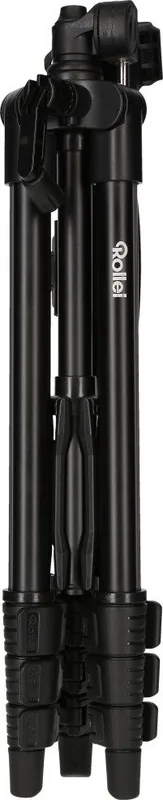
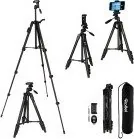
Capturing the perfect shot on a smartphone often requires more than just steady hands. The Rollei Traveler Black offers a reliable solution for enthusiasts seeking stability and professionalism in their daily content creation. This guide explores the essential elements found in the Rollei Traveler Black Manual to help you understand the full potential of this compact gear. Photography on the go demands equipment that does not weigh you down. The Tripod weighs only 600 grams, making it extremely easy to carry in a camera bag or backpack. Despite its light weight, it supports digital cameras up to 2 kg. This load capacity ensures that even heavier smartphones or compact digital cameras remain stable during long exposures. The aluminum build quality provides necessary sturdiness while keeping the total mass low.
One standout feature of this tripod is the included Bluetooth remote control. Users can detach themselves from the device entirely and take pictures from a distance of up to 10 meters. This functionality is essential for group shots or self-portraits without the need for a timer. The remote connects easily to devices running iOS 5.0 or higher and Android 2.3.6 or higher. A status indicator light informs the user when the connection is active. Folding the tripod down reduces it to a compact size of 38.5 cm. This means you can store it effortlessly in a pocket or small travel bag.
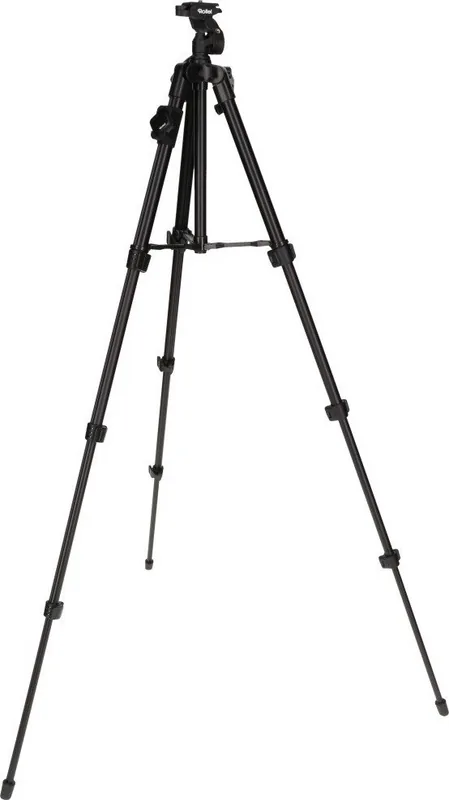
The tripod head allows for smooth horizontal and vertical tilting. Adjusting the center column height changes the composition angle without moving the entire setup. The quick release plate system simplifies mounting your device. You can switch between portrait and landscape modes by rotating the base plate. This flexibility encourages creative freedom without technical limitations. The leg lock system ensures stability on uneven terrain. You simply open the clamp, adjust the length, and tighten the lock again. Rubber feet provide extra grip on slippery surfaces.
Safety instructions are crucial for any electronic device. The remote requires a CR2032 battery which must be inserted with correct polarity. Do not expose the battery to fire or high temperatures. The product meets European conformity standards for radio equipment. This ensures it operates within safe limits for consumer electronics. If you encounter connectivity issues on Android, try installing the recommended camera app. The product is designed for everyday users who value convenience and quality.
Important Usage Notes
Ensure the legs are locked tight before adjusting the height. Remember to charge the remote control battery correctly. For best results, follow instructions for pairing steps. Avoid dropping the remote control as it contains delicate electronics.
Search for 67,732 Manuals online


Type-in Brand or Model
Nick Miller
5 months ago
Is the phone holder compatible with larger devices like the iPhone XS Max, and does the Bluetooth remote work with apps other than the camera?
Manual.ly
5 months ago
Thank you for your inquiry. The phone clamp accommodates most smartphones up to 3.5 inches in width, though larger models such as the XS Max may require careful tightening of the side screw to prevent slipping. Regarding the remote, it is designed to trigger the native camera shutter via Bluetooth. Compatibility with social media apps like Instagram or TikTok varies depending on device permissions and settings. Users should test this with their specific app before a shoot. For optimal stability with heftier devices, ensure all leg locks are secured firmly. The included compact travel bag allows for easy transport. If you need further pairing assistance, our support team can provide the downloadable manual link.