
Rollei Lumen Pro RGB 50W Manual
PDF manual · 12 Pages
English



Quick check
Incorrect answer, please try again.
Chat with your Rollei Lumen Pro RGB 50W manual using AI
Get instant AI answers from your Rollei Lumen Pro RGB 50W manual
Ask anything about the Rollei Lumen Pro RGB 50W. Answers come from this manual, with the pages they are based on.
Ask a Question
Do you recommend Lumen Pro RGB 50W?
Yes NoFrequently Asked Questions
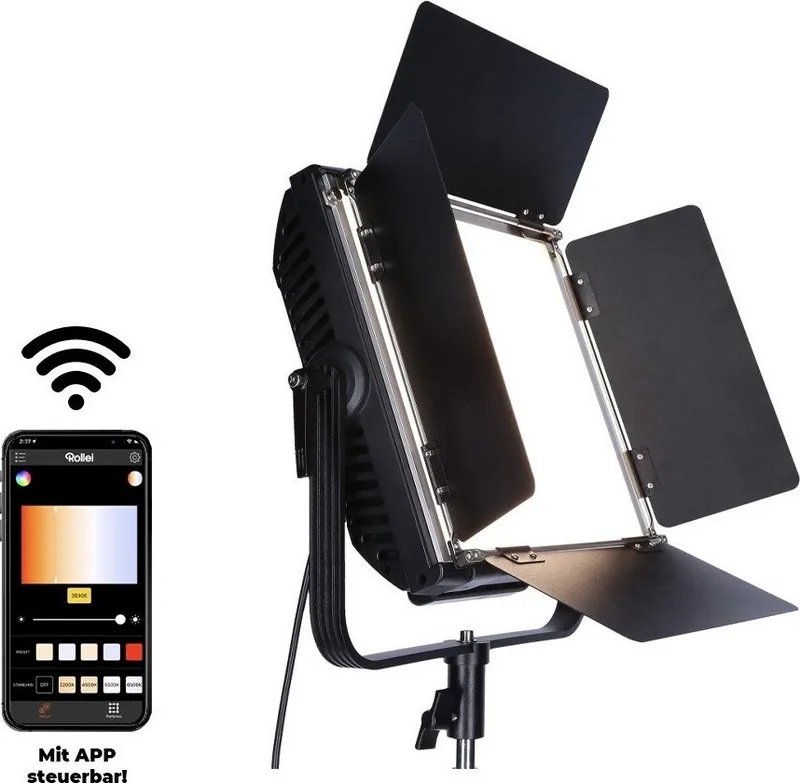
Yes, the Rollei Lumen Pro RGB pairs with the Rollei Lumen App via Bluetooth Low Energy. This supports iOS 9.0 and above and Android 5.0 or higher, allowing remote control of settings without touching buttons.
Is this answer helpful?
The color temperature can be adjusted between 3200K and 9999K. It is available in hundreds of steps with a specific option to increase the green portion of the selected temperature for precise lighting matching.
Is this answer helpful?
Yes, the Lumen Pro supports DMX 512 with RGB channel control. It detects the input automatically and displays channel information for Red, Green, Blue, and Centre channels for professional integration.
Is this answer helpful?
No, this product is not waterproof. It should not be used in rain or wet environments, and you must avoid touching it with wet hands to prevent moisture damage to the equipment.
Is this answer helpful?
The Colour Rendering Index (CRI) is 95 or higher. This ensures natural skin tones and vivid colors are captured accurately in every frame across the supported light spectrum.
Is this answer helpful?
You have the possibility of saving up to eight different color profiles. These include settings for color temperature, brightness, saturation, and intensity for quick recall during shoots.
Is this answer helpful?
Yes, it offers a V-Mount connection for optional Li-Ion batteries. However, it can also operate using the supplied mains adapter connected to the DC input for continuous power.
Is this answer helpful?
Advantages and Disadvantages
Advantages

- High Color Rendering Index exceeds 95 for accurate skin tones
- Adjustable color temperature from 3200K to 9999K for precise moods
- Bluetooth Low Energy control via Rollei Lumen App for remote operation
- Eight distinct color profiles can be saved for quick access
- DMX 512 input supports professional multi-light control setups
Disadvantages

- Unit weighs 3.42 kg making it heavy for handheld use
- Not waterproof and must be protected from moisture strictly
- Li-Ion V-Mount batteries are optional and sold separately
- Dimensions are large at 44.5 x 40 x 12 cm total footprint
- Physical setup requires specific attention to heat warnings
Product Specification
Light Output
5,268 Lux (19.69 in)
Color Temperature
3,200-9,999K
Power
50W
Features
LED
Product Description
Rollei Lumen Pro RGB 50W Overview
Welcome to our in-depth look at the Rollei Lumen Pro RGB 50W lighting system. This professional tool offers exceptional versatility for photographers and videographers seeking high-quality illumination for their projects. When you review the Rollei Lumen Pro RGB 50W Manual, you will discover a wealth of specialized features designed to enhance your creative workflow significantly on set. The unit provides a massive selection of color nuances and temperature control options for various applications. It integrates advanced RGBW technology to deliver accurate color reproduction across a broad spectrum of light. Users can adjust the color temperature from 3200K to 9999K in precise steps for specific moods. This ensures optimal rendering for various shooting conditions, from warm indoor events to bright daylight exteriors. The Color Rendering Index exceeds 95, guaranteeing natural skin tones and vivid colors in every captured frame.
Connectivity and Control
Connectivity is a key feature of this innovative system. You can pair the device with the Rollei Lumen App via Bluetooth Low Energy easily. This allows remote control of settings without touching physical buttons during recording. The integration supports iOS 9.0 and Android 5.0 or higher for maximum compatibility. You can also utilize DMX 512 inputs for professional integration into larger light setups. The panel displays channel information clearly for complex control scenarios involving multiple units. It enables individual control of Red, Green, and Blue channels effectively. You can save eight distinct color profiles for quick access during dynamic shoots. Whether you need strobe effects like fire light or party lights, the Cycle Effects menu provides creative flexibility. The device features specific settings for scene modes like fluorescent soft white or camera flash. Physical knobs control saturation and intensity easily for manual adjustments.
Build and Safety
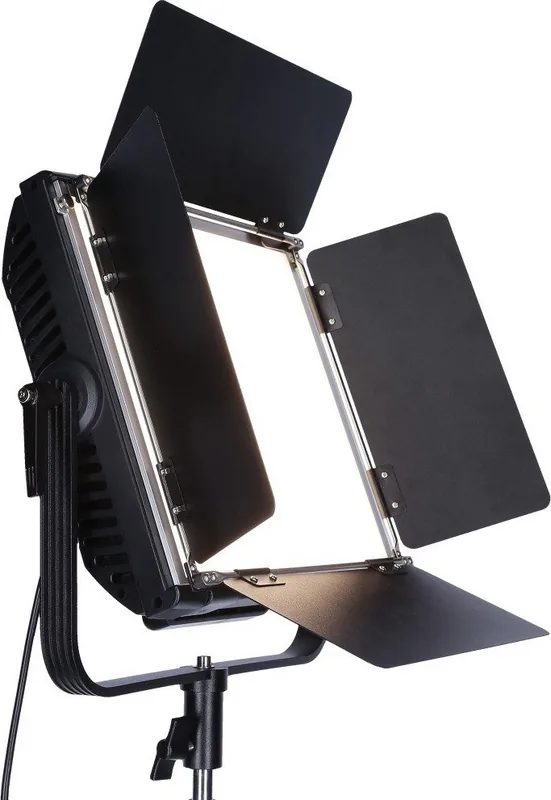
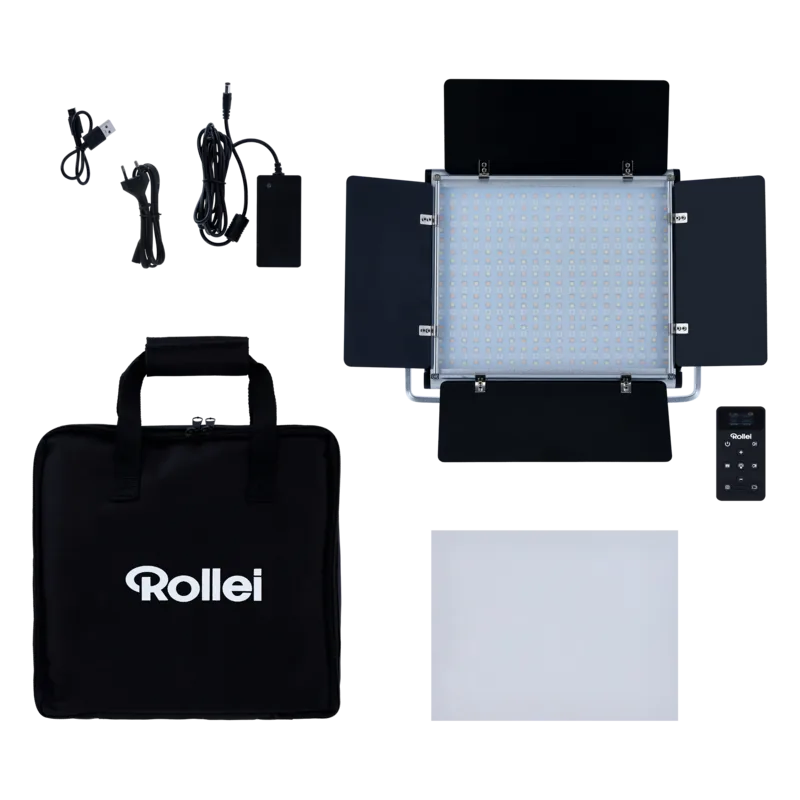
Safety and build quality are paramount for this powerful equipment. The device features a robust design with specific dimensions of 44.5 x 40 x 12 cm total. While powerful, it weighs 3.42 kg, making it sturdy but heavy for handheld use without a stand. Users should note it is not waterproof and must be protected from moisture strictly. Battery operation is possible with optional Li-Ion V-Mount batteries, though the standard setup uses a mains adapter. The package includes the light source, a protective bag, and shielding flaps for managing light spill carefully. You must avoid exposing the unit to extreme heat or direct sunlight to prevent damage. Always follow the warnings regarding heat and eye safety to maintain performance. This product represents a comprehensive tool for modern production needs and ensures reliability on set. It combines ease of use with professional grade specifications.
Search for 67,706 Manuals online


Type-in Brand or Model