
Rittal TS IT Manual
PDF manual · 28 Pages
English



Quick check
Incorrect answer, please try again.
Chat with your Rittal TS IT manual using AI
Get instant AI answers from your Rittal TS IT manual
Ask anything about the Rittal TS IT. Answers come from this manual, with the pages they are based on.
Ask a Question
Do you recommend TS IT?
Yes NoFrequently Asked Questions
It is designed to house IT and networking equipment in a stable, organized, and ventilated enclosure. The cabinet supports safe mounting, structured cable routing, and reliable operation in indoor technical environments.
Is this answer helpful?
The perforated door improves airflow through the cabinet, which helps reduce heat buildup around servers and other active components. Better ventilation is especially useful in racks with high equipment density.
Is this answer helpful?
Heavier components should be placed at the bottom to improve stability. Lighter or frequently accessed devices can be mounted higher up. This arrangement reduces tipping risk and makes maintenance safer.
Is this answer helpful?
Yes. The guidance stresses that installation and adjustments should be carried out by trained personnel. The rack should also be grounded properly and stabilized before equipment is installed or extended.
Is this answer helpful?
No. It is intended for indoor use only. Environmental conditions such as temperature, humidity, and air quality should match the requirements of the installed components and the cabinet design.
Is this answer helpful?
Yes. Depending on the setup, accessories like stabilizers, floor fixing parts, side panels, or base sealing elements may be needed to improve safety, compliance, and overall rack performance.
Is this answer helpful?
Advantages and Disadvantages
Advantages

- 42U height and 1000 mm depth provide ample room for dense IT setups and cable management.
- Perforated door design supports airflow and helps improve cooling for active hardware.
- Profile rails simplify mounting of 19-inch equipment and support organized rack layout.
- Safety-focused guidance encourages grounding, stabilization, and balanced loading for reliable use.
Disadvantages

- Installation should be handled by trained personnel, which limits casual self-assembly.
- The cabinet is meant for indoor use only, so it is not suitable for outdoor environments.
- Its top-heavy structure means moving or unpacking requires at least two people.
- Some configurations may need extra accessories such as stabilizers, side panels, or gland plates.
Product Specification
Dimensions (WxHxD)
23.50x78.70x40.32in
Load capacity
3,306.93 lbs
Weight
191.36 lbs
Special features
Safety door, Profile rails
Product Description
Rittal TS IT 42U Server Cabinet: Built for Safe, Organized IT Infrastructure
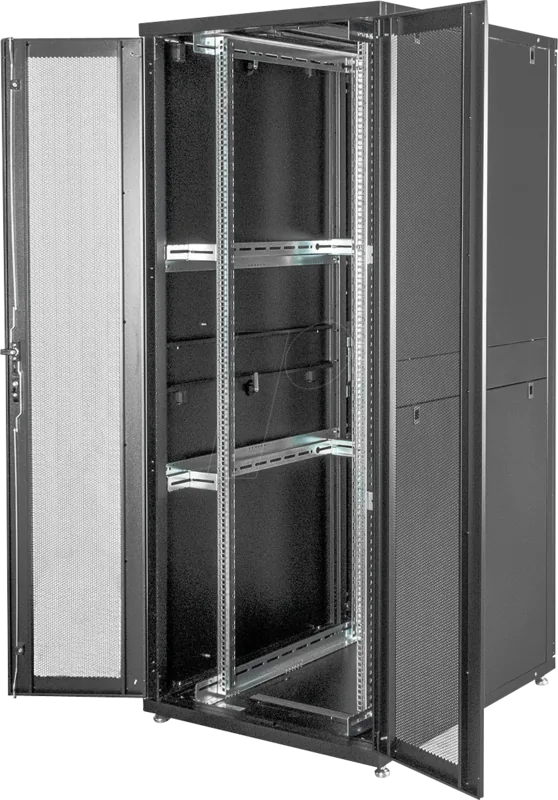
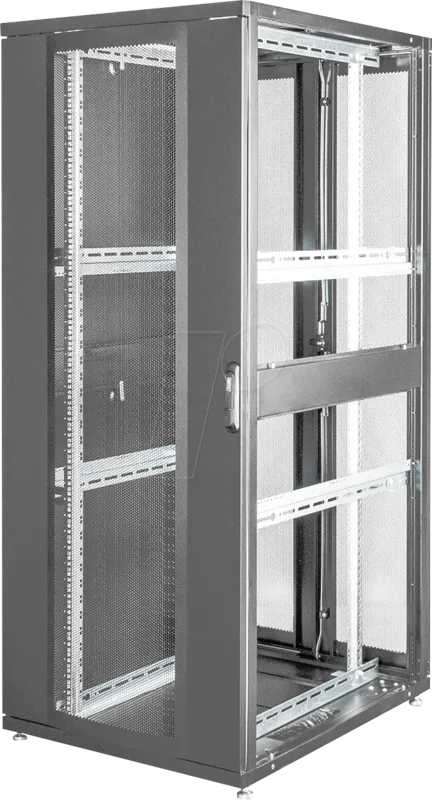
The Rittal TS IT 42U server cabinet with perforated door, profile rails, 1000 mm deep Manual presents a practical approach to housing modern IT equipment in a secure and structured way. Designed for indoor environments, it focuses on stability, airflow, and careful component placement, which makes it a strong fit for server rooms, network setups, and data-focused installations.
One of the most noticeable strengths of this cabinet is its attention to installation safety. The enclosure is intended for trained personnel, and the guidance emphasizes proper handling, grounding, and stabilization before commissioning. This is especially important for a tall, top-heavy rack that can shift during transport or when equipment is extended. The perforated front door supports better ventilation, helping sensitive devices stay cooler during continuous operation.
The 1000 mm depth offers generous space for a wide range of IT hardware, including servers, cabling, power distribution units, and accessories. Profile rails make it easier to align devices in the 19-inch format, while the flexible configuration supports thoughtful planning of heavy and light components. Placing heavier devices at the bottom is not just recommended; it is part of the rack’s stability strategy and contributes to a safer and more reliable setup.
This cabinet is also designed with real-world maintenance in mind. Side panels, base sealing options, and rack stabilization accessories help adapt the enclosure to different environments and layouts. The instructions also note that some adjustments should only be made when equipment is not mounted, which reinforces the cabinet’s focus on controlled, professional use. In practice, this makes the TS IT series a dependable choice for installations where order, security, and serviceability matter.
For teams building a structured IT space, this cabinet offers more than just a metal frame. It supports disciplined rack organization, efficient airflow management, and a clear installation workflow. The result is a cabinet that helps protect valuable equipment while keeping future expansion and maintenance straightforward.
Notes
- Intended for indoor IT installations only.
- Stable placement and grounding are essential before use.
- Heavy components should always be installed lower in the rack.
- Extra stabilization may be needed depending on the site layout.
Search for 67,732 Manuals online


Type-in Brand or Model