
Ring Stick Up Cam Elite Manual
PDF manual · 16 Pages
English



Quick check
Incorrect answer, please try again.
Chat with your Ring Stick Up Cam Elite manual using AI
Get instant AI answers from your Ring Stick Up Cam Elite manual
Ask anything about the Ring Stick Up Cam Elite. Answers come from this manual, with the pages they are based on.
Ask a Question
Do you recommend Stick Up Cam Elite?
Yes NoFrequently Asked Questions
It uses wired power options, including USB indoors or PoE for indoor and outdoor setups. That means less worry about charging and a more stable connection for continuous monitoring.
Is this answer helpful?
Yes. Outdoor use is supported when you power it with the PoE adapter. The adapter should be installed indoors while the Ethernet cable runs to the camera outside.
Is this answer helpful?
Yes. The Ring app guides the setup process, helps connect the camera, and lets you manage features like Live View and device settings.
Is this answer helpful?
You can place it on a flat surface like a shelf or table, or mount it to a wall or ceiling. Choose a spot that gives the best view and access to power or Ethernet.
Is this answer helpful?
A flashing blue light usually means the camera is updating its software. It is best not to unplug the device while the update is in progress.
Is this answer helpful?
Yes. After setup, you can use Live View in the Ring app to see real-time video from the camera whenever you need to check on a space.
Is this answer helpful?
Advantages and Disadvantages
Advantages

- Flexible placement for table, wall, or ceiling use.
- Wired power options improve reliability and reduce battery dependence.
- Ring app setup is guided and beginner-friendly.
- PoE support makes it suitable for indoor and outdoor monitoring.
Disadvantages

- Outdoor setup requires careful cable routing and indoor PoE placement.
- USB power is limited to indoor use only.
- Installation may take extra effort when wall or ceiling mounting.
- A flashing blue light during updates can be confusing for new users.
Product Specification
Resolution
1920x1080 Pixels
Viewing Angle
150° (horizontal), 85° (vertical)
Ports
1x USB 2.0 Micro-B (480Mb/s), 1x RJ-45 100Mb LAN
Wireless
Wi-Fi 4 (WLAN 802.11b/g/n)
Microphone
integrated
Speaker
integrated
Lighting
IR Lighting (32.81 ft)
Power Supply
PoE (Type 1)
Protection Rating
IP64
Mount
Mounting Bracket
Control & Operation
Mobile App (Android, iOS)
Zone & Analysis Features
Motion Detection
Special Features
integrated siren
Manufacturer Warranty
1 Year
Product Description
Ring Stick Up Cam Elite/Wired Manual: A Practical Guide to Smarter Home Monitoring
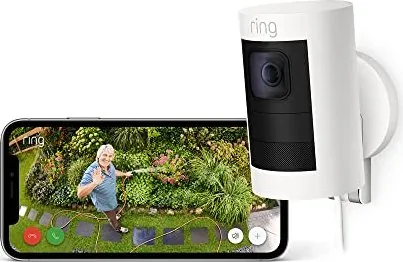
The Ring Stick Up Cam Elite/Wired is designed for people who want flexible security without giving up a clean, dependable wired connection. This model stands out because it can be used in multiple spaces, indoors or outdoors, and it offers the stability of Power over Ethernet when you want a more permanent setup. For anyone looking for a simple way to keep an eye on a front entry, backyard, hallway, or office space, it delivers a balanced mix of convenience and security.
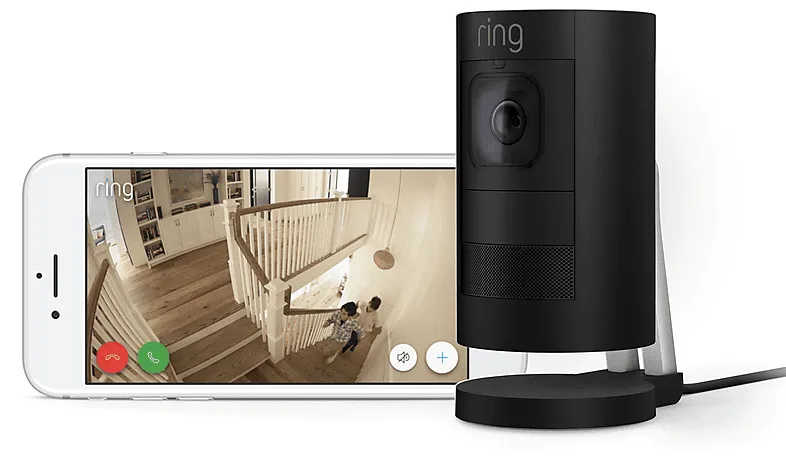
One of the biggest strengths of this camera is how adaptable it is. You can place it on a table or shelf, or mount it to a wall or ceiling depending on the view you need. The setup starts in the Ring app, which walks you through adding the device, connecting it to Wi-Fi, and finishing the installation. That makes the process approachable even for users who are not especially technical. If the camera’s light flashes after setup, it usually means the device is updating software, so it is best to leave it alone until the update finishes.
Power options are another highlight. The camera can be connected with USB for indoor use, or with the included PoE adapter for indoor and outdoor installations. This gives the product an edge over many wireless cameras because it reduces reliance on battery charging and supports a more consistent connection. For outdoor placement, the PoE adapter is installed indoors while the Ethernet cable runs to the camera, which helps keep the main power source protected.
Installation is also straightforward and practical. The base can be adjusted for different mounting angles, and the included level helps you align wall installations neatly. Once mounted, the camera feels solid and ready for everyday monitoring. Live View in the Ring app adds another useful layer, letting you check the camera feed in real time whenever you want a quick look at what is happening.
Overall, the Ring Stick Up Cam Elite/Wired Manual reflects a product built around versatility, dependable wiring, and easy app-based control. It is a strong choice for homeowners or small business users who want a camera that can be placed almost anywhere and configured with minimal hassle.
Notes
- Best for users who want wired reliability
- Suitable for indoor and outdoor use with PoE
- Live View helps you check activity quickly
- Software updates may happen automatically after setup
Search for 67,732 Manuals online


Type-in Brand or Model