

Ridgid micro CA-150 Manual
PDF manual · 282 Pages
English



Quick check
Incorrect answer, please try again.
Chat with your Ridgid micro CA-150 manual using AI
Get instant AI answers from your Ridgid micro CA-150 manual
Ask anything about the Ridgid micro CA-150. Answers come from this manual, with the pages they are based on.
micro CA-150 Maintenance Schedule
Clean with mild soap or detergent after each use.
Wipe gently with a clean dry cloth. Do not rub hard.
Use only alcohol swabs to clean the cable connections.
Wipe down with a clean, dry cloth.
Ask a Question
Do you recommend micro CA-150?
Yes NoFrequently Asked Questions
It is used to inspect hard-to-see areas such as drains, wall cavities, and mechanical spaces. The live color display helps users identify blockages, damage, or hidden conditions without dismantling the area first.
Is this answer helpful?
Yes, the imager head and cable are waterproof to 10 feet. However, the handheld display unit is not waterproof, so it should be kept away from rain, standing water, and wet conditions.
Is this answer helpful?
Yes. The standard cable is 3 feet, and optional extensions can increase the total reach up to 30 feet. This makes the tool more adaptable for larger or deeper inspection jobs.
Is this answer helpful?
The internal memory can store up to 20 images. Once the limit is reached, new captures begin overwriting the oldest saved images.
Is this answer helpful?
Yes. The camera head includes four adjustable LEDs. Users can increase or decrease brightness to improve visibility based on the lighting conditions inside the inspection area.
Is this answer helpful?
Yes. The micro CA-150 includes RCA video output, so it can be connected to a television or monitor for remote viewing or recording.
Is this answer helpful?
Avoid using it in energized areas, standing water, or explosive atmospheres. Also avoid forcing the cable through sharp bends, and do not use the device for medical or personal inspections.
Is this answer helpful?
Advantages and Disadvantages
Advantages

- 3.5-inch color LCD provides a clear live view for inspections in tight or hidden spaces.
- 17 mm camera head and flexible cable help reach narrow openings with less effort.
- Adjustable LEDs improve visibility in dark areas and support more accurate inspections.
- Waterproof camera head and cable add confidence when working in wet environments.
Disadvantages

- Handheld display is not waterproof, so the unit still needs careful handling around moisture.
- Internal memory stores only 20 images, which is limited for longer inspection sessions.
- Short standard cable may require extensions for deeper or farther reaches.
- Not intended for personal or medical use, and the cable should never be forced through tight bends.
Product Specification
Camera
320x240 (max. display resolution)
Display
yes
Features
Softgrip, LED work light, Memory function
Power supply
Battery operation (4x AA battery)
Weight
1.70 lb
Scope of delivery
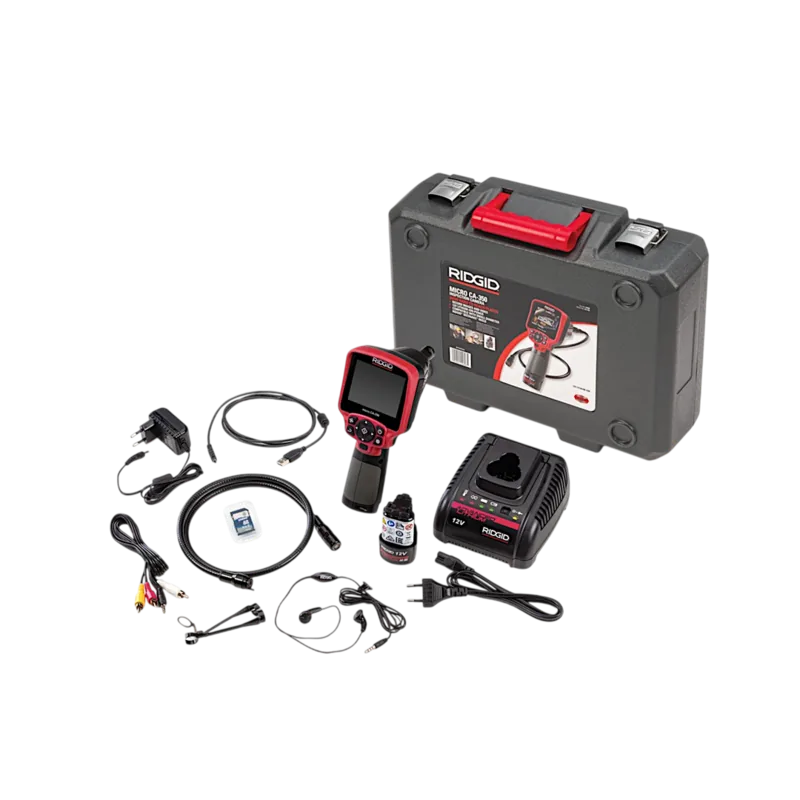
Case, GIC camera cable (dia. 0.67 in, 35.43 in), Magnet, Mirror, RCA cable
Product Description
Ridgid micro CA-150 Inspection Camera: Compact Visibility for Tight Spaces
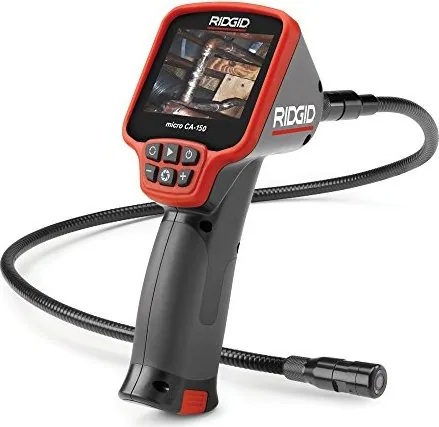
The Ridgid micro CA-150 Inspection Camera is built for one purpose: helping users see what is hidden inside cramped, awkward, or hard-to-reach places. Whether you are checking drain lines, looking behind walls, or inspecting mechanical spaces, this compact tool brings live color video to a 3.5-inch LCD screen and makes detailed viewing far easier than working by feel alone. If you are searching for the Ridgid micro CA-150 Inspection Camera Manual, the main takeaway is clear: this is a practical inspection tool designed for real-world trade work, with a strong focus on safety and usability.
A key strength of the micro CA-150 is its flexible 3-foot cable paired with a 17 mm camera head, which is small enough for many narrow access points. The camera includes adjustable LED lighting so users can brighten dark cavities and improve image clarity. It also supports image rotation, image capture, and playback, making it easier to review findings during a job or save visual evidence for later. For longer reach, optional cable extensions can expand the inspection range substantially.
The design also reflects demanding jobsite conditions. The imager head and cable are waterproof to 10 feet, which is useful when working around wet drains or damp environments. At the same time, the handheld display is not waterproof, so the tool must be used with care. That balance of durability and caution makes the CA-150 especially suitable for plumbers, maintenance teams, inspectors, and technicians who need dependable visibility without bulky equipment.
Operation is straightforward: power on, adjust the LEDs, guide the cable into the target area, and capture images when needed. The tool can also connect to a TV or monitor through RCA output for remote viewing. It runs on four AA batteries, and the unit supports cleaning, reset, and basic maintenance procedures that help keep it working reliably over time.
Like any inspection device, it performs best when used correctly. The manual emphasizes pre-use checks, safe handling, and proper storage. Avoid forcing the cable through tight bends, do not use the system in energized areas, and keep the handheld unit away from water. With those precautions in mind, the micro CA-150 becomes a compact, versatile inspection companion.
Notes
- Best suited for visual inspections in narrow or concealed spaces.
- Use protective gear when inspecting drains or contaminated areas.
- Store dry, remove batteries during long storage, and clean after use.
Search for 67,732 Manuals online


Type-in Brand or Model