
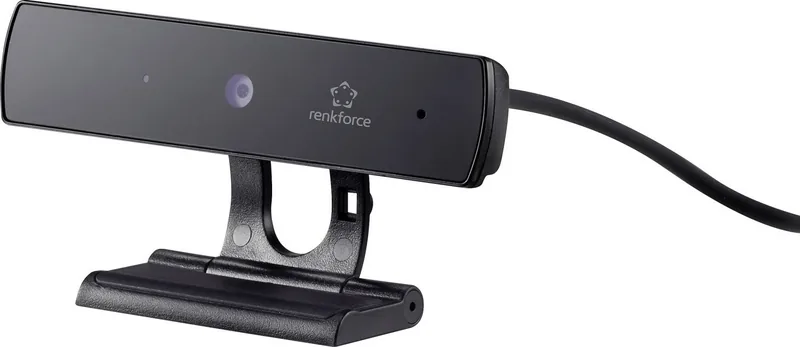
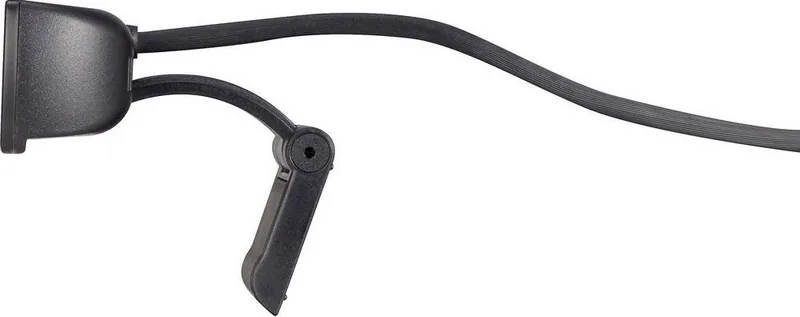
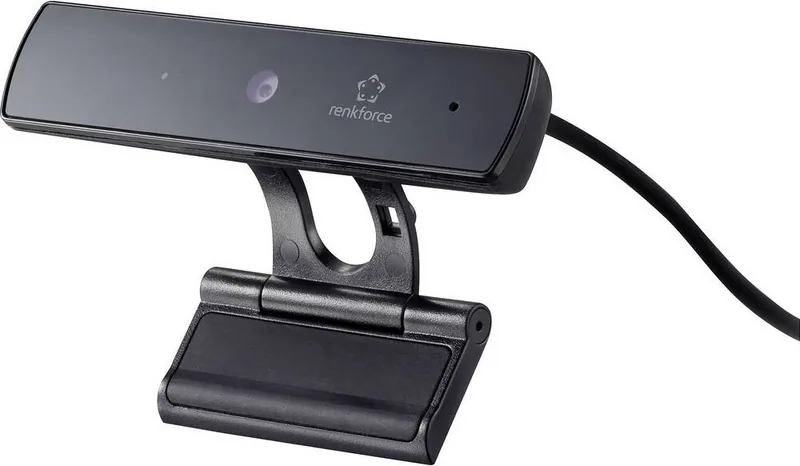
Renkforce RF-WC1080P1 Manual
PDF manual · 4 Pages
English



Quick check
Incorrect answer, please try again.
Chat with your Renkforce RF-WC1080P1 manual using AI
Get instant AI answers from your Renkforce RF-WC1080P1 manual
Ask anything about the Renkforce RF-WC1080P1. Answers come from this manual, with the pages they are based on.
Ask a Question
Do you recommend RF-WC1080P1?
Yes NoFrequently Asked Questions
It records Full HD video at 1920 x 1080 pixels and 30 frames per second. This resolution is suitable for video conferencing, remote work, online classes, and general webcam use.
Is this answer helpful?
Yes. The Full HD model, identified as item number 1923819, uses an autofocus lens. It is designed to adjust focus automatically rather than requiring manual lens adjustment.
Is this answer helpful?
It connects through its integrated USB cable and requires at least a USB 2.0 port. On compatible Windows computers, the required drivers are intended to install automatically after connection.
Is this answer helpful?
Yes. The webcam includes a built-in microphone, allowing it to capture audio alongside video. Audio quality can also depend on room noise, computer settings, and the software being used.
Is this answer helpful?
Yes. The supplied mounting design can be used as a desktop stand or attached to a laptop. This gives users flexibility when positioning the camera for calls or recordings.
Is this answer helpful?
Not always. The operating system or selected webcam software may stop two video capture programs from accessing the camera simultaneously. Close other camera apps if the webcam is unavailable in your chosen program.
Is this answer helpful?
Advantages and Disadvantages
Advantages

- Full HD 1920 x 1080 video at 30 fps supports clear calls, meetings, and online lessons.
- Autofocus helps maintain a sharp image as the subject moves or changes position.
- Built-in microphone combines video and basic audio capture in one USB device.
- Desktop stand and laptop mount offer flexible placement, while the 148 cm cable adds reach.
- Plug-and-play USB 2.0 operation simplifies installation on compatible Windows systems.
Disadvantages

- The stated system support is Windows XP and later with DirectX 9.0 VGA, so other platforms are not specified.
- The 65-degree viewing angle may be too narrow for larger groups or wide room shots.
- It is intended for indoor use only and must be protected from moisture and steam.
- Long sessions may warm the device, requiring a break before further use.
- Some systems or webcam applications may prevent two video capture programs from running simultaneously.
Product Specification
Type
Webcam
Image sensor
1x 1/2.7 in CMOS 2.0 MP
Resolution
1,920 x 1,080 pixels (30 fps)
Field of view
65 degrees (horizontal)
Connections
1x USB-A 2.0 (480 Mb/s)
Wireless
N/A
Microphone
integrated
Speaker
N/A
Lighting
N/A
Cable length
6.56 ft
Power supply
via USB
Mount
Mounting clip
Dimensions
4.09 x 1.85 x 1.42 in
Weight
3.63 oz
Package contents
Camera
Special features
Status LED
Product Description
Renkforce RF-WC1080P1 Full HD Webcam - Read, Download & Print Free
The Renkforce RF-WC1080P1 Full HD Webcam is designed for straightforward video communication at home or in the office. With Full HD 1920 x 1080 video at 30 frames per second, it provides a clear image for video calls, online meetings, remote learning, and everyday streaming. Its autofocus lens helps keep the subject sharp without needing frequent manual adjustments, making setup less distracting during active conversations.
Simple USB Connection
This webcam uses a USB 2.0 connection and is built for plug-and-play operation with compatible Windows computers. Connect the integrated USB cable, allow the system to install the required drivers, and open the preferred webcam application. The camera supports MJPG and YUY2 video codecs, offering compatibility with common video capture and communication software.
An integrated microphone adds audio capture in the same compact unit. This makes the Renkforce webcam a practical choice for users who want to add both camera and microphone functionality to a desktop computer or laptop without building a more complex setup. Depending on the operating system and application, only one video recording program may be able to use the camera at a time.
Flexible Placement for Everyday Use
The Renkforce RF-WC1080P1 Full HD Webcam has a versatile stand that can sit on a desk or attach to a laptop display. Its 65-degree viewing angle is suited to single-person calls and compact workspaces, helping keep the frame focused rather than excessively wide. The 148 cm cable provides useful reach when the computer is positioned away from the screen or monitor.
The camera head uses an aluminium housing, while the base is plastic. At approximately 95 g and measuring 57 x 30 x 82 mm, it is compact enough to move between home, office, or study locations. It operates through USB power at 5 V DC and has a maximum power consumption of 280 mA.
Practical Care Notes
Use the webcam indoors only and keep it away from moisture, steam, extreme temperatures, direct sunlight, and strong impacts. If the camera becomes warm after long use, close the camera application and allow it to cool before continuing. Clean the housing and lens cover with a dry, lint-free cloth; avoid alcohol, aggressive cleaners, and chemical solutions that could damage the finish or affect operation.
Note: The RF-WC1080P1 is identified in the technical information as the Full HD RF-WC1080P model, item number 1923819. Check your device label when confirming compatibility or product details.
Search for 67,732 Manuals online


Type-in Brand or Model