
Renkforce RF-WC-150 HD Manual
PDF manual · 8 Pages
English



Quick check
Incorrect answer, please try again.
Chat with your Renkforce RF-WC-150 HD manual using AI
Get instant AI answers from your Renkforce RF-WC-150 HD manual
Ask anything about the Renkforce RF-WC-150 HD. Answers come from this manual, with the pages they are based on.
Ask a Question
Do you recommend RF-WC-150 HD?
Yes NoFrequently Asked Questions
The webcam supports Full HD video at 1920 x 1080p with a maximum frame rate of 30 FPS. Actual output can depend on the application, as some software may select 1280 x 720p when Full HD is not supported.
Is this answer helpful?
Yes. It is a plug-and-play webcam that connects to a computer through USB 2.0 or USB 3.0. After connecting it, select "UVC Camera" in the video settings of your call, conference, or recording application.
Is this answer helpful?
Yes. It includes an omnidirectional microphone with audio pickup specified at less than 5 meters. In your software's audio settings, select "Capture Input Terminal (USB Audio Device)" to use the webcam microphone.
Is this answer helpful?
Yes. The camera includes autofocus to help keep the subject clear. Its specified best focus range is approximately 1.5 to 5 meters, making it suitable for typical desk and small-room setups.
Is this answer helpful?
The 115-degree viewing angle captures a broad scene. It can be useful for showing more of a desk, including multiple people in a meeting, or creating a more spacious frame for presentations and video conversations.
Is this answer helpful?
Check whether the webcam's red power indicator is illuminated. If it is not, try another USB cable. Also confirm that "UVC Camera" is selected in the video settings, especially when multiple cameras are connected.
Is this answer helpful?
Advantages and Disadvantages
Advantages

- Full HD 1920 x 1080p video at up to 30 FPS supports clear calls and recordings.
- Autofocus helps maintain a sharp image within the recommended 1.5 to 5 m focus range.
- Wide 115-degree viewing angle can include more people or workspace in the frame.
- Built-in omnidirectional microphone provides convenient audio pickup up to 5 m away.
- USB 2.0/3.0 plug-and-play connection offers straightforward computer setup.
Disadvantages

- Some apps may automatically limit video output to 1280 x 720p instead of Full HD.
- The wide-angle lens can reveal more of the surrounding room than a narrower camera.
- Built-in audio may not replace a dedicated microphone in noisy environments.
- Designed for indoor use only and must be kept away from moisture.
- Advanced configuration may require separate compatible software.
Product Specification
Type
Webcam
Image sensor
1x 1/2.7" CMOS 2.0 MP
Resolution
1920 x 1080 pixels (30 fps)
Viewing angle
115 degrees
Compression/codecs
MJPEG, PCM
Wireless
N/A
Focus
Autofocus
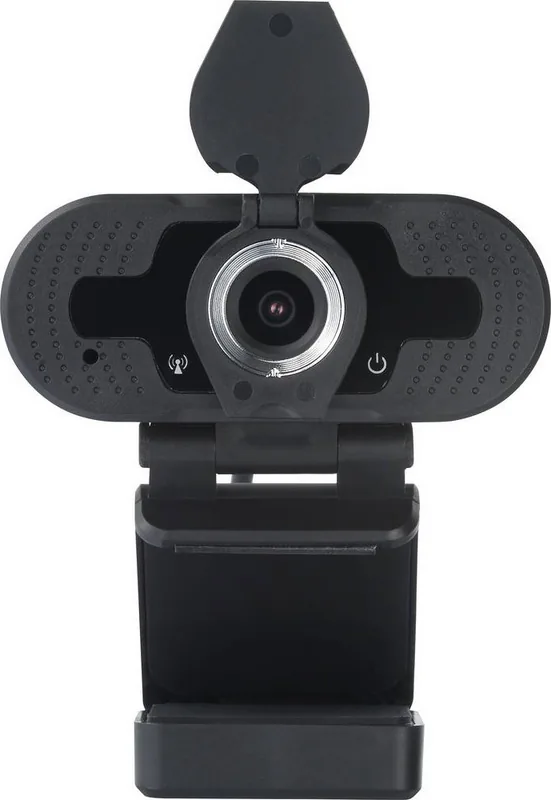
Camera cover
Flip mechanism
Microphone
Integrated (omnidirectional), 16.4 ft range
Speaker
N/A
Lighting
N/A
Power supply
Via USB
Mount
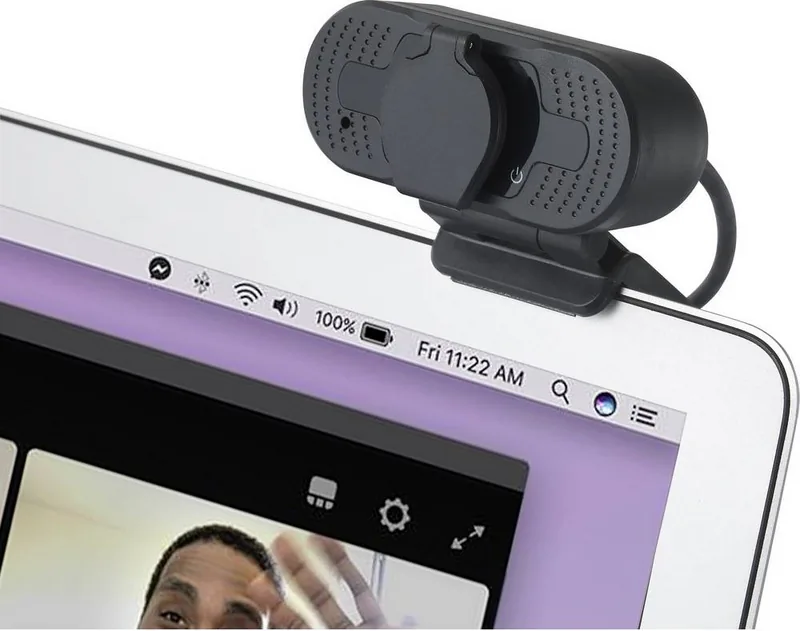
Mounting clip
Dimensions
3.35 x 2.8 x 1.3 in
Weight
0.25 lb
Package contents
Camera, camera cover
Product Description
Renkforce RF-WC-150 HD Webcam - Read, Download & Print Free
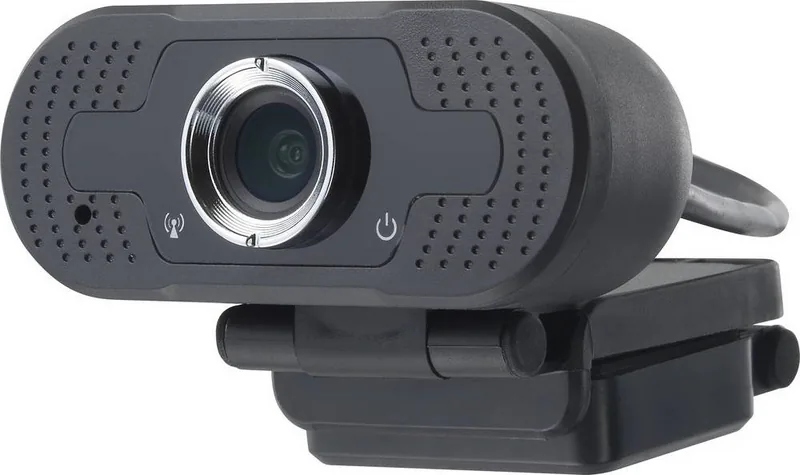
The Renkforce RF-WC-150 HD Webcam is a practical desktop camera designed for clear video calls, online meetings, remote learning, and everyday recording. It combines Full HD 1920 x 1080p video at up to 30 frames per second with a wide 115-degree viewing angle, helping users capture more of the room without constantly repositioning the camera. Whether you are speaking with colleagues, joining a virtual class, or recording a simple presentation, this compact webcam offers an accessible way to improve your computer's video setup.
Full HD Video with Autofocus
Autofocus is one of the webcam's key features. It is designed to keep the subject sharp across its best focus range of approximately 1.5 to 5 meters. This can be useful when you move naturally during calls or need to show objects at different distances. The MJPEG video format supports smooth video transmission, while the widescreen view makes the camera suitable for individual use as well as small group conversations.
The 115-degree angle of view is especially convenient for home offices, shared workspaces, and conference tables. Instead of a narrow head-and-shoulders frame, it can include more background and more participants. Keep in mind that a wide lens also captures more of your surroundings, so choosing a tidy and well-lit setup can help create a more polished appearance.
Built-In Microphone and Easy USB Setup
An integrated omnidirectional microphone captures sound from up to 5 meters away. With a 20 Hz to 20 kHz frequency response, it is intended to provide practical voice pickup for calls and recordings without requiring a separate microphone for basic communication. For the best results, select "Capture Input Terminal (USB Audio Device)" in your calling or recording software.
The RF-WC-150 uses USB 2.0 or USB 3.0 connectivity and supports plug-and-play operation. Connect it to a computer, select "UVC Camera" in the video settings, and choose the built-in USB audio device when needed. Configuration options depend on the application in use, and compatible software may offer extra controls for camera settings.
Adjustable, Compact Design
A multifunctional stand lets you position the camera at different angles for a more suitable view. At only 115 g, the webcam is compact enough to move between workstations. It is intended for indoor use and should be protected from moisture, impacts, extreme conditions, and direct sunlight.
Notes
- Some applications may limit the available resolution to 1280 x 720p even though the webcam supports Full HD.
- If no picture appears, check the red indicator light and test another USB cable.
- Clean the housing with a dry, lint-free cloth after disconnecting it from power.
Search for 67,732 Manuals online


Type-in Brand or Model
Lena Fischer
6 months ago
Is the built-in microphone good enough for video calls, and does the webcam have a proper clip for a laptop screen?
Manual.ly
6 months ago
The webcam is plug-and-play and provides clear Full HD video for everyday calls. Its integrated microphone is best suited to close-range use and may sound quiet or thin in larger rooms; an external microphone is recommended for higher audio quality. The stand is designed to rest on or hook over a screen edge rather than clamp tightly, so place it on a stable surface or screen position.