

Renkforce RF-LP-500 Manual
PDF manual · 8 Pages
English



Quick check
Incorrect answer, please try again.
Chat with your Renkforce RF-LP-500 manual using AI
Get instant AI answers from your Renkforce RF-LP-500 manual
Ask anything about the Renkforce RF-LP-500. Answers come from this manual, with the pages they are based on.
RF-LP-500 Maintenance Schedule
If the laser projection becomes dimmer, the batteries are discharged. Replace both AAA batteries at the same time to avoid leakage and damage.
Remove batteries before cleaning. Use only a dry, fiber-free cloth. Do not use aggressive cleaners or immerse in water.
Ask a Question
Do you recommend RF-LP-500?
Yes No
Mary Collins
6 months ago
Does the metal case actually come with a foam insert or just cardboard?
Frequently Asked Questions
No, the device is designed exclusively for indoor use. Outdoor use is prohibited due to safety regulations and potential interference with other activities.
Is this answer helpful?
The Renkforce RF-LP-500 requires two 1.5 V AAA batteries. Ensure correct polarity when inserting them for optimal performance.
Is this answer helpful?
Yes, looking directly into the beam or its reflection can cause eye injury. Always follow safety guidelines and never point it at humans or animals.
Is this answer helpful?
Remove the batteries first. Use a dry, fiber-free cloth to wipe the surface. Do not use alcohol, chemicals, or immerse the device in water.
Is this answer helpful?
Leaking batteries can cause acid burns. Remove them immediately, wear protective gloves, and dispose of them according to local recycling laws.
Is this answer helpful?
No, opening the device voids the warranty and creates safety hazards. Only trained professionals should perform maintenance or adjustments.
Is this answer helpful?
You can download the latest manual from the Conrad Electronic website using the provided QR code or direct link for updated instructions.
Is this answer helpful?
Advantages and Disadvantages
Advantages

- High visibility green laser beam ideal for presentations and pointing out details on screens.
- Compact and ergonomic silver and black design with a convenient included carrying case.
- Simple operation with a single button switch and clear battery compartment access.
- Includes multilingual safety signs to meet various international regulatory requirements.
- Powered by standard AAA batteries which are easy to replace when the projection dims.
Disadvantages

- Restricted to indoor use only; outdoor performance may be compromised by ambient light.
- Strict safety regulations require users to avoid pointing at people or reflective surfaces.
- Battery life depends on usage frequency and requires replacement of both cells simultaneously.
- Not suitable for modification or repair by untrained individuals due to laser safety risks.
- Must be kept away from moisture and extreme temperatures to prevent damage or malfunction.
Product Specification
Function
Laser pointer (green)
Keys
1
Power supply
2x AAA
Dimensions (WxDxH)
0.43x0.43x6 inches
Weight
1.66 oz
Product Description
Discover the Renkforce RF-LP-500 Laser Pointer
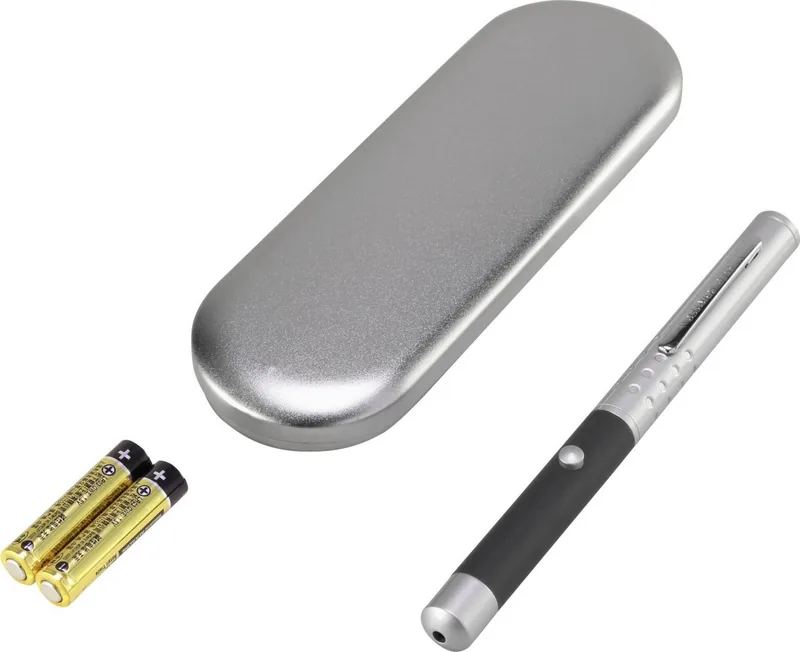
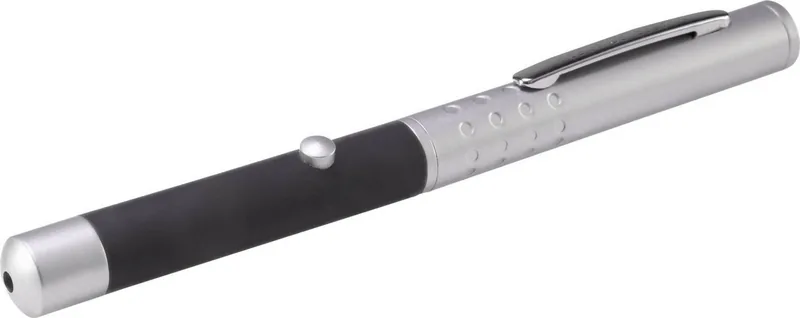
The Renkforce RF-LP-500 Laser Pointer with Green Laser, Silver/Black, Including Case is a precision tool designed for professional presentations and highlighting details on objects or display boards. This device features a vibrant green laser beam with a wavelength of 532 nm, ensuring high visibility even in moderately lit environments. The sleek silver and black design offers a comfortable grip, while the included carrying case ensures safe transport and storage.
This laser pointer operates on two AAA batteries, providing reliable power for extended use. The unit is classified as a Class 2 laser, meaning it includes built-in safety features but requires careful handling to prevent eye exposure. It is strictly intended for indoor use only and should never be pointed at people, animals, or reflective surfaces like mirrors. The device comes with multilingual warning labels to ensure compliance with local regulations.
Important Usage Notes
Always read the safety instructions before operation. Never look directly into the beam or allow reflections to enter your eyes. If irritation occurs, stop all safety-critical tasks immediately. The product is not a toy and must be kept away from children. For cleaning, use only a dry, fiber-free cloth and avoid any chemical solutions or water immersion.
Pros and Cons
Pros
- High visibility green laser beam ideal for presentations and pointing out details on screens.
- Compact and ergonomic silver and black design with a convenient included carrying case.
- Simple operation with a single button switch and clear battery compartment access.
- Includes multilingual safety signs to meet various international regulatory requirements.
- Powered by standard AAA batteries which are easy to replace when the projection dims.
Cons
- Restricted to indoor use only; outdoor performance may be compromised by ambient light.
- Strict safety regulations require users to avoid pointing at people or reflective surfaces.
- Battery life depends on usage frequency and requires replacement of both cells simultaneously.
- Not suitable for modification or repair by untrained individuals due to laser safety risks.
- Must be kept away from moisture and extreme temperatures to prevent damage or malfunction.
Frequently Asked Questions
Can I use this laser pointer outdoors? No, the device is designed exclusively for indoor use. Outdoor use is prohibited due to safety regulations and potential interference with other activities.
What type of batteries does it require? The Renkforce RF-LP-500 requires two 1.5 V AAA batteries. Ensure correct polarity when inserting them for optimal performance.
Is the laser beam dangerous to eyes? Yes, looking directly into the beam or its reflection can cause eye injury. Always follow safety guidelines and never point it at humans or animals.
How do I clean the device? Remove the batteries first. Use a dry, fiber-free cloth to wipe the surface. Do not use alcohol, chemicals, or immerse the device in water.
What happens if the batteries leak? Leaking batteries can cause acid burns. Remove them immediately, wear protective gloves, and dispose of them according to local recycling laws.
Can I modify or open the laser pointer? No, opening the device voids the warranty and creates safety hazards. Only trained professionals should perform maintenance or adjustments.
Where can I find the operating manual? You can download the latest manual from the Conrad Electronic website using the provided QR code or direct link for updated instructions.
Search for 67,732 Manuals online


Type-in Brand or Model
Stefan Mueller
7 months ago
Is this laser pointer safe for general use and is it really Class II as advertised?
Manual.ly
7 months ago
Yes, this laser pointer is classified as Class II. It emits a beam that is not bright enough to cause immediate eye damage under normal viewing conditions, making it safer than higher-powered alternatives. The beam is focused but does not burn materials, confirming its lower power rating. Additionally, the product is sold by Renkforce, a German brand, which must comply with strict EU safety regulations regarding laser classifications.