
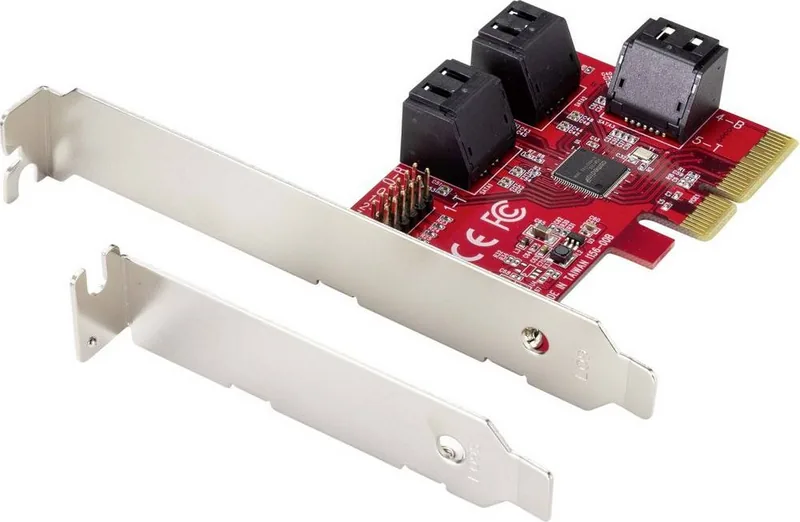
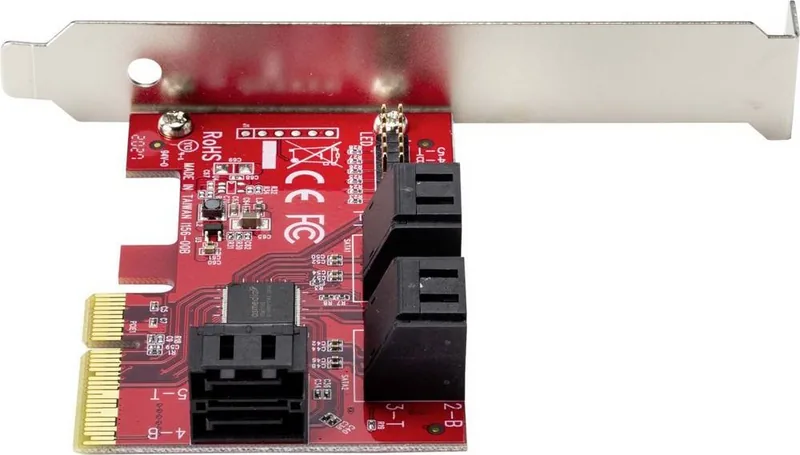
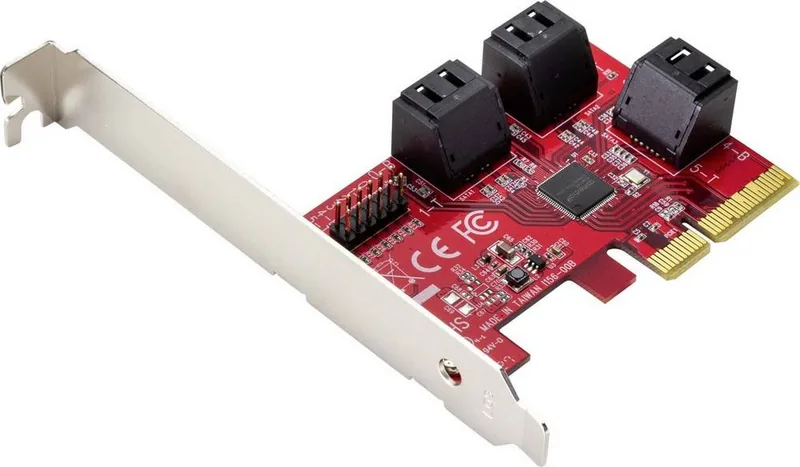
Renkforce 6x SATA PCIe 3.0 x4 Manual
PDF manual · 1 Pages
English


Quick check
Incorrect answer, please try again.
Chat with your Renkforce 6x SATA PCIe 3.0 x4 manual using AI
Get instant AI answers from your Renkforce 6x SATA PCIe 3.0 x4 manual
Ask anything about the Renkforce 6x SATA PCIe 3.0 x4. Answers come from this manual, with the pages they are based on.
Ask a Question
Do you recommend 6x SATA PCIe 3.0 x4?
Yes NoFrequently Asked Questions
No. You must not rebuild or modify this product. Improper use can cause hazards like fire or electric shock and will void the warranty.
Is this answer helpful?
Do not throw it in household waste. Electronic devices are recyclable waste and must be disposed of according to applicable regulatory guidelines.
Is this answer helpful?
Drivers may be included with the delivery. If a link is provided, download them. A system restart might be necessary to ensure correct operation.
Is this answer helpful?
Take it out of operation immediately. Safe operation is not guaranteed if it is visibly damaged or no longer works properly.
Is this answer helpful?
No. The device is not a toy. Keep it out of the reach of children and pets to ensure safety.
Is this answer helpful?
Advantages and Disadvantages
Advantages

- Complies with national and European safety standards
- Drivers are included or available for download
- Product is recyclable to protect the environment
- Warranty covers defects if used correctly
Disadvantages

- Modification or rebuilding voids the warranty
- Installation requires technical expertise and precautions
- Manufacturer is not liable for misuse damage
- Must be kept away from children and hazards
Product Specification
Connection
PCIe 3.0 x4 (electric PCIe 3.0 x2)
Interfaces
6x SATA 6Gb/s
Internal
6x SATA 6Gb/s
External
N/A
RAID Level
N/A
Chipset
ASMedia
Cache
N/A
Special Features
low profile PCB, including low profile bracket
Manufacturer Warranty
2 years
Product Description
Enhance Your Storage Solution with PCIe Expander
Expanding Capacity Safely and Efficiently
Upgrading your computer system requires careful consideration of hardware compatibility and safety. The Renkforce 6x SATA, PCIe 3.0 x4 adapter offers a robust solution for expanding storage options within your machine. This hardware accessory allows users to connect multiple SATA drives directly through the PCIe interface. When integrating this device, understanding the Renkforce 6x SATA, PCIe 3.0 x4. Manual guidelines is essential for maintaining system integrity. Proper installation ensures that all components function as intended without risking damage to the motherboard or connected drives.
Many users prioritize performance, but safety remains paramount. This equipment complies with statutory requirements. If you decide to move the product to a third party, you must transfer it with operational instructions. This ensures the recipient knows about safety hazards. It is not a toy and must stay out of reach of children. Leaving packaging material lying around poses a danger, so always dispose of it responsibly. Protect it from extreme temperatures and do not stress the device mechanically.
Safety and Operational Guidelines
Protect the product from environmental factors to extend its lifespan. Ensure the unit is not exposed to extreme temperatures, strong jolts, or moisture. Avoid placing it near flammable gases or solvents. Do not subject the device to mechanical stress. If the product exhibits visible damage or no longer functions correctly, take it out of operation immediately. Safe operation is not guaranteed after significant transport loads. Handle the product gently to avoid damage from falls. Always observe safety instructions of other connected devices as well.
Installation and Driver Setup for Stability
Before opening your computer case, disconnect the power supply completely. This step prevents electrical shocks and protects sensitive components from electrostatic discharge. When handling the card, avoid touching electronic parts with bare hands. Once the installation is finished and the case is closed, you can reconnect the power. If drivers are needed for correct operation, they are included with the delivery. Download any necessary software from available sources if links exist. A system restart might be required after drivers are installed to ensure stability.
Warranty and Disposal Responsibilities
Compliance with safety instructions is vital for maintaining warranty coverage. Ignoring safety warnings or misusing the product can void the guarantee and release the manufacturer from liability for personal injuries. Always follow the provided instructions for correct handling. If doubts arise regarding operation, consult an expert. Maintenance and repairs must be performed by qualified personnel. At the end of its life cycle, do not throw the device in household waste. Electronic devices contain recyclable materials and must be disposed of according to local regulations. Contacting technical support for unanswered questions is recommended.
Search for 67,732 Manuals online


Type-in Brand or Model