
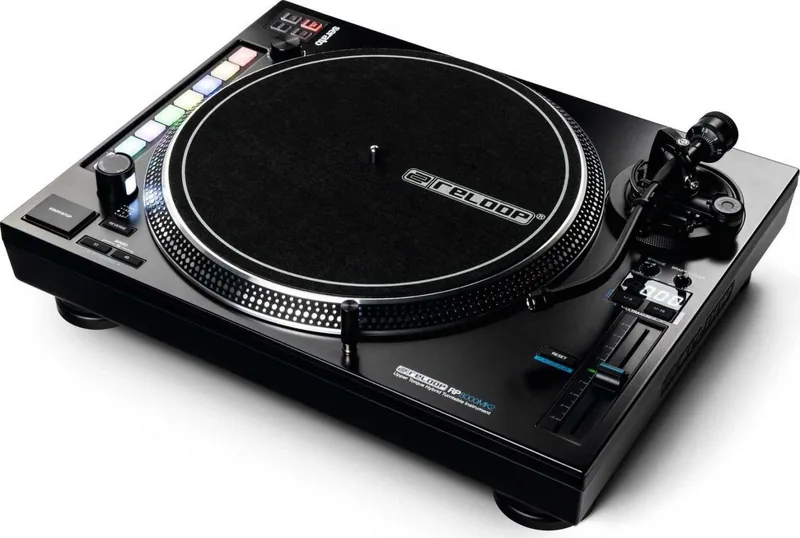
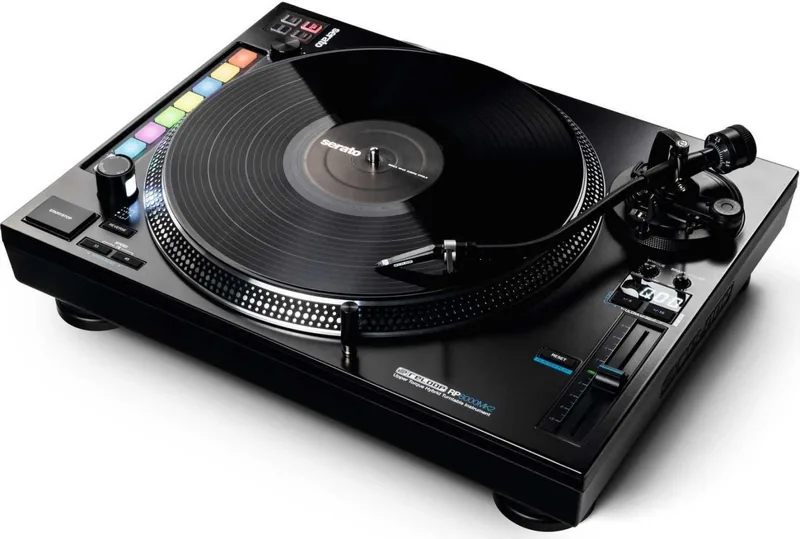
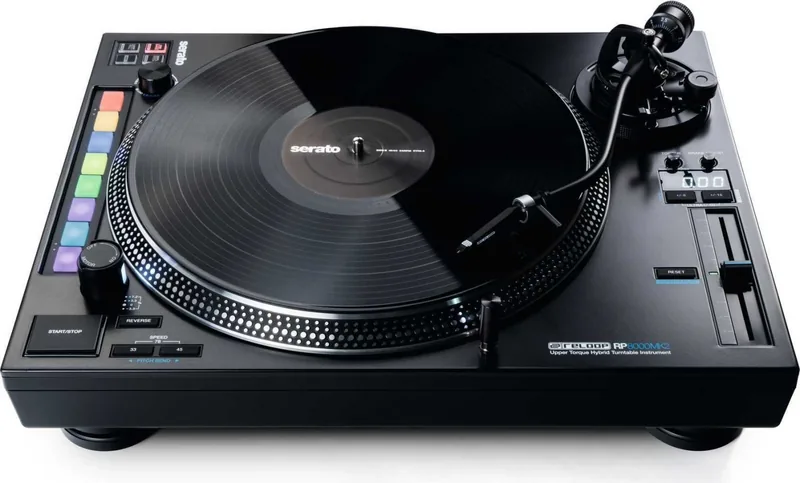
Reloop RP-8000 MK2 Manual
PDF manual · 28 Pages
English



Quick check
Incorrect answer, please try again.
Chat with your Reloop RP-8000 MK2 manual using AI
Get instant AI answers from your Reloop RP-8000 MK2 manual
Ask anything about the Reloop RP-8000 MK2. Answers come from this manual, with the pages they are based on.
Ask a Question
Do you recommend RP-8000 MK2?
Yes NoFrequently Asked Questions
It supports three standard platter speeds: 33 1/3, 45, and 78 RPM. The speed is selected using the 33/45/78 switch, and 78 RPM is enabled by pressing both 33 and 45 switches simultaneously.
Is this answer helpful?
Use the pitch fader for stepless adjustment. Pitch range selection supports +/- 8% or +/- 16%, with an additional option for +/- 50%. Quartz-Lock can disable fine adjustment and allows returning to the original or fader-set speed depending on the switch state.
Is this answer helpful?
No. The headshell is listed as not included in the scope of delivery, and the manual notes that the stylus/cartridge is not included. You must install a compatible cartridge and mount it to the provided headshell or a direct-mount SME system.
Is this answer helpful?
The RP-8000 MK2 uses its integrated USB port for MIDI data and software control, including Serato DJ Pro support. The player is designed to be recognized automatically via plug-and-play on compatible Windows and macOS versions without a separate driver.
Is this answer helpful?
Depending on the active performance mode layer, the pads can trigger up to 8 cue points, play loaded samples, enable or manage Auto Loops, perform Pitch Play, run Loop Roll behavior, activate Slicer sections, and store user MIDI mappings. Shift changes mode behavior, including delete or navigation.
Is this answer helpful?
Platter Play is built into the deck and is toggled via Shift+Reset. It manipulates platter speed using the performance pads to play melodies. External MIDI control is supported for Platter Play via a compatible MIDI device (like a MIDI keyboard), but the deck can still be used directly for its internal Platter Play functions.
Is this answer helpful?
Firmware can be updated using a provided update tool from Reloop. The process involves powering off the deck, connecting it via USB, entering update mode with button combinations, and running the update. Java Runtime Environment must be installed on your computer to perform the upgrade.
Is this answer helpful?
Advantages and Disadvantages
Advantages

- Quartz direct drive with stable 33 1/3, 45, and 78 RPM performance for DJ reliability.
- Adjustable start torque and electronic braking give precise control over transitions.
- USB MIDI plug-and-play support for controlling Serato DJ Pro and other MIDI software.
- Performance pads cover Cue, Sampler, Loop, Pitch Play, Roll, User mappings, and Slicer modes.
- Platter Play enables creative melody creation using selectable scales and keys.
Disadvantages

- Compatible cartridge needed (3.5-8.5 g, and 13-18 g including headshell) since no system is included.
- Pitch Play depends on the Serato "Pitch n Time" plug-in.
- Proper tonearm setup (counterweight and anti-skating) is essential for correct performance.
- Designed for indoor use and requires careful handling of power, cables, and ventilation.
Product Specification
Type
Turntable
Outputs
Stereo Line Out (RCA), Phono Out (RCA)
Additional Connections
1x USB
Jog-Wheel
no
Special Features
Audio Interface, BPM Counter, Hot Cues, Phono Preamplifier
Dimensions
18.03x5.71x13.94in
Weight
26.02lbs
Product Description
Reloop RP-8000 MK2 - Professional Quartz Direct Drive Turntable
Overview
The Reloop RP-8000 MK2 is a professional, manual quartz direct drive turntable designed for DJ performance and precise playback. Whether you are working with 12" or 7" records, it delivers stable control with adjustable start, brake, and torque behavior, making it well suited for rhythmic mixing and scratch-style transitions. If you are looking for the Reloop RP-8000 MK2 Manual, this overview captures the core features that DJs typically care about: setup, speed control, performance modes, and MIDI integration.
Performance and controls
The platter runs at 33 1/3, 45, and 78 RPM, with speed fine adjustment via the pitch fader. You can select pitch ranges of +/- 8% or +/- 16%, and switch to +/- 50% when needed. Quartz-Lock helps you manage whether the deck maintains original speed or returns to the speed set by the pitch fader.
For live control, the RP-8000 MK2 offers a reverse switch, an adjustable electronic brake (0.2 to 6 seconds), and an adjustable start torque (2.8 to 4.5 kg/cm). Integrated illumination keeps the platter and needle area visible, and the needle light can be positioned freely within a 360-degree range.
MIDI, Serato control, and Platter Play
One of the RP-8000 MK2's standout strengths is its built-in USB MIDI connectivity. It is designed for plug-and-play recognition by supported systems, letting you control Serato DJ Pro and other MIDI-capable software without needing a special driver.
Dedicated performance pads support multiple mode layers, including Cue triggers, Sampler playback, Auto Loop functions, Pitch Play (with the required Serato plug-in), Roll behavior, and Slicer-style sectioning. An advanced creative feature called Platter Play lets you create musical phrases by manipulating platter speed through the performance pads, with selectable scales and keys.
Setup highlights
To get the best results, balance the tonearm using the counterweight scale, set anti-skating to match your cartridge, and use the correct headshell or compatible direct-mount system. Connect audio to your mixer, then power up the deck, activate the motor, and choose the record speed. For the smoothest operation, follow safe power and placement practices, and keep ventilation in mind.
Key takeaways
- Quartz direct drive with stable speed and a pitch system designed for DJ mixing.
- Adjustable start torque (2.8-4.5 kg/cm) and electronic braking (0.2-6 s).
- USB MIDI control for Serato DJ Pro, including layered performance-pad modes.
- Platter Play for creative melody generation using scales and keys.
- Supports firmware updates and LED testing for ongoing reliability.
Notes
Cartridges are not included, so pick a compatible cartridge weight range (3.5 to 8.5 g, including a 13 to 18 g headshell). Pitch Play features require the Serato "Pitch n Time" plug-in. TT-Link is intended to connect multiple RP-8000 MK2 decks, and firmware upgrades require Java Runtime Environment on your computer.
Search for 67,732 Manuals online


Type-in Brand or Model