
Rebeltec SoundBox 630 Manual
PDF manual · 4 Pages
English



Quick check
Incorrect answer, please try again.
Chat with your Rebeltec SoundBox 630 manual using AI
Get instant AI answers from your Rebeltec SoundBox 630 manual
Ask anything about the Rebeltec SoundBox 630. Answers come from this manual, with the pages they are based on.
Ask a Question
Do you recommend SoundBox 630?
Yes NoFrequently Asked Questions
Set the speaker to Bluetooth mode (display shows “bt”), enable Bluetooth on your phone or laptop, search for the speaker and connect. A confirmation sound plays on successful pairing. If pairing fails, reboot the speaker and try again.
Is this answer helpful?
Turn both speakers on and set them to Bluetooth mode without connecting to a device. On one speaker long-press DEL/TWS until the display shows “bt_L”; it will search and pair with the other speaker for left/right stereo. Long-press DEL/TWS again to exit TWS mode.
Is this answer helpful?
The SoundBox 630 supports Bluetooth streaming, USB and microSD MP3 playback (auto-play on insertion), AUX via 3.5mm jack, and FM radio with auto-scan and stored channels. Transport controls allow track navigation, play/pause and repeat modes.
Is this answer helpful?
Use a DC 5V/1A–2A adapter and the micro USB charging port. Avoid prolonged exposure to high temperature or humidity and keep the speaker dry. Turn off when not in use. The rechargeable Li-ion battery carries a 6-month warranty.
Is this answer helpful?
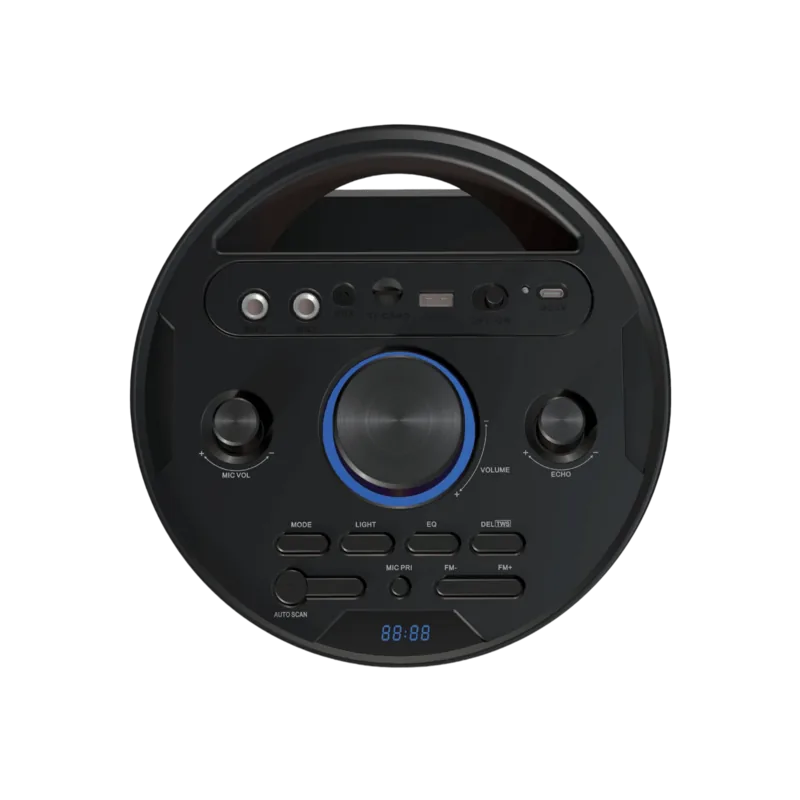
Connect microphones to the MIC1/MIC2 6.3mm jacks. Use MIC VOL to adjust mic volume, ECHO to set echo effect, and MIC PRI to prioritize microphone audio (reduces music volume when speaking).
Is this answer helpful?
In FM mode long-press AUTO SCAN to scan 87.5–107 MHz. Channels found are stored as CH01–CH50. Use FM- and FM+ to navigate saved channels or press CH to manually tune frequencies, then press CH again to return to channel mode.
Is this answer helpful?
Do not open, puncture, incinerate or expose batteries to extreme heat. Keep batteries away from children, avoid contact with metal terminals, and follow local recycling/disposal rules. If leakage occurs, avoid skin contact and clean the compartment before inserting new batteries.
Is this answer helpful?
Advantages and Disadvantages
Advantages

- Multiple input options: Bluetooth, USB, microSD, AUX and FM radio for flexible playback.
- Dedicated mic inputs (6.3mm), mic volume, echo and mic priority for karaoke and live use.
- TWS stereo capability allows pairing two units for true left/right stereo playback.
- RGB lighting with effect control and ability to turn lights off for battery saving.
- Physical knobs and buttons plus remote control provide easy on-device and remote operation.
Disadvantages

- Battery warranty limited to 6 months, which may be short for heavy users.
- Charging via micro USB rather than USB-C limits modern fast-charging compatibility.
- Water resistance not specified; avoid exposure to moisture or wet environments.
- FM storage limited to 50 channels and manual management may be less convenient.
- Remote requires two AAA batteries which must be purchased separately.
Product Specification
Power
70 W RMS
Frequency Range
20 Hz-20 kHz
Speakers
4 (2x 1.5" Tweeters, 2x 6.5" Woofers)
Tuner
FM
Audio Connections
AUX In (0.14" Jack), 2x Mic In (0.25" Jack)
Other Connections
USB-A 2.0, Card Reader (microSD)
Wireless
Bluetooth 5.0
Power Supply
Li-Ion Battery (8,800 mAh), USB
Playback Time
8 hr
Karaoke Features
Echo
Special Features
Light Effects, Stereo Pairing
Dimensions
11.30x24.88x9.06in (WxHxD)
Weight
11.38 lb
Product Description
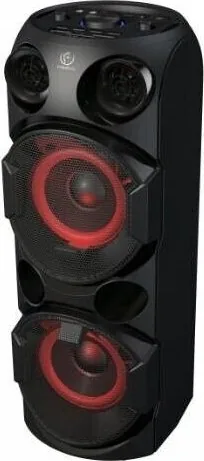
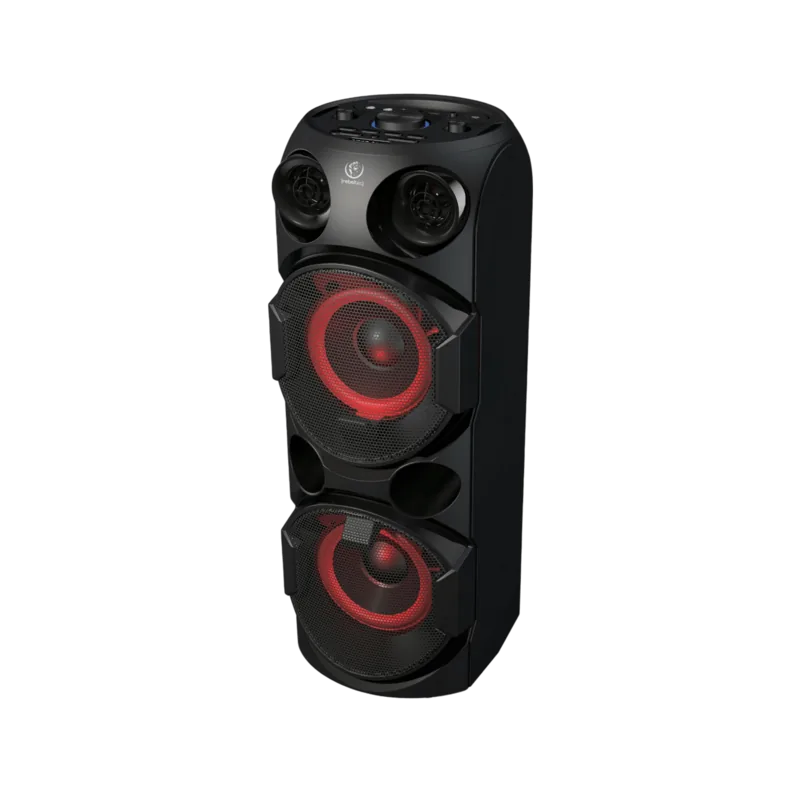
Rebeltec SoundBox 630 — Portable Powerhouse
The Rebeltec SoundBox 630 is a versatile Bluetooth speaker built for parties, karaoke, and everyday listening. With Bluetooth 2402–2480 MHz connectivity, USB and microSD playback, FM radio, AUX input and dual microphone jacks, it covers most mobile audio needs while offering RGB lighting and TWS stereo pairing for expanded sound.
Compact yet feature-rich, the SoundBox 630 includes dedicated controls for EQ (bass/treble), microphone volume, echo and microphone priority for live vocals. A physical volume knob and transport buttons make on-device control intuitive. Insert a USB stick or microSD card and playback begins automatically; Bluetooth mode shows “bt” on the display and reconnects when successfully paired.
Its FM tuner supports auto-scan (87.5–107 MHz) and stores channels as CH01–CH50 with manual frequency selection available. A remote uses two AAA batteries to access mode switching, track navigation, and playback functions from a distance.
TWS (True Wireless Stereo) enables stereo playback using two SoundBox 630 units: set both to Bluetooth, then long-press DEL/TWS on one unit until the display shows “bt_L” to pair left and right speakers. Long-pressing DEL/TWS again exits TWS mode.
Battery charging uses a DC 5V micro USB input (recommended adapter 5V/1A–2A); the rechargeable Li-ion battery has a 6-month warranty. RGB lighting supports multiple effects and can be turned off with a long press. The speaker provides mic priority and echo control for live performance scenarios, plus a DEL/TWS button for pairing and mode toggling.
Built-in safeguards and user guidance stress proper battery handling: do not expose to high heat or humidity, avoid water, and follow recycling/disposal rules for batteries. The product meets relevant EU directives and harmonized standards and carries CE marking.
Notes
- Use only a DC 5V/1A–2A adapter for charging. Avoid long exposure to high temperature or humidity.
- Do not immerse or expose to water; turn off when not in use.
- Battery warranty: 6 months.
Search for 67,706 Manuals online


Type-in Brand or Model