
Real-El MC-700 Manual
PDF manual · 4 Pages
English



Quick check
Incorrect answer, please try again.
Chat with your Real-El MC-700 manual using AI
Get instant AI answers from your Real-El MC-700 manual
Ask anything about the Real-El MC-700. Answers come from this manual, with the pages they are based on.
Ask a Question
Do you recommend MC-700?
Yes NoFrequently Asked Questions
The MC-700 is compatible with Windows and macOS systems via Type-C USB and installs drivers automatically for plug-and-play operation. Ensure your OS recognizes the device and set it as the default input in system audio settings.
Is this answer helpful?
No. The MC-700 has a built-in sound card and operates via USB, so an external audio interface is not required for standard streaming and recording. However, dedicated interfaces may offer additional preamp control and routing for advanced setups.
Is this answer helpful?
The MC-700 features a tap-to-mute sensor on the body. Tap the sensor to toggle mute; the LED indicator shows green when active and red when muted, providing quick on-air control.
Is this answer helpful?
Avoid exposing the microphone to liquids, moisture, dust, or high temperatures. Store and operate it in dry, moderate-temperature environments. Do not open the device or attempt repairs yourself; consult an authorized service center for faults.
Is this answer helpful?
Standard package contents include the Real-El MC-700 microphone, a USB Type-C cable, a user manual, and a warranty card. Contents may vary by region or manufacturing updates.
Is this answer helpful?
The microphone provides 5/8" mic mount threading, allowing attachment to most stands and boom arms. Its weight and dimensions are suitable for desktop stands and studio arms commonly used in streaming and podcast setups.
Is this answer helpful?
The MC-700 supports high-resolution audio up to 192 kHz / 24-bit, enabling detailed digital capture for recording and streaming applications, depending on your software and system capabilities.
Is this answer helpful?
Advantages and Disadvantages
Advantages

- Plug-and-play Type-C USB connectivity with automatic driver setup on Windows and macOS.
- Cardioid polar pattern and condenser capsule deliver clear vocal capture and minimize background noise.
- High sampling rate (up to 192 kHz / 24-bit) for detailed recordings without extra interface.
- Tap-to-mute sensor with visual LED status for quick control during live sessions.
- 5/8" mic mount threading and solid build enable easy mounting and stable use on stands.
Disadvantages

- USB-only connection limits use with devices or workflows that require XLR or analog interfaces.
- Built-in sound card may not match the flexibility or preamp quality of dedicated external audio interfaces.
- Not intended for outdoor use; avoid moisture and dusty environments.
- No user-serviceable parts—repairs require authorized service centers.
- Technical specs and package contents may change without notice from the manufacturer.
Product Specification
Type
Streaming microphone, desktop microphone
Design
digital (24bit/192kHz)
Transducer principle
Condenser
Polar pattern
Cardioid
Connection
USB-C
Frequency range
100Hz-10kHz
Nominal impedance
2200Ω
Max. SPL
120dB
Signal-to-noise ratio (SNR)
70dB
Power supply
USB-C
Package contents
Pop filter, desktop stand
Features
Switch
Color
black
Dimensions
4.09x3.07x6.65in
Weight
1.01lb
Product Description
Real-El MC-700 — USB Streaming & Podcast Microphone
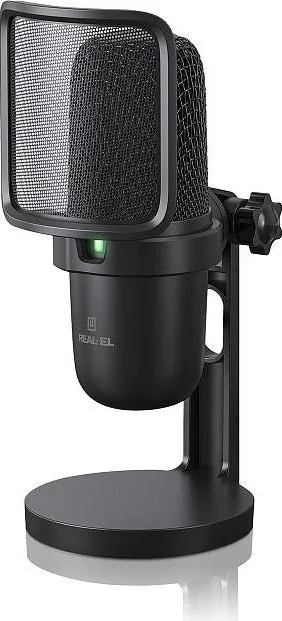
The Real-El MC-700 Manual outlines a professional USB condenser microphone built for streaming, podcasting, recording, and voice chat. The MC-700 features a unidirectional cardioid capsule designed to capture clear, focused vocal audio while minimizing background noise. With a robust metal body, a built-in sound card, and simple plug-and-play USB connectivity, this mic is tailored for content creators who need reliable, studio-quality sound without complex setup.
Key features and usage
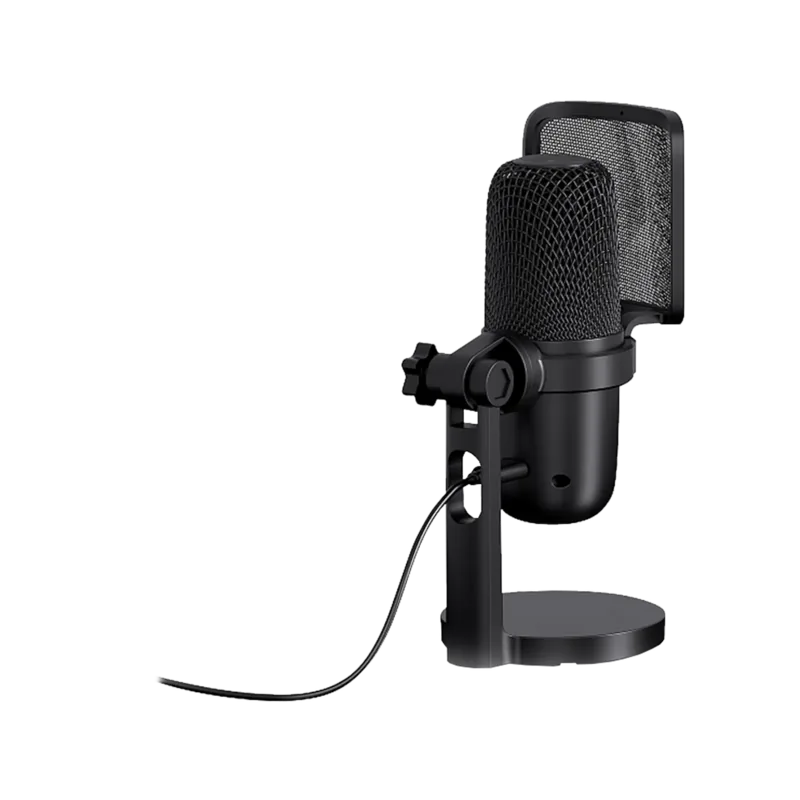
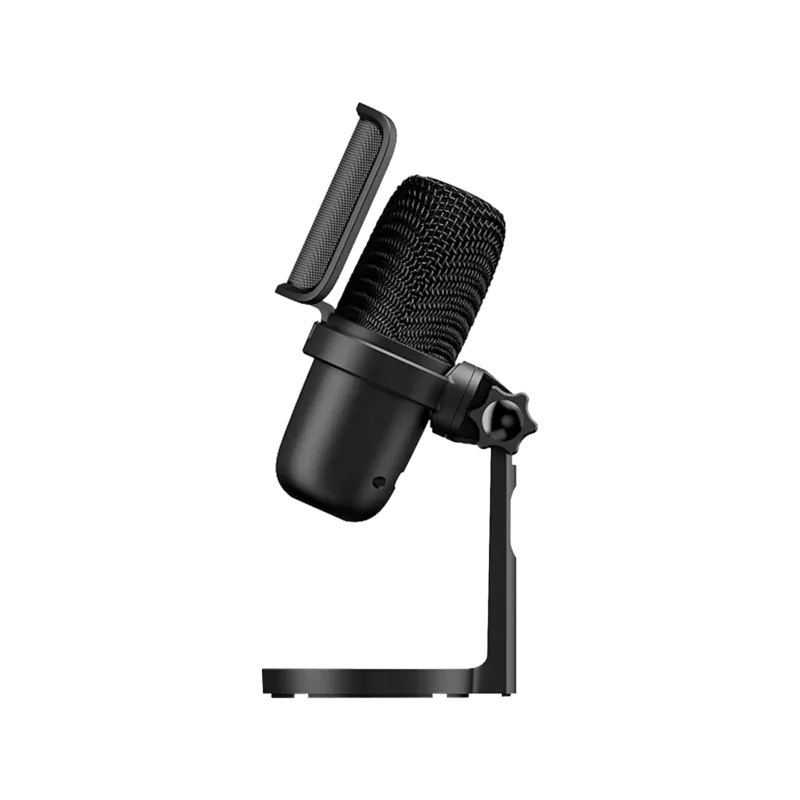
The MC-700 provides a cardioid polar pattern, high sensitivity, and a frequency response suitable for spoken voice and vocal recording. It supports up to 192 kHz / 24-bit sampling, a high maximum SPL for clean capture of loud sources, and a Type-C USB connection for modern compatibility. The microphone includes a tap-to-mute sensor with an LED indicator (green = active, red = muted) and 5/8" mic mount threading for easy mounting on stands or boom arms.
Plugging the MC-700 into a Windows or macOS system enables automatic driver installation for straightforward operation. After connecting, set the MC-700 as the default microphone in your system settings and adjust input levels as needed. The mic draws power from standard USB (5 V) and is compatible with common streaming and recording setups.
Build and package
The package typically includes the MC-700 microphone, a USB cable, a user manual, and a warranty card. The microphone’s solid construction and moderate weight provide stability when mounted; dimensions make it suitable for desktop setups and studio arms. The built-in sound card simplifies connection, removing the need for external audio interfaces in many workflows.
Who it’s for
This mic is ideal for podcasters, streamers, voice-over artists, and content creators who want an accessible USB solution offering near-professional audio quality. Its tap-to-mute convenience and plug-and-play compatibility make it especially suited for live streaming, remote interviews, and home studio recording.
Notes
- The microphone is intended for indoor use; avoid moisture, dust, and high temperatures.
- Do not attempt self-repair; consult authorized service centers for defects.
- Technical specifications and packaging contents are subject to change by the manufacturer.
Search for 67,706 Manuals online


Type-in Brand or Model