
Real-El M-380 Manual
PDF manual · 9 Pages
English



Quick check
Incorrect answer, please try again.
Chat with your Real-El M-380 manual using AI
Get instant AI answers from your Real-El M-380 manual
Ask anything about the Real-El M-380. Answers come from this manual, with the pages they are based on.
Ask a Question
Do you recommend M-380?
Yes NoFrequently Asked Questions
Press the BT button on the remote or SOURCE on the subwoofer to enter Bluetooth mode. Activate search mode on your phone and select 'M-380' from the list. Wait for the indicator light to stay solid.
Is this answer helpful?
Yes, insert a USB flash drive into the front port. The system will automatically detect it and start playing. You can control tracks using the remote or front panel buttons.
Is this answer helpful?
Check that the input signal volume is not too high. Reduce the source volume and adjust the M-380 volume down slightly. Ensure all cables are securely connected.
Is this answer helpful?
No, protect the system from water and high humidity. Clean only with a dry soft cloth to avoid damage to internal components.
Is this answer helpful?
Press and hold the SCAN button on the subwoofer or TUNE+ on the remote to auto-scan and save available stations to memory.
Is this answer helpful?
No, the USB output is strictly for connecting flash drives for audio playback. Using it to charge devices may damage the port or the device.
Is this answer helpful?
Advantages and Disadvantages
Advantages

- Built-in FM radio and Bluetooth 4.2 for versatile wireless and broadcast audio
- Supports multiple input sources including USB, SD card, and auxiliary line-in
- Durable wooden subwoofer casing enhances aesthetics and acoustic quality
- Includes a fully functional remote control with numeric keypad and EQ settings
Disadvantages

- USB port cannot be used for charging other devices and may cause damage if misused
- No optical or HDMI inputs limiting compatibility with some modern televisions
- Satellite speakers are small and may lack depth compared to larger standalone units
- Remote control requires batteries which must be replaced periodically
Product Specification
Type
Speaker Set
Channels
2.1
Total Power
32W RMS
Frequency Range
30Hz-20kHz
Audio Connections
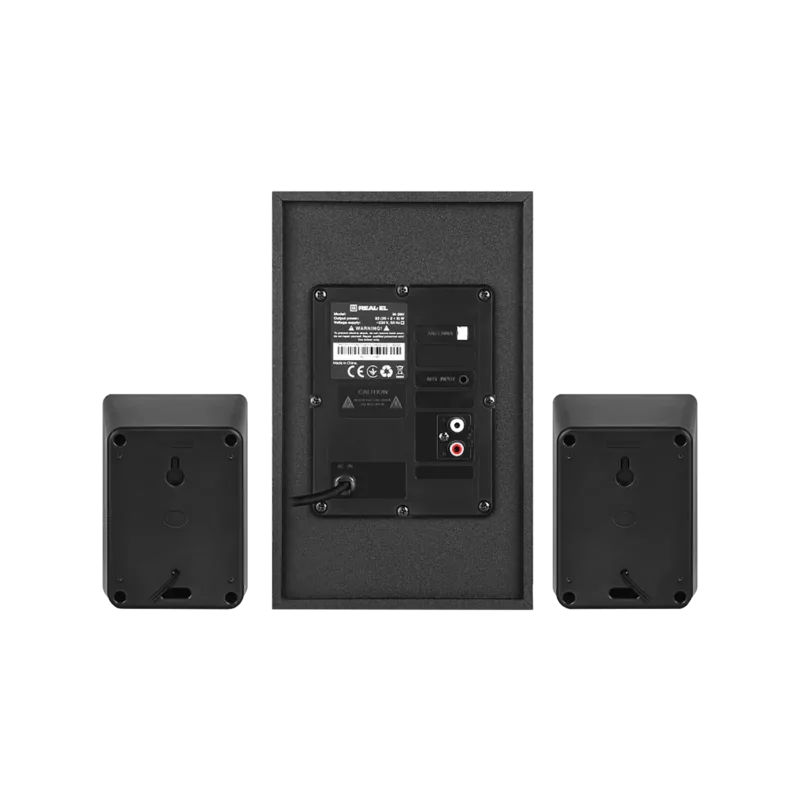
AUX In (3.5mm Jack), Stereo Line Out (RCA)
Additional Connections
USB-A, Card Reader (SD)
Wireless
Bluetooth 4.2
Features
Remote Control
Color
Black
Dimensions
3.5x5.1x3.3 in (WxDxH)
Subwoofer Dimensions
5.9x9.8x11.1 in (WxDxH)
Consists of
1 Subwoofer, 2 Compact Speakers
Product Description
Real-El M-380 Multimedia Speaker System Overview
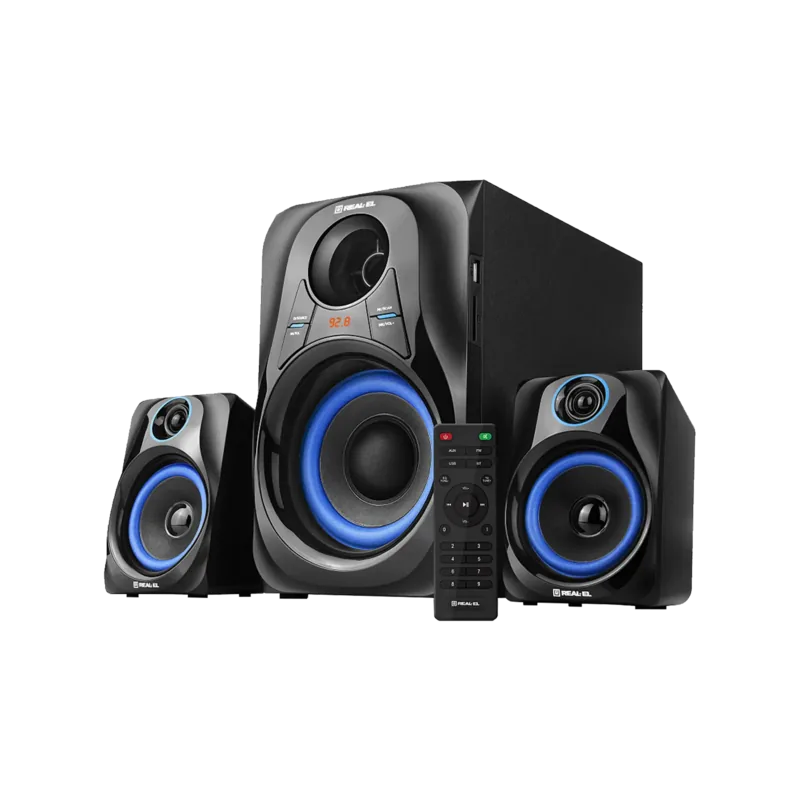
The Real-El M-380 stands as a robust 2.1 multimedia speaker system designed to elevate your audio experience for music, gaming, and movies without the need for an external amplifier. This unit features a versatile wooden subwoofer that houses a digital display, built-in FM radio, Bluetooth connectivity, and support for USB flash drives and SD cards. Its compact yet powerful design ensures deep bass from the subwoofer while maintaining clarity through two satellite speakers.
Key Features and Connectivity
This system offers seamless integration with various devices including PCs, laptops, TVs, and smartphones. The inclusion of Bluetooth 4.2 allows wireless streaming up to 10 meters away, making it perfect for modern setups. Users can easily switch between sources using the front panel or the comprehensive remote control. The remote provides full access to equalizer settings, volume control, track selection, and radio tuning functions.
Installation and Usage
Setting up the Real-El M-380 is straightforward. Simply connect the satellites to the labeled L/R outputs on the subwoofer and plug the power cord into a standard outlet. It is recommended to let the device acclimate to room temperature if moved from a cold environment before powering it on. The system supports multiple operation modes such as Player mode for media files, Bluetooth mode for wireless audio, FM mode for radio listening, and AUX mode for line-in connections. A dedicated mute button and volume controls ensure precise sound management in any situation.
Important Notes
Always use a dry soft cloth for cleaning. Do not expose the unit to direct sunlight or high humidity. Avoid placing open flames near the device. If issues arise, check connections and battery levels before contacting service centers.
Search for 67,706 Manuals online


Type-in Brand or Model