
Raspberry Pi Compute Module 4 IO Board Manual
PDF manual · 14 Pages
English



Quick check
Incorrect answer, please try again.
Chat with your Raspberry Pi Compute Module 4 IO Board manual using AI
Get instant AI answers from your Raspberry Pi Compute Module 4 IO Board manual
Ask anything about the Raspberry Pi Compute Module 4 IO Board. Answers come from this manual, with the pages they are based on.
Ask a Question
Do you recommend Compute Module 4 IO Board?
Yes NoFrequently Asked Questions
No, the current CM4 bootloader does not support booting from NVMe drives. You must use another source like eMMC or SD card for the initial boot process.
Is this answer helpful?
The main input is a 2.1mm DC barrel jack accepting +12V. However, if PCIe and fans are unused, a wider input range of +7.5V to +26V is possible.
Is this answer helpful?
Yes, the Gigabit Ethernet RJ45 port supports PoE signals. Typically, a PoE HAT supplies the required +5V rail for operation.
Is this answer helpful?
The USB interface is disabled by default. To enable it, add dtoverlay=dwc2,dr_mode=host to your config.txt file.
Is this answer helpful?
No, the Micro SD card socket is designed for use only with CM4Lite modules that lack built-in eMMC storage.
Is this answer helpful?
Yes, the board includes a standard 40-way HAT connector and mounting holes compatible with most standard Raspberry Pi HATs.
Is this answer helpful?
Advantages and Disadvantages
Advantages

- Supports PCIe Gen 2 x1 for high-speed expansion cards
- Includes dual HDMI 2.0 outputs for multi-display setups
- Features PoE support via Gigabit Ethernet RJ45 connector
- Provides dedicated RTC with battery socket for timekeeping
- Compatible with standard Raspberry Pi HATs for easy expansion
Disadvantages

- Bootloader does not support direct boot from NVMe drives
- Micro SD socket is exclusively for CM4Lite modules only
- Requires specific config.txt edits to enable USB hub functionality
- PCIe interface does not support MSI-X interrupt mode
- Wireless interfaces require jumper modification to fully disable
Product Specification
Platform
Raspberry Pi
Manufacturer
Raspberry Pi
Function
Breakout board
Connection
Platform GPIO port
Power supply
1x barrel jack, 12V (5V with reduced functionality)
External connectors
2x USB-A 2.0 (Host), 1x USB 2.0 Micro-B, 1x Card reader (microSDXC), 2x HDMI, 2x MIPI DSI, 2x MIPI CSI
Wireless
N/A
LAN
1x Gb LAN
Supported standards
GPIO Standards (UART, SPI, I2C, PCM, PWM)
Features
1x PCIe 2.0 x1, PWM fan connector, PoE header, requires SoC module, RTC, RTC backup battery socket
Dimensions (WxDxH)
6.30x3.54in (WxD)
Package contents
1x Breakout board
Product Description
Raspberry Pi Compute Module 4 IO Board Overview
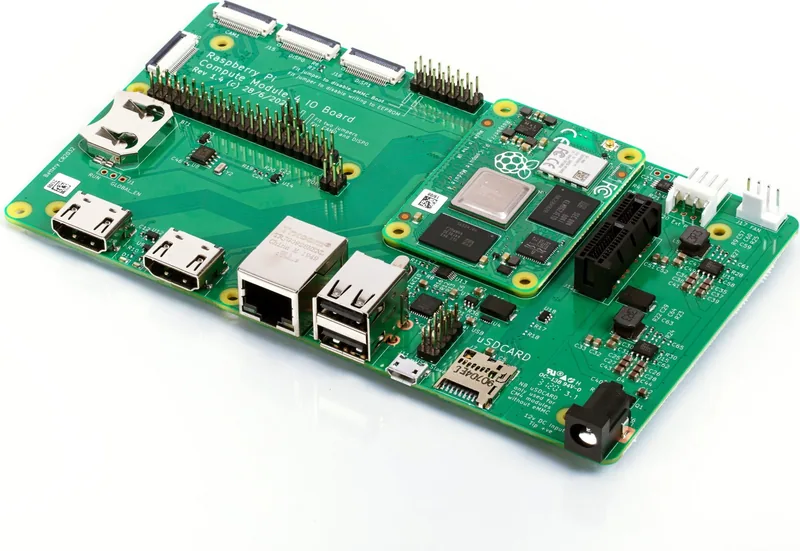
The Raspberry Pi Compute Module 4 IO Board serves as a critical development tool and reference design for products utilizing the CM4. It replicates many interfaces found on the Raspberry Pi 4 Model B while adding unique expansion capabilities. This board is designed to simplify the integration of the compute module into custom industrial or consumer electronics projects.
Key Features and Connectivity
This board accepts the full range of CM4 modules and provides robust power management through external +12V PSU inputs. It features dual Full-size HDMI 2.0 connectors for high-resolution display output, ensuring compatibility with modern monitors. Gigabit Ethernet support includes Power over Ethernet (PoE) capabilities via an RJ45 connector, making it ideal for networked devices.
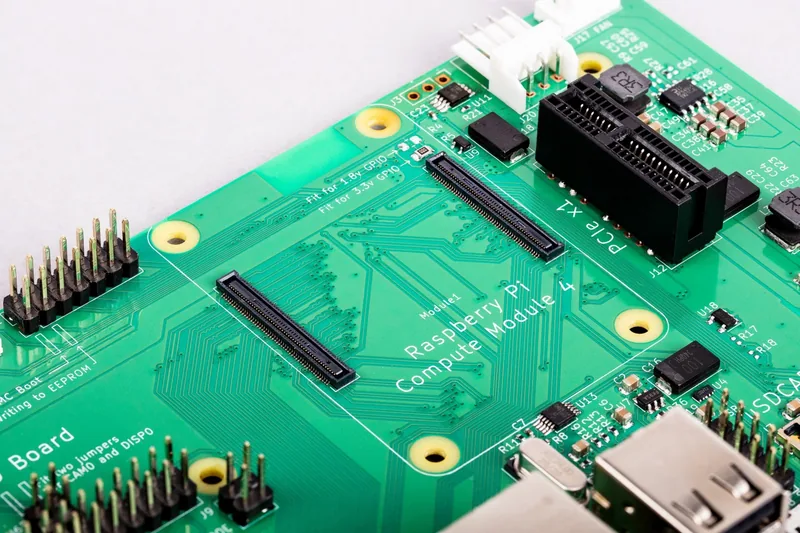
Connectivity options are extensive, including a USB 2.0 hub that offers two external ports and headers for two additional internal connections. A Micro USB socket allows for easy firmware updates via rpiboot. For storage, a Micro SD card socket supports CM4Lite modules, though users must exercise caution during card insertion. The standout feature is the PCIe Gen 2 x1 socket, enabling high-speed expansion with standard PC cards like NVMe drives or specialized hardware.
Advanced Interfaces and Expansion
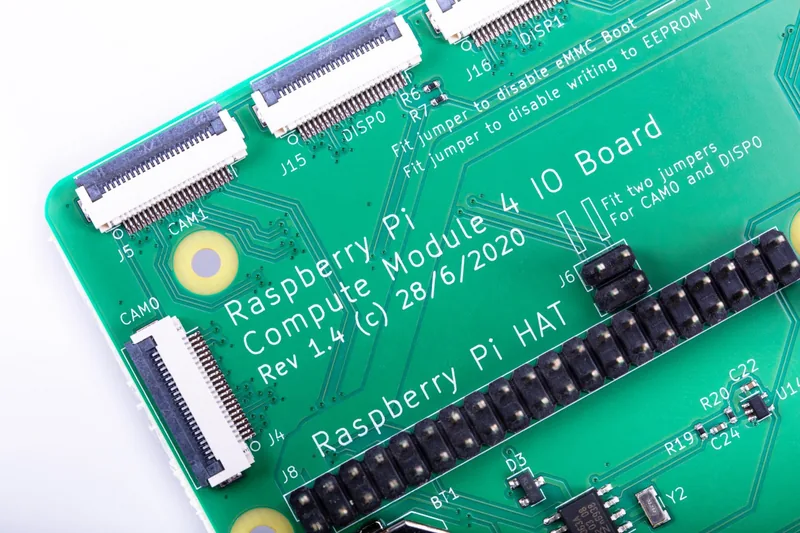
The board supports advanced multimedia and peripheral connections. Dual DSI display connectors and dual CSI-2 camera connectors allow for flexible screen and camera setups using 22-pin FPC cables. A standard Raspberry Pi HAT connector ensures compatibility with existing add-on boards. Additional features include a Real Time Clock (RTC) with battery backup for timekeeping during power loss, a fan connector for thermal management, and various jumpers to disable wireless interfaces or protect EEPROM data.
Technical Considerations
Power delivery is handled by onboard DC-DC converters, managing voltage levels for different components. The board includes LEDs for status indication and specific jumpers for configuring I2C buses and wake-up functions. While powerful, users should note that the bootloader does not currently support booting from NVMe drives directly, requiring alternative boot sources. Proper configuration in the config.txt file is necessary to enable certain features like the USB hub or I2C peripherals.
Search for 67,706 Manuals online


Type-in Brand or Model