
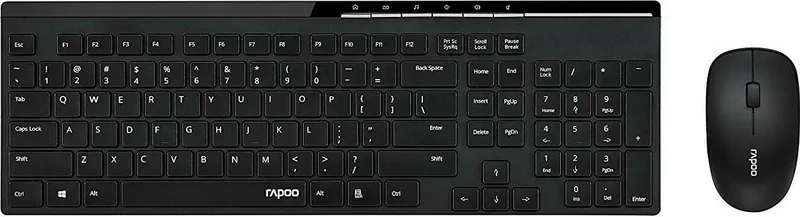
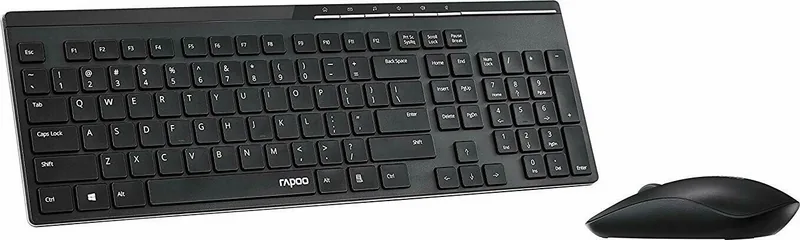
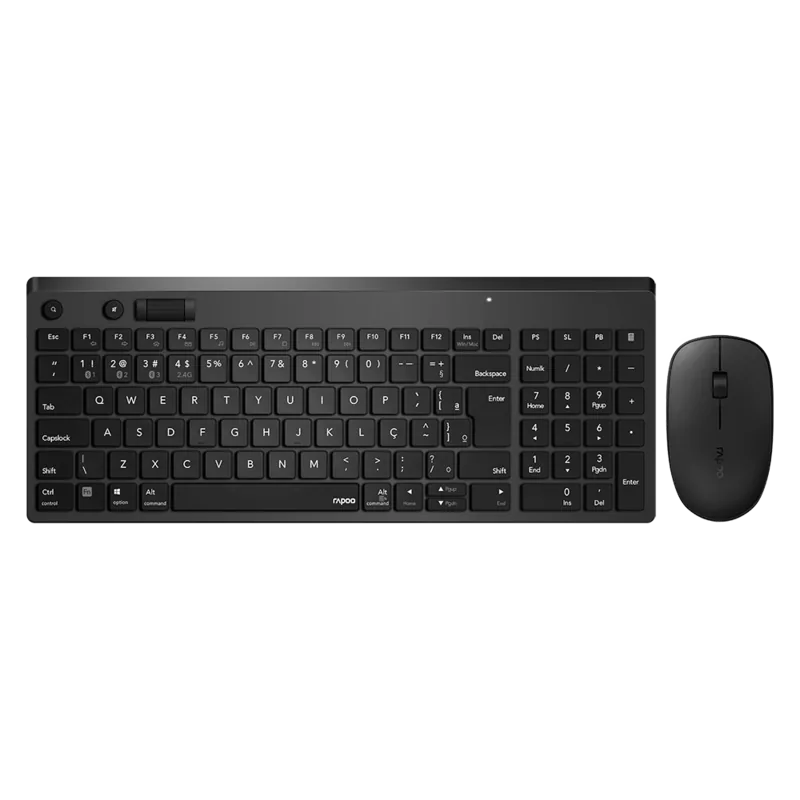
Rapoo X8100 Manual
PDF manual · 2 Pages
English



Quick check
Incorrect answer, please try again.
Chat with your Rapoo X8100 manual using AI
Get instant AI answers from your Rapoo X8100 manual
Ask anything about the Rapoo X8100. Answers come from this manual, with the pages they are based on.
Ask a Question
Do you recommend X8100?
Yes NoFrequently Asked Questions
The device comes with a one-year limited hardware warranty starting from the official purchase day. You may also enjoy return rights within seven days or replacement within sixty days under specific regulations.
Is this answer helpful?
No, users are explicitly instructed not to open or repair the device themselves. Doing so may invalidate the warranty and cause safety risks.
Is this answer helpful?
Clean the device with a dry cloth only. Do not use wet cloths or liquids to avoid moisture damage to the electronic components.
Is this answer helpful?
Yes, this is a 2.4G Wireless Mouse and Keyboard Combo. It uses a wireless connection via a USB receiver for plug-and-play functionality.
Is this answer helpful?
Visit www.rapoo.com for the latest FAQs, drivers, and quick start guides. You can also register for extensive service on the official website.
Is this answer helpful?
Within seven days you can return hardware for a refund. Between sixty days and one year you can replace hardware or seek repair services at designated locations.
Is this answer helpful?
Yes, the materials adhere to international standards regarding hazardous substances like lead or mercury to ensure safety for normal operation and disposal.
Is this answer helpful?
Advantages and Disadvantages
Advantages

- Stable 2.4G wireless connection for smooth typing and mouse navigation.
- One-year limited hardware warranty from purchase day.
- Eco-friendly materials compliant with hazardous substance standards.
- Direct USB receiver setup without complex software installation.
- Durable keyboard membrane and mouse parts for daily use.
Disadvantages

- Device cannot be opened or repaired by users.
- Do not use in damp environments to prevent damage.
- Must be cleaned with a dry cloth only.
- Driver downloads required for latest functionality.
- Support varies by country and region.
Product Specification
Package Contents
Mouse, Keyboard
Layout
German
Connection
Wireless (2.40GHz)
Sensor (Mouse)
LED-red/IR 1,000 dpi
Features
Numpad, 6 Multimedia keys
Product Description
Discover the Rapoo X8100 Wireless Desktop Combo
Working from home or in a busy office requires reliability and style to maintain productivity throughout the day. The Rapoo X8100 Wireless Desktop Combo Black, USB, DE Manual is designed specifically to handle your daily computing tasks with absolute ease and comfort. This wireless set connects seamlessly to your computer without cluttering your workspace with tangled cables that often cause frustration during setup. The system utilizes a stable 2.4G wireless connection ensuring smooth input for both typing long emails and mouse navigation during presentations.
Setup is remarkably straightforward for users in various international regions without technical headaches. The device comes with a receiver that plugs directly into a standard USB port on your computer. It operates efficiently without complex configurations requiring software installation for basic function. Safety is also prioritized heavily during the manufacturing process to ensure user well-being. Users are explicitly instructed not to open or repair the device themselves to maintain warranty validity and prevent injury. Cleaning should be done carefully using a dry cloth to avoid moisture damage which could ruin electronic components inside the housing.
Support resources are available locally for those needing assistance with drivers or setup. If drivers are needed later the official website offers downloads for the latest versions. The product includes detailed warranty terms for consumer protection. Within seven days of purchase you can return hardware for a refund based on national regulations. Between six months and one year you can replace hardware or seek repair services at designated locations. Environmental compliance is another key factor influencing purchasing decisions for modern consumers. The materials used adhere to international standards regarding hazardous substances like lead or mercury to protect the planet. This ensures the device is safe for normal operation and proper disposal after useful life ends.
Whether you are gaming, working on documents, or browsing the internet, this combo provides the necessary tools for success. Registration on the official website can extend service options and provide access to quick updates. Remember to consult the quick start guide for detailed instructions on troubleshooting potential issues yourself. Keeping the device away from damp environments extends its functional lifespan significantly for years. The Rapoo X8100 represents a solid choice for those seeking a dependable wireless solution for their needs. Users in Germany and other regions can find specific support information to ensure their device complies with local regulations regarding radio frequency emissions and safety. The keyboard membrane and mouse rubber parts are designed to withstand regular daily interaction for years.
Search for 67,732 Manuals online


Type-in Brand or Model
Stefan Richter
5 months ago
I am getting a driver signature error on Windows after connecting this keyboard. Is this expected behavior?
Manual.ly
5 months ago
This is not expected behavior. Please ensure you have installed the latest drivers from our website. Some Windows security settings may require specific configurations for older hardware. If issues persist, contact us for a replacement unit.