
Raijintek Eleos 12 Evo RBW Manual
PDF manual · 1 Pages
English


Quick check
Incorrect answer, please try again.
Chat with your Raijintek Eleos 12 Evo RBW manual using AI
Get instant AI answers from your Raijintek Eleos 12 Evo RBW manual
Ask anything about the Raijintek Eleos 12 Evo RBW. Answers come from this manual, with the pages they are based on.
Ask a Question
Do you recommend Eleos 12 Evo RBW?
Yes NoFrequently Asked Questions
The product comes with a standard two-year warranty covering manufacturing defects. However, damages caused by improper installation, external factors, or misuse are not covered under this agreement.
Is this answer helpful?
Yes, the package includes specific mounting brackets and clips for both Intel and AMD platforms, allowing versatile use across different motherboard types without needing additional purchases.
Is this answer helpful?
Incorrect installation can lead to severe damage to both the CPU and the motherboard. It is crucial to follow the provided manual carefully to ensure proper alignment and secure attachment of all components.
Is this answer helpful?
Yes, the product box contains a tube of thermal grease along with other necessary tools like a plastic brush and mounting clips to facilitate a complete installation experience.
Is this answer helpful?
No, safety instructions explicitly state that the product must be kept out of reach of children to prevent accidents or potential injury during handling or storage.
Is this answer helpful?
Advantages and Disadvantages
Advantages

- High-performance cooling with efficient heat dissipation for demanding tasks
- Customizable ARGB lighting for seamless system integration and aesthetics
- Comprehensive mounting kit supporting both Intel and AMD processor sockets
Disadvantages

- Installation requires careful handling to avoid damaging the CPU or motherboard
- Two-year warranty period may be shorter compared to some premium competitors
- Requires specific ARGB headers on the motherboard for full lighting functionality
Product Specification
Type
Tower Cooler
Dimensions with Fan
5.0x6.5x3.0 in (WxDxH)
Fan
1x 4.7x4.7x1.0 in, 800-1800rpm, 75.2 cu ft/h, 74.98 CFM, 28dB(A), 1.1 inH2O
Weight with Fan
21.5 oz
Connector
4-Pin PWM, 3-Pin ARGB (+5V/DATA/GND)
AMD Socket
AM4, AM2/AM2+/AM3/AM3+
Intel Socket
1700, 1150/1151/1155/1156/1200
TDP Rating
200W
Lighting
RGB
Features
6 Heatpipes (0.24 in), Direct-Touch Heatpipe, Black Cooler
Product Description
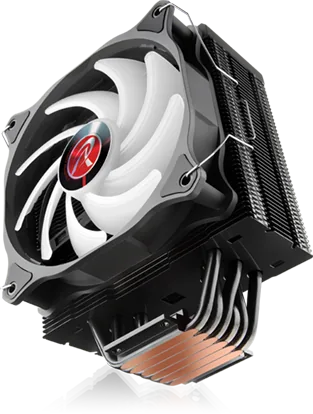
Raijintek Eleos 12 Evo RBW: A Symphony of Cooling and Light
The Raijintek Eleos 12 Evo RBW stands as a testament to modern thermal engineering, blending high-performance cooling with stunning visual flair. This CPU cooler is designed for enthusiasts who demand silence without sacrificing efficiency. Equipped with advanced ARGB technology, it allows users to synchronize lighting effects across their entire system, creating a personalized aesthetic that complements any build.
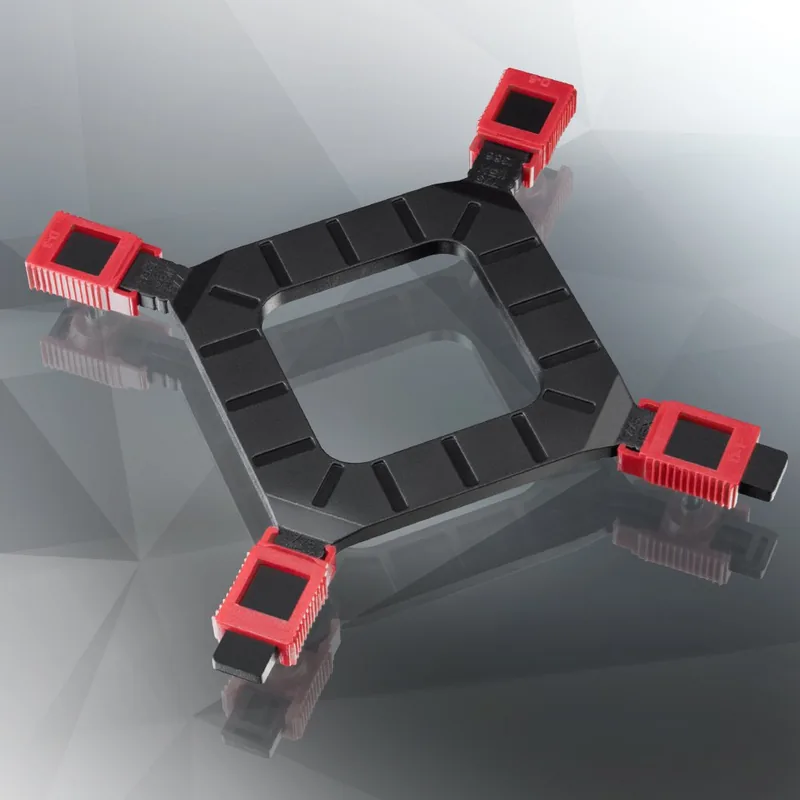
At the heart of this cooler lies a robust heatsink design optimized for airflow. The included fan ensures consistent heat dissipation even under heavy loads, making it an ideal choice for gaming rigs and workstations alike. The installation process is straightforward, featuring dedicated mounting clips for both Intel and AMD platforms. Users receive all necessary components, including thermal grease and a plastic brush, ensuring a hassle-free setup experience right out of the box.
Safety remains a top priority for RAIJINTEK Co., Ltd. The product comes with clear instructions to keep it away from children and advises checking all parts before assembly. Improper installation can damage the CPU or motherboard, so careful adherence to guidelines is essential. The unit carries a two-year warranty, reflecting the manufacturer's confidence in its durability and performance. Whether you are a seasoned builder or a newcomer to PC hardware, the Eleos 12 Evo RBW offers a reliable solution for maintaining optimal temperatures while adding a touch of RGB brilliance to your desktop.
Important Notes
- Always apply thermal paste evenly for maximum heat transfer.
- Ensure fans are securely connected to the correct headers for ARGB control.
- Keep the backplate installed during removal to protect the motherboard surface.
Search for 67,732 Manuals online


Type-in Brand or Model