
RaidSonic Icy Box IB-PCI208-HS Manual
PDF manual · 20 Pages
English



Quick check
Incorrect answer, please try again.
Chat with your RaidSonic Icy Box IB-PCI208-HS manual using AI
Get instant AI answers from your RaidSonic Icy Box IB-PCI208-HS manual
Ask anything about the RaidSonic Icy Box IB-PCI208-HS. Answers come from this manual, with the pages they are based on.
Ask a Question
Do you recommend Icy Box IB-PCI208-HS?
Yes No
Stefan K
7 months ago
Will this PCIe adapter work with older motherboards like ASRock AB350 or allow me to add an NVMe drive if I have no free M.2 slots?
Frequently Asked Questions
The RaidSonic Icy Box IB-PCI208-HS supports PCIe 4.0 x4 architecture, enabling data transfer rates of up to 64 Gbit/s for connected M.2 NVMe SSDs.
Is this answer helpful?
Yes, the product is designed to support the usage of double-sided M.2 NVMe SSDs, providing flexibility for different drive types.
Is this answer helpful?
No. You must shut down the system and disconnect it from the power supply before installing the card. Additionally, do not connect or disconnect the SSD while the computer is running.
Is this answer helpful?
The package includes the IB-PCI208-HS card, an aluminum heat sink, full and low-profile brackets, thermal pads, a screw set, a screwdriver, and the user manual.
Is this answer helpful?
Disconnect the device before cleaning. Use a dry, anti-static cloth. Avoid aggressive solvents or liquids that could cause moisture damage or short circuits.
Is this answer helpful?
New SSDs must be initialized, partitioned, and formatted by the operating system to be displayed. Check these settings if the drive is not recognized initially.
Is this answer helpful?
Advantages and Disadvantages
Advantages

- Supports ultra-fast PCIe 4.0 speeds up to 64 Gbit/s
- Includes comprehensive aluminum heat sink for effective cooling
- Compatible with multiple M.2 form factors including 22x30 to 22x80
- Comes with both low-profile and full-profile mounting brackets
- Backward compatible with PCIe 3.0 and 2.0 standards
Disadvantages

- Requires a free PCIe x4 slot on the motherboard
- NVMe drives may become very hot under sustained load
- System initialization required before new drives are recognized
- Cannot be hot-swapped; must power down to change drives
- Thermal pads may need cutting for shorter M.2 SSD lengths
Product Specification
Conversion
PCIe -> M.2 PCIe
Host
1x PCIe 4.0 x4 (male)
Target
1x M.2/M-Key (PCIe 4.0 x4, 2280/2260/2242/2230, female)
Additional Power Supply
N/A
Form Factor
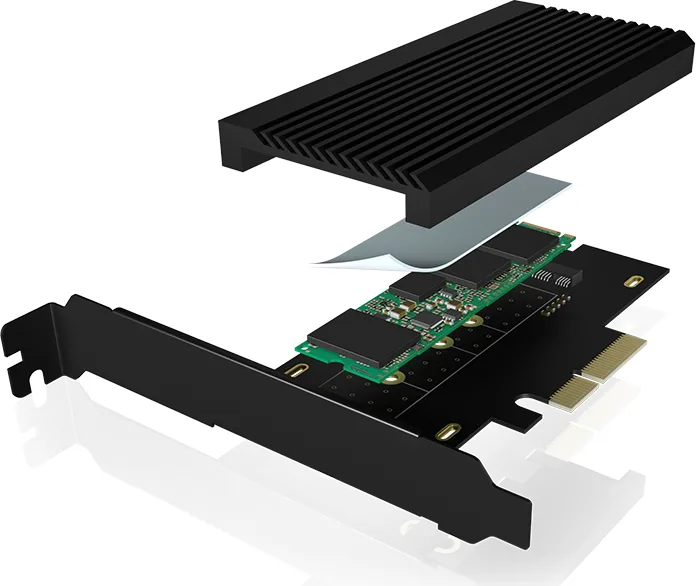
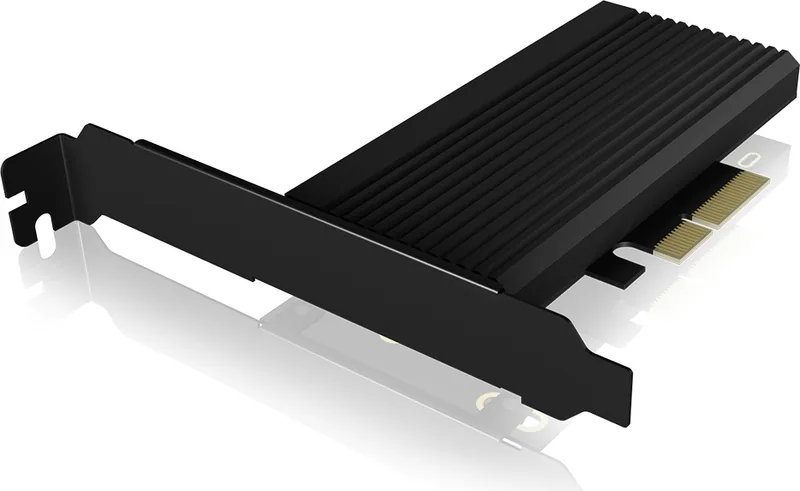
Add-In Card (full size + low profile) with passive heatsink
Dimensions
5.04x4.80x0.79 in
Product Description
Unlock Next-Level Speed with RaidSonic Icy Box IB-PCI208-HS
Are you running out of M.2 slots on your motherboard? The RaidSonic Icy Box IB-PCI208-HS is the ultimate solution for enthusiasts and professionals seeking to expand their storage capabilities without compromising performance. This PCIe extension card transforms an available PCIe x4 slot into a high-speed M.2 interface, allowing you to install NVMe SSDs that operate at blazing fast data transfer rates.
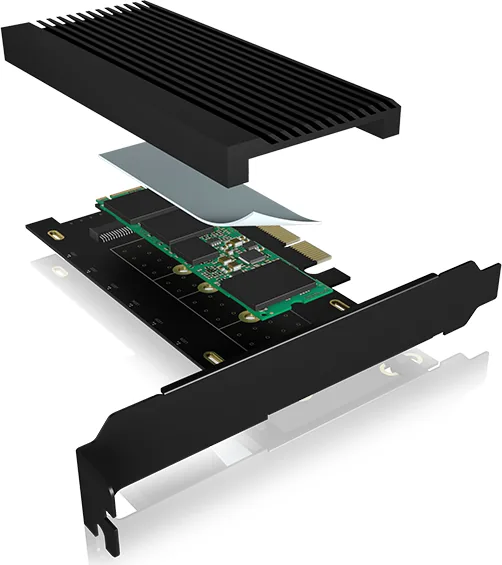
Powered by PCIe 4.0 technology, this adapter supports speeds up to 64 Gbit/s, ensuring your solid-state drives reach their full potential. Whether you are building a high-performance gaming rig, a video editing workstation, or a robust server, this card provides the necessary bandwidth to handle massive file transfers with ease. The design focuses heavily on thermal management, as high-speed NVMe drives can generate significant heat. To combat this, the unit comes equipped with a robust full aluminum heat sink featuring cooling fins. This ensures optimal heat dissipation, preventing performance throttling during extended periods of heavy use.
Installation is straightforward and versatile. The package includes everything needed for a seamless setup, including both low-profile and full-profile brackets to fit various computer chassis. It supports M.2 SSDs in multiple form factors, specifically 22x30, 22x42, 22x60, and 22x80 sizes. Additionally, it accommodates double-sided SSDs, offering flexibility for users with specific hardware requirements. The kit also contains thick and thin thermal pads, screws, and a screwdriver, making it ready to go right out of the box.
Before installation, ensure your system is powered down and grounded to prevent electrostatic discharge damage. Once installed, remember that the operating system must initialize, partition, and format any new drive before it becomes visible. With its backward compatibility to PCIe 3.0 and 2.0, this card offers future-proofing while remaining compatible with older systems. Experience reliable, high-speed storage expansion today.
Important Notes
- Always back up data before connecting new hardware.
- Allow the card to cool for 5-10 minutes after shutdown before removing the drive.
- Do not connect or disconnect the SSD while the computer is running.
- Use only dry, anti-static cloths for cleaning the device.
Search for 67,706 Manuals online


Type-in Brand or Model
Alex M
6 months ago
Does this adapter run cool under heavy load and is the included thermal pad sufficient for all SSD types?
Manual.ly
6 months ago
Yes, the adapter runs very cool even under stress, with temperatures typically staying around 33 to 40 degrees Celsius. The included heatsink is significantly better than standard motherboard solutions. However, please note that the kit includes one thin and one thick thermal pad. For newer, very flat SSDs, you may need to use the thicker pad between the drive and the heatsink to ensure proper heat transfer, as the heatsink sits directly on the PCB.