
RaidSonic Icy Box IB-PCI1901-C32 Manual
PDF manual · 16 Pages
English



Quick check
Incorrect answer, please try again.
Chat with your RaidSonic Icy Box IB-PCI1901-C32 manual using AI
Get instant AI answers from your RaidSonic Icy Box IB-PCI1901-C32 manual
Ask anything about the RaidSonic Icy Box IB-PCI1901-C32. Answers come from this manual, with the pages they are based on.
Ask a Question
Do you recommend Icy Box IB-PCI1901-C32?
Yes NoFrequently Asked Questions
Yes, it fits in x4, x8, or x16 slots without issue.
Is this answer helpful?
Up to 20 Gbit/s with a compatible Gen 2x2 enclosure.
Is this answer helpful?
Yes, Windows drivers must be installed for functionality.
Is this answer helpful?
The card requires a SATA power cable, not included.
Is this answer helpful?
Use a dry anti-static cloth, do not use liquid.
Is this answer helpful?
No, do not connect the device during thunderstorms.
Is this answer helpful?
Warnings for electric shock, heat, and data loss are provided.
Is this answer helpful?
Advantages and Disadvantages
Advantages

- Supports USB data transfer rates up to 20 Gbit/s with compatible enclosure
- Compatible with PCIe x4, x8, or x16 slots
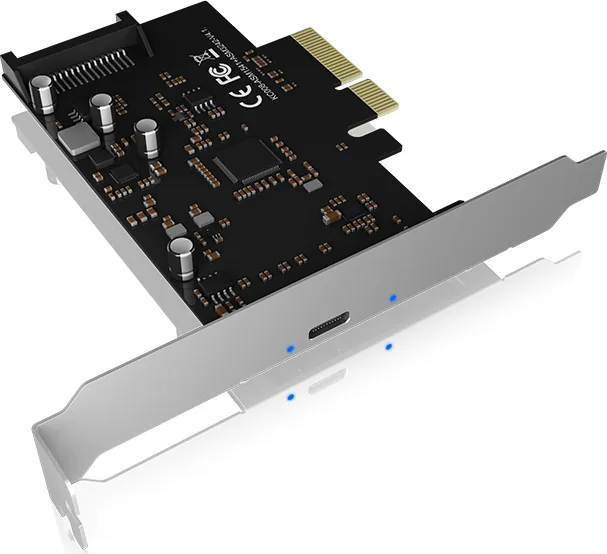
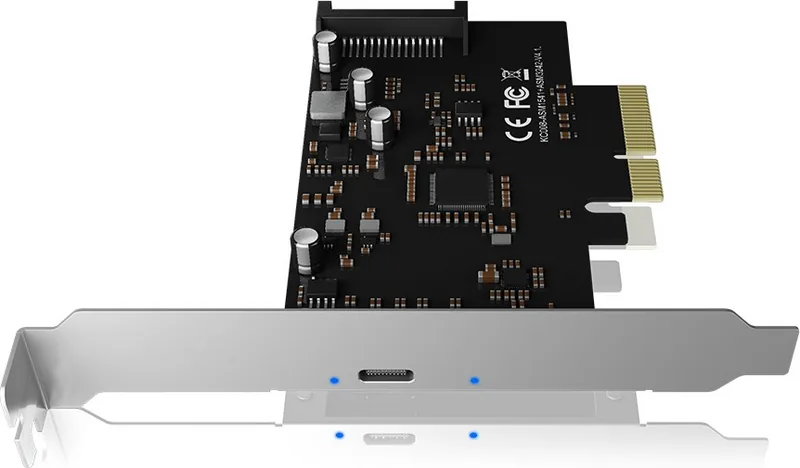
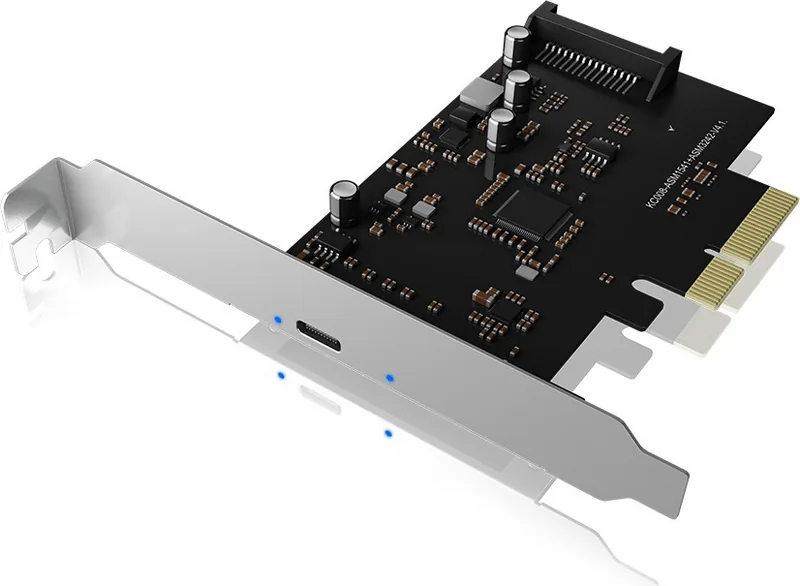
- Includes blue LED indicators for power and connection status
- Asmedia ASM3242 and ASM1541 controllers ensure stability
- Package includes both high-profile and low-profile brackets
Disadvantages

- Requires PCIe Gen 3.0 slot for full transfer speed performance
- External enclosure must be USB 3.2 Gen 2x2 compatible
- Windows drivers are necessary for full feature set activation
- Requires separate SATA power connection from the PSU
- High-profile bracket included but low-profile might need care
Product Specification
External
1x USB-C 3.2
Internal
N/A
Interface
PCIe 3.0 x4
Chipset
ASMedia ASM1541, ASMedia ASM3242
Power Supply
1x 15-Pin SATA Power
Features
low profile PCB, low profile bracket
USB Position
Left
Product Description
Unlocking Ultimate Speed with the RaidSonic Icy Box IB-PCI1901-C32
In the modern computing landscape, connectivity remains a critical factor for performance. The RaidSonic Icy Box IB-PCI1901-C32 stands out as a robust solution for users seeking to expand PC capabilities. This card integrates a high-speed USB Type-C port via a PCIe slot. It is essential to review the RaidSonic Icy Box IB-PCI1901-C32 1x USB-C 3.2, PCIe 3.0 x4 Manual to understand the potential of this hardware module and ensure safe operation.
Understanding the Specifications
At the heart are Asmedia ASM3242 and ASM1541 controllers. These components support USB data transfer rates of up to 20 Gbit/s, provided you have the correct host interface. The card utilizes a PCI Express Generation 3.0 interface with four data lanes. It is compatible with x4, x8, or x16 slots, offering flexibility for various builds. Visual feedback is provided through two blue LEDs, one indicating power status and the other active connection status.
Installation and Power Requirements
Proper installation is vital for safety. Ensure the device is completely de-energized before work begins. A standard SATA power connection is required to supply electricity to the card. The manual emphasizes avoiding electrostatic discharge, suggesting an antistatic bracelet. The package includes both high-profile and low-profile brackets for different case sizes. Read all instructions before beginning the installation process to avoid damage.
Performance Considerations and Drivers
Achieving the full 20 Gbit/s transfer speed requires a compatible USB 3.2 Gen 2x2 external enclosure. Connecting a simple drive may not yield maximum results if the enclosure does not support the standard. Windows drivers must be installed to enable the feature set. Crucially, check your system for PCIe Gen 3.0 support, as older systems limit throughput. Note that the data cable connecting the enclosure must be high quality. Using inferior cables may throttle connection speed. Regular updates to the BIOS and drivers are recommended.
Safety and Maintenance Protocols
The device includes warnings regarding electrical shock and heat management. Overheating can occur if vents are blocked or if direct sunlight hits the component. Cleaning should be done with a dry, anti-static cloth only. Never use water or aggressive solvents. Disposal must follow environmental regulations for electronic waste. Ensure no metallic objects touch the contacts during handling. The device is sensitive to moisture and should be kept in a dry environment. Keep packaging away from children due to choking hazards.
Important Notes for Users
Always backup data before connecting new hardware to prevent loss. Ensure the system meets all specifications listed in the guide before purchasing. Contact support for further inquiries regarding warranty or specifications if issues arise.
Search for 67,732 Manuals online


Type-in Brand or Model