


RaidSonic Icy Box IB-EW205B-T Manual
PDF manual · 26 Pages
English



Quick check
Incorrect answer, please try again.
Chat with your RaidSonic Icy Box IB-EW205B-T manual using AI
Get instant AI answers from your RaidSonic Icy Box IB-EW205B-T manual
Ask anything about the RaidSonic Icy Box IB-EW205B-T. Answers come from this manual, with the pages they are based on.
Ask a Question
Do you recommend Icy Box IB-EW205B-T?
Yes No
Julia Schneider
5 months ago
Can I assemble this desk alone, and are there any common issues with the assembly instructions regarding rubber feet placement?
Frequently Asked Questions
The desk frame is engineered to support a maximum load of 125 kilograms. This ensures stability even when holding heavy monitors, computer towers, and other office equipment securely.
Is this answer helpful?
Yes, the digital touch control panel features three memory buttons. You can save your preferred sitting and standing heights to one-touch recall them instantly whenever needed.
Is this answer helpful?
To reset the system, press and hold the Up and Down buttons simultaneously until the unit beeps twice. The desk will move to its lowest position and then adjust slightly upward to complete the reset process.
Is this answer helpful?
No, the table top is not included in the package. You must purchase a compatible desktop separately and attach it using the provided screws and anti-vibration pads.
Is this answer helpful?
Yes, you can switch between centimeters and inches. Simply press and hold the Timer button for approximately three seconds to toggle the unit setting on the display.
Is this answer helpful?
Error code E02 indicates the system is overheating. Stop operating the desk immediately and let it remain idle for about 18 minutes until the internal temperature returns to normal levels.
Is this answer helpful?
The display lock activates automatically one minute after the last input was made. This prevents accidental height adjustments. Press the Memory button for three seconds to unlock it manually.
Is this answer helpful?
Advantages and Disadvantages
Advantages

- Heavy-duty metal frame supports up to 125 kg load capacity
- Digital touch control panel with three programmable memory presets
- Built-in timer function encourages regular standing breaks for better health
- Anti-collision system prevents damage to objects and the desk itself
- Quiet motor operation suitable for shared office environments
Disadvantages

- Tabletop is not included in the scope of delivery
- Assembly requires at least two people to safely turn over the frame
- Control box must be mounted carefully to avoid cable pulling issues
- Requires specific drill dimensions for mounting holes on the tabletop
- Display locks automatically after one minute of inactivity
Product Specification
Type
Sit-stand desk frame
Shape
rectangular
Material
Desktop: N/A, Frame: Steel
Color
Desktop: N/A, Frame: black
Desktop Dimensions (WxD)
N/A (optional 43.31-78.74x27.56-39.37in)
Desktop Height
24.41-50.39in
Desktop Height Adjustable
electric
Desktop Ergonomics
N/A
Table Legs
T-shape
Storage
N/A
Load Capacity
275.58lbs
Features
Cable management, no crossbar, 3 storage slots
Weight
68.34lbs
Product Description
Elevate Your Workspace with the RaidSonic Icy Box IB-EW205B-T
The RaidSonic Icy Box IB-EW205B-T electrically height-adjustable sit-stand desk frame in black represents a significant leap forward in ergonomic office furniture. Designed for professionals who value health and productivity, this robust frame transforms any standard desktop into a dynamic workspace that adapts to your needs throughout the day. Whether you are drafting complex designs or managing high-volume data entry, the ability to seamlessly switch between sitting and standing positions helps reduce fatigue and improve focus.
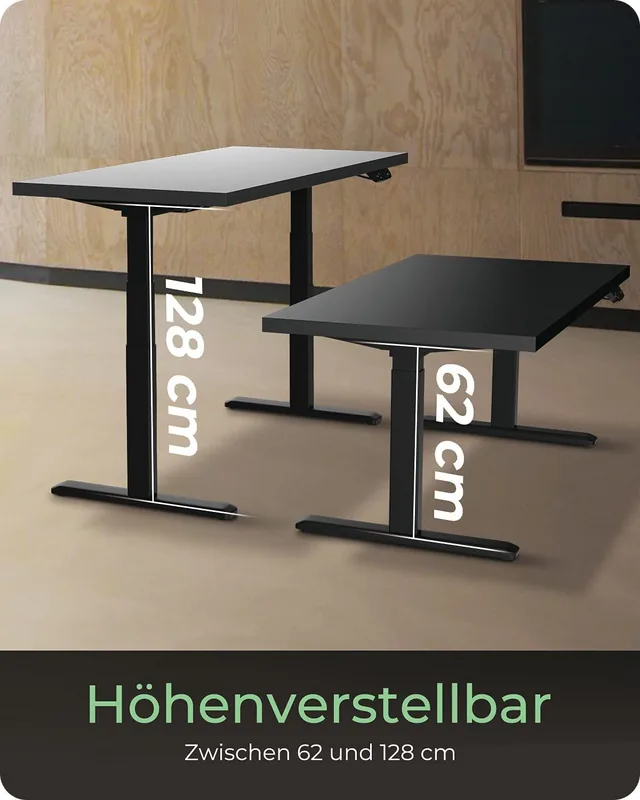
At the heart of this system lies a heavy-duty metal construction capable of supporting up to 125 kg. The motorized height adjustment mechanism ensures smooth and quiet operation, allowing users to find their perfect posture with minimal effort. The sleek black finish not only adds a modern aesthetic to any office environment but also hides signs of wear effectively. The frame supports a wide range of adjustments from a minimum height of 62 cm to a maximum of 128 cm, accommodating users of various statures comfortably.
Control is intuitive thanks to the included digital touch control panel. This smart interface offers more than just basic up and down functions. Users can program three distinct memory presets to instantly recall their preferred heights. A built-in timer feature reminds you to stand up after set intervals, promoting healthy movement habits. Additionally, an anti-collision system protects both the equipment and nearby objects by detecting resistance during movement. The display lock prevents accidental changes, while energy-saving modes ensure the controller remains efficient when idle.
Installation is straightforward with clear instructions provided for assembling the crossbar, lifting columns, and feet. The package includes all necessary tools and accessories like cable management trays to keep wires organized. Proper ventilation is critical for the motors and power unit, so the design ensures ample airflow to prevent overheating. Cleaning requires only a dry anti-static cloth to maintain the pristine look of the device without risking damage from moisture or harsh chemicals.
Key Features Summary
The RaidSonic Icy Box IB-EW205B-T combines durability, intelligence, and ease of use. It is ideal for home offices, corporate environments, and creative studios where ergonomics matter. By integrating advanced safety features and user-friendly controls, this desk frame sets a new standard for electric standing desks.
Important Notes
Always read the manual before assembly to avoid electrical hazards. Ensure the device is unplugged before cleaning. Do not expose the unit to direct sunlight or excessive humidity. For disposal, follow local WEEE regulations as this product contains electronic components that must not be thrown in regular trash.
Search for 67,706 Manuals online


Type-in Brand or Model
Dennis Russell
5 months ago
Is this standing desk frame stable enough for large wooden tops up to 180cm, and does the cable management kit add significant stability?
Manual.ly
5 months ago
Yes, the dual-motor construction provides excellent stability even with heavy solid wood tops. The frame is made of solid steel weighing about 30kg and wobbles very little when properly leveled on a flat surface. Regarding the cable management kit, it adds value by offering a double-guided middle rail which increases structural rigidity compared to the version without it. However, be aware that once installed, removing or replacing the cable channel is difficult because it is hung into the frame. For widths over 180cm, we recommend ensuring the table legs are positioned carefully as the connection points may have slight play.