
RaidSonic Icy Box IB-525-U3 Manual
PDF manual · 16 Pages
English



Quick check
Incorrect answer, please try again.
Chat with your RaidSonic Icy Box IB-525-U3 manual using AI
Get instant AI answers from your RaidSonic Icy Box IB-525-U3 manual
Ask anything about the RaidSonic Icy Box IB-525-U3. Answers come from this manual, with the pages they are based on.
Ask a Question
Do you recommend Icy Box IB-525-U3?
Yes NoFrequently Asked Questions
It supports USB 3.2 Gen 1 with speeds up to 5 Gbit/s for high performance.
Is this answer helpful?
No, the enclosure is sold separately from the optical drive component.
Is this answer helpful?
Windows, macOS, and Chrome OS are fully compatible with this device.
Is this answer helpful?
No, the host computer recognizes the device automatically upon connection.
Is this answer helpful?
Avoid sharp edges, disconnect power, and keep small parts away from children.
Is this answer helpful?
Yes, a standard 230 V power socket adapter is required for function.
Is this answer helpful?
Yes, but backs up data prior to commissioning is advised to prevent loss.
Is this answer helpful?
Advantages and Disadvantages
Advantages

- Supports up to 5 Gbit/s data transfer speed via USB connection interface
- Compatible with Windows, macOS, and Chrome OS systems without drivers
- Includes tools and cables for easy installation setup process
- Durable aluminum casing prevents internal heating issues effectively
- SATA III support allows for high internal bandwidth data rates
Disadvantages

- External power supply required for stable operation at all times
- Device does not include the optical drive unit itself
- Large 5.25 inch form factor restricts portability options significantly
- Installation requires opening casing which may void warranty conditions
- Only one drive slot reduces multi-drive configuration options available
Product Specification
Form Factor
5.25 inches
Hard Drive
N/A
Internal
SATA
External
USB 3.0 (Type B)
Fan
N/A
Features
Power Supply 12V/3A
Note
For internal CD/DVD/Blu-ray drives
Product Description
RaidSonic Icy Box IB-525-U3 Review
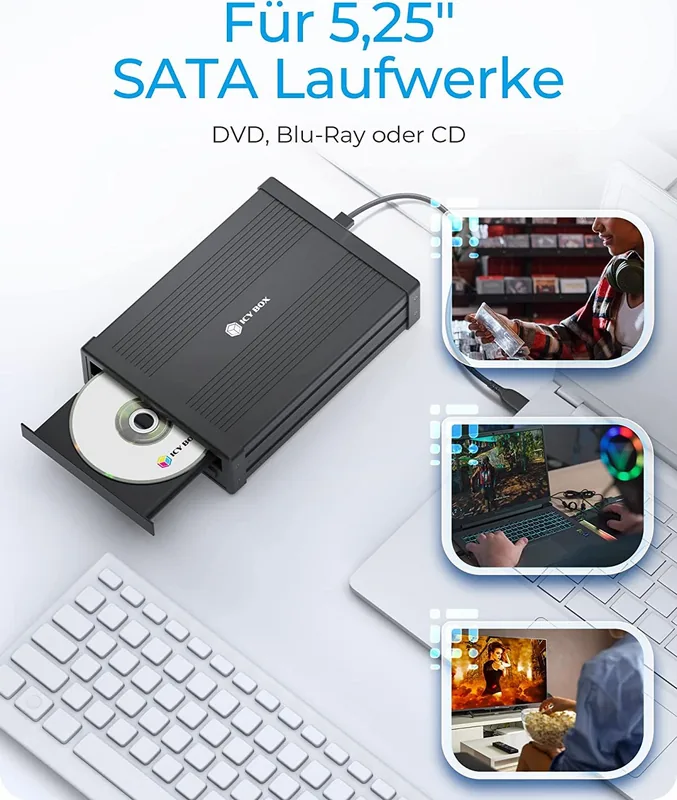
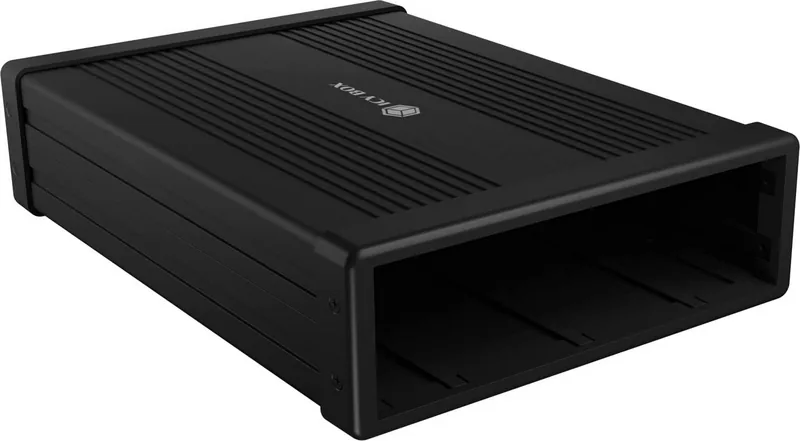
When you need to repurpose an old optical drive or manage specific hardware needs, the RaidSonic Icy Box IB-525-U3 serves as an excellent solution for enthusiasts and professionals alike. This robust 5.25 external drive enclosure transforms standard CD, DVD, or Blu-ray drives into a portable unit capable of high-speed interaction. Reading the comprehensive RaidSonic Icy Box IB-525-U3, 5.25", USB 3.0. Manual reveals exactly how users can easily install and configure the hardware for optimal performance without technical issues. It supports SATA III interfaces with internal speeds of up to 6 Gbit/s for efficient data communication. The external connection utilizes modern USB 3.2 Gen 1 technology enabling fast data transfer rates of up to 5 Gbit/s for external access.
Implementation Notes
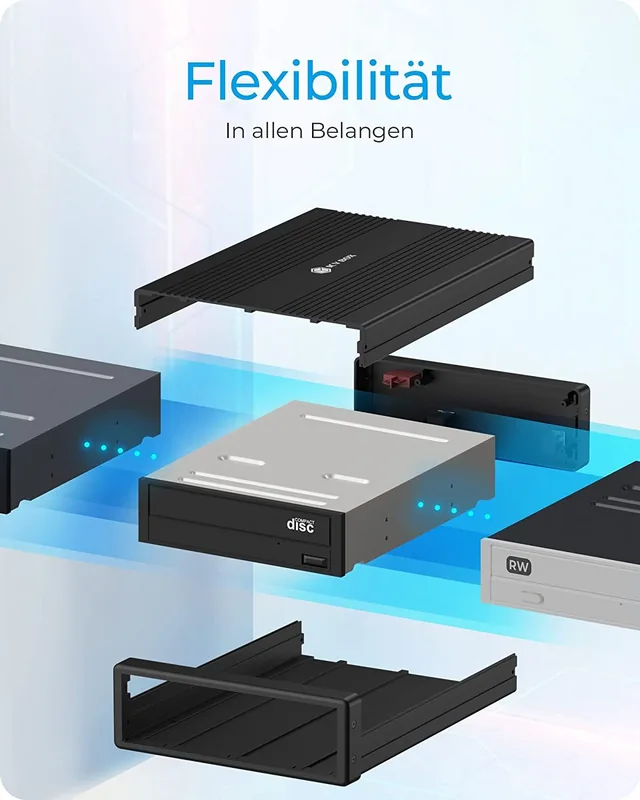
Setup is remarkably straightforward for those familiar with basic computer hardware assembly. You must carefully remove the rear plastic frame to access the internal mounting points. You will then slide the top aluminum cover aside to reveal the drive bay space. Insert the 5.25 drive carefully and align the holes correctly. Secure the drive firmly with four black screws provided in the kit. Connecting the SATA cable to the plastic frame is essential before sliding the metal cover back into place. The enclosure requires a standard external 230 V power source to function correctly. This ensures stable operation during reading, writing, or burning tasks which draw significant power. Once powered on, host computers running Windows, macOS, or Chrome OS recognize the device automatically within seconds.
Technical Specifications and Performance
The unit features a DC input for the power adapter and a USB Type-B host connection point. An ON/OFF switch controls the power status conveniently. It is designed for Windows, macOS, and Chrome OS systems without needing special drivers. The build quality emphasizes durability with a metallic chassis that dissipates heat effectively. Rubber feet included in the package prevent slipping on workspaces. The cable kit supports both USB Type-A and Type-C connections via adapters.
Safety and Maintenance
Safety is paramount during assembly and operation to prevent damage. Avoid touching sharp edges to prevent injury to fingers or hands. Keep small parts and packaging away from children to avoid suffocation hazards. Overheating can occur if ventilation is blocked, so ensure sufficient air exchange around the device. Use a dry anti-static cloth for cleaning to remove dust. Always disconnect power before maintenance to prevent electrical shock. Data backup is crucial before commissioning new hardware to prevent irreversible loss. Proper disposal follows WEEE directives to protect the environment from pollution caused by electronic components.
Notes
This enclosure does not include the optical drive itself, which must be sourced separately. Ensure your host computer has a free USB Type-A or Type-C port available. The package includes necessary screws, screwdriver, and tools for the initial install. Adhere to warranty terms carefully when modifying the device or attempting repairs. Regular monitoring of the device temperature helps maintain longevity. The device is suitable for internal heating components if air exchange is maintained.
Search for 67,706 Manuals online


Type-in Brand or Model
Lars Weber
6 months ago
Will this player work with my old game DVDs from the 2000s?
Manual.ly
6 months ago
Yes, this device is fully compatible with older game DVD formats. Based on user feedback, it functions well and maintains a good appearance over time. You can expect reliable playback for your old collection without compatibility issues.