
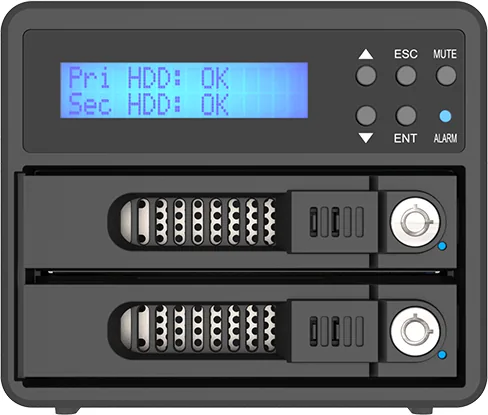
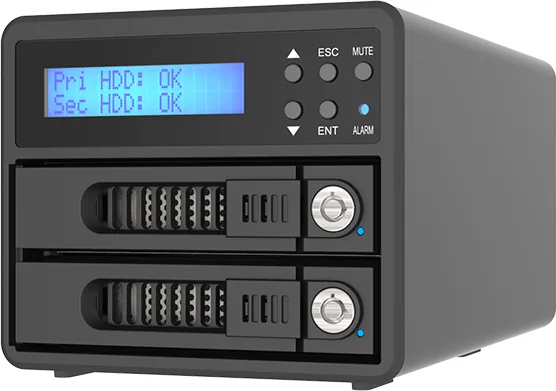
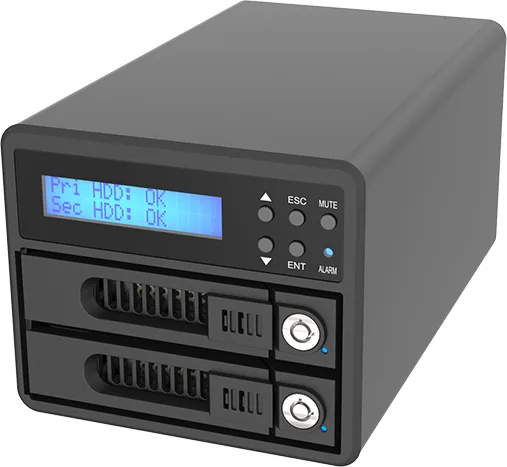
Raidon SafeTANK GR3680-BA31 Manual
PDF manual · 35 Pages
English


Quick check
Incorrect answer, please try again.
Chat with your Raidon SafeTANK GR3680-BA31 manual using AI
Get instant AI answers from your Raidon SafeTANK GR3680-BA31 manual
Ask anything about the Raidon SafeTANK GR3680-BA31. Answers come from this manual, with the pages they are based on.
Ask a Question
Do you recommend SafeTANK GR3680-BA31?
Yes No
Henry Fox
7 months ago
Does this case work well for storing large photo libraries over long periods?
Frequently Asked Questions
The device supports RAID 0 for maximum performance and RAID 1 for data redundancy. Users can switch between these modes using the front panel buttons, but be aware that changing modes will erase existing data.
Is this answer helpful?
Yes, the GR3680 supports installing operating systems. Detailed guides are provided for installing macOS via Recovery Mode and Windows using third-party tools like WinToUSB.
Is this answer helpful?
The front LCD will display 'Pri: X' or 'Sec: M' indicating a failure, accompanied by a red alarm light and audible buzzer. You can mute the sound but should replace the drive immediately.
Is this answer helpful?
When a drive is replaced, the system automatically begins rebuilding data from the remaining drive. The LCD shows the percentage progress. It is recommended not to use the system during this time to avoid delays.
Is this answer helpful?
Yes, you can download the GUI software to configure SMTP settings. The system will then send emails to specified addresses if a drive fails or is disconnected.
Is this answer helpful?
For use across both Windows and Mac, FAT32 is recommended, though it limits individual files to 4GB. NTFS is best for Windows, and HFS+ is best for Mac.
Is this answer helpful?
Advantages and Disadvantages
Advantages

- USB-C 3.2 Gen2 interface provides fast 10Gbps transfer speeds
- Front LCD panel displays real-time status without software
- Supports flexible RAID 0 and RAID 1 switching via hardware buttons
- Tool-less drive trays simplify installation and replacement
- Built-in email notifications alert users to drive failures
Disadvantages

- System requires reboot to apply RAID mode changes
- Data is wiped when switching between different RAID levels
- Maximum single file size limited to 4GB on FAT32 format
- Overheating alarms may interrupt workflow if ventilation is poor
- Firmware updates carry a risk of malfunction if interrupted
Product Specification
Form factor
3.5"
Internal connection
2x SATA 6Gb/s
External connection
1x USB-C 3.1 (10Gb/s)
RAID level
0/1
Fan
1x 2.36"
Dimensions
8.07x4.8x4.13 in
Color
black
Features
On/Off switch, includes USB cable (USB-A), includes USB cable (USB-C)
USB spelling
Link
Product Description
Discover the Raidon SafeTANK GR3680-BA31 USB-C 3.1
The Raidon SafeTANK GR3680-BA31 is a robust external storage solution designed for professionals who demand high performance and data redundancy. This device features a sleek enclosure capable of housing two hard drives in a versatile RAID configuration, allowing users to switch between RAID 0 for speed or RAID 1 for critical data protection. With its native USB-C 3.2 Gen2 interface, it delivers blazing-fast transfer speeds up to 10Gbps, ensuring that large files are moved efficiently without bottlenecks.
One of the standout features of this unit is its intuitive front-panel LCD screen. Unlike many competitors that rely solely on software, the GR3680 provides real-time status updates directly on the hardware. Users can monitor system temperature, fan health, drive status, and RAID progress without needing to open an application. The built-in control buttons allow for easy navigation through settings, enabling quick adjustments to RAID modes or silent mode activation when alarms trigger during overheating events.
Installation is straightforward and user-friendly. The package includes everything needed to get started, from power cables to specific mounting screws for both 2.5-inch and 3.5-inch drives. The tool-less design with removable trays makes swapping out failed drives a breeze, while the system automatically initiates data rebuilding processes once a new drive is inserted. For advanced users, the device supports installing operating systems like Windows or macOS directly onto the external enclosure, turning it into a portable bootable drive.
Security and maintenance are prioritized with features like anti-theft lock slots and email notification capabilities via the companion GUI software. This software allows administrators to configure SMTP settings so they receive immediate alerts if a drive fails or is removed. Whether you are backing up creative assets or running a portable workstation, the Raidon SafeTANK GR3680-BA31 offers a reliable, high-speed, and feature-rich experience for all your storage needs.
Search for 67,732 Manuals online


Type-in Brand or Model
ella54
6 months ago
Is this enclosure reliable for RAID setups with mixed drive sizes like 8TB and 16TB?
Manual.ly
6 months ago
Yes, the enclosure supports mirrored RAID configurations even with drives of different capacities. In such setups, the usable space is limited by the smallest drive in each pair. For example, pairing an 8TB and a 16TB drive will result in 8TB of mirrored storage per pair. Users have reported high reliability with this configuration when using quality drives like WD.