
R-Go Steel Office Manual
PDF manual · 9 Pages
English



Quick check
Incorrect answer, please try again.
Chat with your R-Go Steel Office manual using AI
Get instant AI answers from your R-Go Steel Office manual
Ask anything about the R-Go Steel Office. Answers come from this manual, with the pages they are based on.
Ask a Question
Do you recommend Steel Office?
Yes NoFrequently Asked Questions
Follow the visual step-by-step guide shown in the packaging. Click the parts together until they lock into place securely without tools.
Is this answer helpful?
No, this model features a fixed ergonomic angle designed for optimal viewing height without changing settings.
Is this answer helpful?
Yes, the steel frame supports standard weight ranges without bending or tipping under normal load conditions.
Is this answer helpful?
Scan the QR code included with the item to visit the official website portal for tutorials and specs.
Is this answer helpful?
The open design underneath improves airflow around your laptop chassis automatically without fans.
Is this answer helpful?
Ideally suited for laptop sizes, though larger tablets may remain unstable without protective hard cases attached.
Is this answer helpful?
Contact customer support via the QR linked site for specific coverage details, terms, and duration of protection.
Is this answer helpful?
Advantages and Disadvantages
Advantages

- Heavy gauge steel construction ensures long lasting durability and resistance to wear.
- Designed to promote healthy ergonomic posture during long work sessions effectively.
- Simple click-together assembly requires no additional tools for setup quickly.
- Matte black finish complements most office environments seamlessly and professionally.
- Open design facilitates better airflow around your machine to reduce heat.
Disadvantages

- Only available in a standard black color option for this specific model type.
- Non-adjustable height might limit customization for some user height preferences.
- Fixed angle may not suit every user's preferred sitting distance comfortably.
- Plastic feet could scratch certain glass table surfaces over time periods.
- Bulky shipping size compared to foldable aluminum portable options.
Product Specification
Type
Laptop stand
Compatibility
Laptops up to 22"
Dimensions
10.43x9.84x5.31in
Weight
1.03 lbs
Product Description
Enhancing Productivity with the R-Go Steel Office Laptop Stand
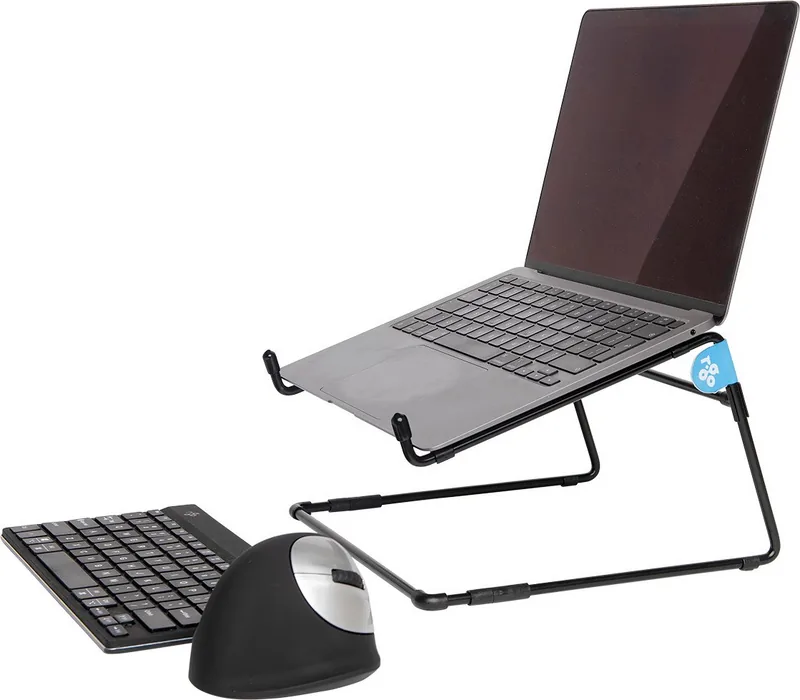
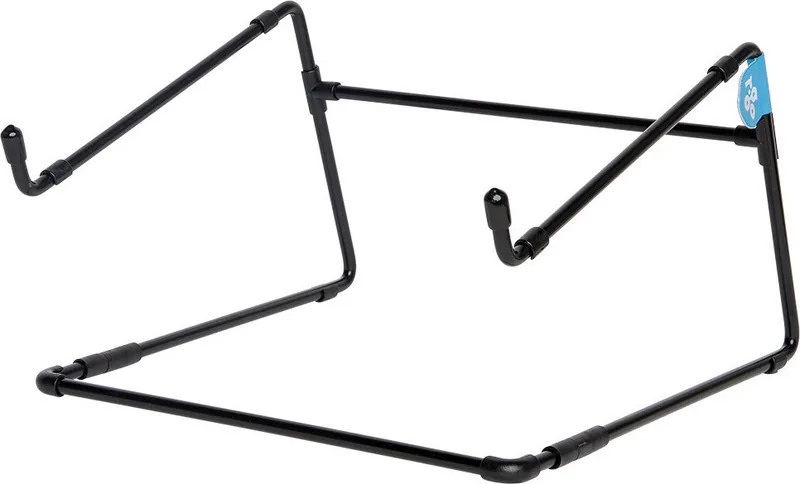
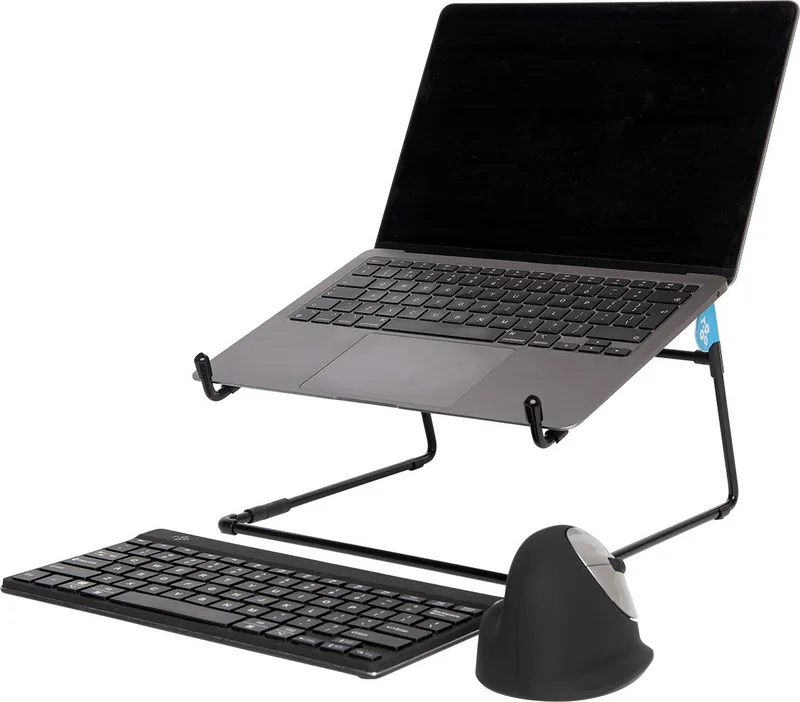
In todays fast-paced digital environment, maintaining a comfortable workstation is essential for long-term performance and health. The R-Go Steel Office Laptop Stand, presented in a sophisticated black finish, addresses these needs effectively. Crafted from sturdy steel materials, this device provides a reliable foundation for laptops and notebooks alike. Unlike flimsy plastic options found elsewhere, the metal construction resists wobbling even when typing vigorously. This stability ensures that your hardware remains secure while you focus on critical tasks throughout the day.
Streamlined Setup Procedures for Immediate Use
Getting your workspace ready should not involve complex tools or confusing instructions. The design philosophy behind this stand emphasizes user-friendly assembly processes. Visual guides indicate specific clicking points that lock components together securely. Most users find the transition from packed box to fully functional device remarkably quick. Once assembled, the fixed angle promotes an upright screen viewing position. This alignment helps prevent the common neck pain associated with looking down at low screens for hours on end.
Digital Support and Continued Learning Opportunities
Although the physical product stands firmly on its own, supplementary resources extend its utility further. An embedded QR code allows instant connection to a dedicated website containing videos and troubleshooting tips. You can scan this link to access multilingual information instantly without needing to hunt for printed copies. This modern approach to customer service reflects the companys commitment to innovation. Whether you prefer working remotely from a coffee shop or permanently in a corporate cubicle, having accessible information empowers you to maximize your equipment potential immediately upon arrival at your desk location.
Prioritizing Physical Well-Being Through Proper Design
Ignoring posture can lead to chronic issues that affect overall quality of life later in your career. By raising the display to eye level, you encourage natural spinal alignment and reduce muscle tension in the shoulders. The open design beneath the unit also facilitates better airflow around your machine, potentially lowering operating temperatures during heavy processing loads. Combining these physical benefits with the sleek industrial look creates an atmosphere conducive to deep concentration. Invest in your health today by transforming your current desk setup into a more supportive and organized professional environment without breaking the bank or taking up excessive floor space unnecessarily.
Adapting to Various Screen Sizes and Types
Compatibility is a significant factor when purchasing accessories for technology equipment. The dimensions of this stand accommodate various laptop widths commonly found in the consumer market. Thin ultrabooks sit securely alongside thicker gaming machines requiring robust support structures. The non-slip surface areas ensure your device does not slide off during movement or transport preparations. Furthermore, the clean lines integrate well with minimalist desks or traditional wooden tables alike. This flexibility makes it a versatile addition suitable for students, freelancers, and enterprise employees seeking unified aesthetics across multiple workstations globally.
Search for 67,732 Manuals online


Type-in Brand or Model