

R-Go Split Break Manual
PDF manual · 37 Pages
English



Quick check
Incorrect answer, please try again.
Chat with your R-Go Split Break manual using AI
Get instant AI answers from your R-Go Split Break manual
Ask anything about the R-Go Split Break. Answers come from this manual, with the pages they are based on.
Ask a Question
Do you recommend Split Break?
Yes NoFrequently Asked Questions
Yes. The keyboard offers flexible connectivity with wired USB-C connection (USB-C to USB-A adapter included) and Bluetooth support for wireless use, though bundled cables are provided for immediate wired setup.
Is this answer helpful?
The R-Go Break LED cycles like a traffic light: green indicates healthy work, orange recommends a short break, and red signals you’ve worked too long. The indicator can be toggled on/off with Fn + A and is also controlled and customized via the R-Go Break software.
Is this answer helpful?
Connect the interconnect cable (31.5 cm or 51.5 cm) into the labeled ports on each half, then plug the main USB-C cable into the keyboard’s PC port and your computer. Use the included USB-C to USB-A converter if your PC lacks USB-C.
Is this answer helpful?
Yes. The right-side integrated numpad activates when Num Lock is enabled (printed in light blue). To return to normal keys, disable Num Lock. The numpad functionality only applies to the right keyboard half.
Is this answer helpful?
First check all cable connections and port placement. Try a different USB port or connect directly to your computer instead of through a hub. Restart the PC and test the keyboard on another device. If problems persist, contact support at [email protected].
Is this answer helpful?
The software is optional but recommended for monitoring break behavior and customizing keys. Download it from the R-Go tools site (links provided with the product) to enable LED control and personalization features.
Is this answer helpful?
Official compatibility lists Windows XP, Vista, 10 and 11. Other operating systems may work for basic typing and Bluetooth but could require additional testing or drivers for full functionality.
Is this answer helpful?
Advantages and Disadvantages
Advantages

- Split adjustable design supports natural shoulder, elbow and wrist alignment.
- Low-profile keys reduce finger force and muscle tension for extended typing.
- Integrated R-Go Break LED provides intuitive, color-coded break reminders.
- Includes cables and USB-C to USB-A adapter for versatile wired/Bluetooth setups.
- R-Go Break software enables behavior tracking and key customization.
Disadvantages

- Requires familiarity with split-layout and Fn-key combinations for full functionality.
- Some setups may need direct PC connection—USB hubs can cause issues.
- Limited OS compatibility listed (Windows XP/Vista/10/11); other systems may need testing.
- Integrated numpad only available on right half and needs Num Lock to toggle.
- Break indicator depends on software for full customization; may need installation.
Product Specification
Layout
DE
Type
Rubber Dome
Illumination
N/A
Keycap Profile
regular, framed, Chiclet
Keycap Format
flat
Keycap Top
straight
Numeric Keypad
N/A
Cursor Block
offset
Control Keys
N/A
Enter Key
Standard
Delete Key
Standard
Status Indicator
Caps Lock
Palm Rest
N/A
Housing
Metal
Housing Color
solid color, silver
Keycap Finish
solid color, white
Key Labeling
solid color, black
Connectivity
wireless (Bluetooth 5.0), detachable cable (USB-C port)
Power Supply
Battery (built-in, 500mAh)
Dimensions (WxHxD)
11.34x0.35x5.39in
Weight
0.65lb
Special Features
FN key, CMD key (double labeling), ergonomic, pause indicator
Product Description
R-Go Split Break — White/Silver Bluetooth (DE Manual)
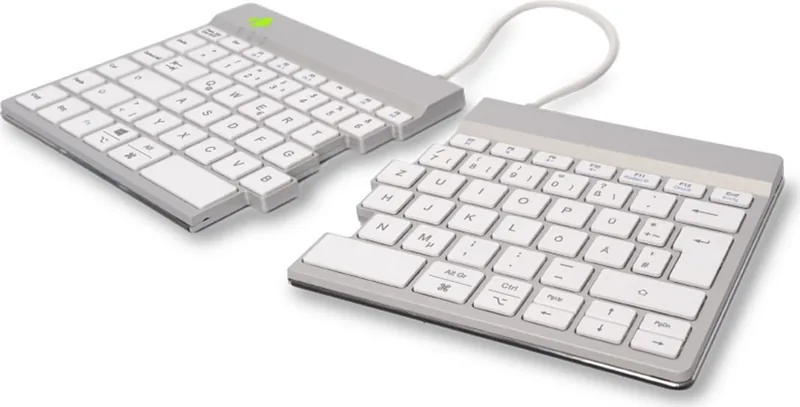
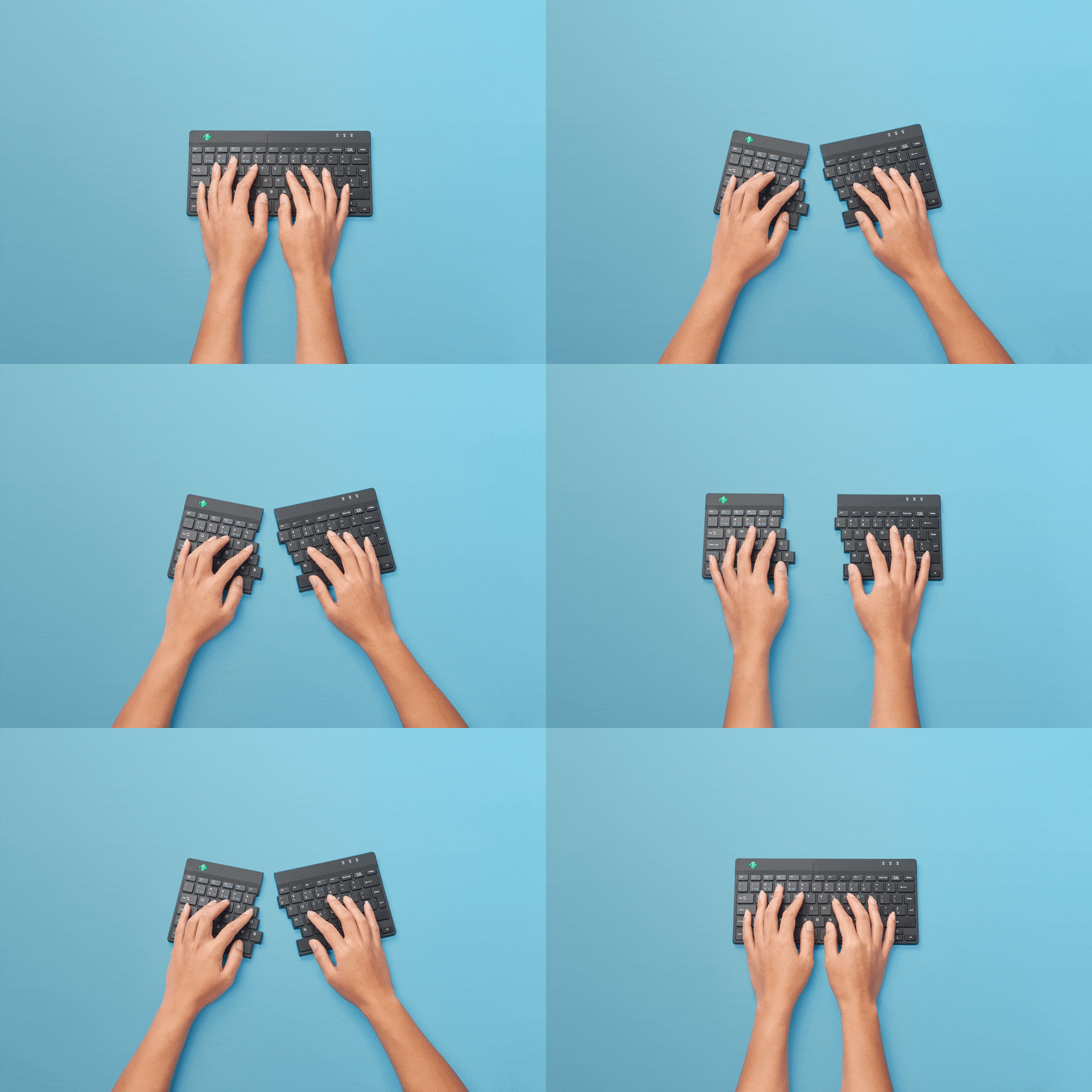
Experience ergonomic typing with the R-Go Split Break in a clean white and silver finish. This split keyboard separates into two adjustable halves, letting you place each side for a natural shoulder, elbow and wrist alignment. Its low-profile keys require minimal force, reducing muscle tension and encouraging a relaxed, flat hand position while typing. The built-in R-Go Break indicator uses traffic-light colors (green, orange, red) to gently remind you when to take a break and promotes healthier work habits. Compatible with Windows XP/Vista/10/11 and designed for wired or Bluetooth use, it includes multiple cables and a USB-C to USB-A converter for flexible setups.
Key features and setup
The keyboard ships with cables to connect the two halves (31.5 cm and 51.5 cm) and a main USB-C to PC cable; an adapter to USB-A is included. Ports are clearly labeled: a hub port for other devices, the PC connection port, and the two interconnect ports for the keyboard halves. You can optionally connect an external numpad or devices through the built-in hub. Function keys are marked in blue; left-side functions require the Fn key. The right-side integrated numpad activates with Num Lock. A quick Fn + A toggles the break indicator light on or off.
R-Go Break software
Download the R-Go Break app to monitor work behavior, customize keys and control the LED break indicator. The software translates your activity into visual cues: green means healthy work, orange signals a short break is recommended, and red warns you’ve been working too long. The tool aims to reinforce positive break habits by offering unobtrusive, color-based feedback.
Troubleshooting highlights
If issues arise: verify correct cable connections, try a different USB port, bypass USB hubs by connecting directly to your PC, restart your machine, or test the keyboard on another device. For persisting problems, contact support at [email protected].
Notes:
- Designed for ergonomic comfort and reduced muscle strain.
- Includes multiple cable lengths and a USB-C/USB-A converter for compatibility.
- R-Go Break software enhances healthy work routines with color-coded reminders.
Search for 67,732 Manuals online


Type-in Brand or Model