

R-Go Split Break Basic Keyboard Mouse Combo Manual
PDF manual · 25 Pages
English



Quick check
Incorrect answer, please try again.
Chat with your R-Go Split Break Basic Keyboard Mouse Combo manual using AI
Get instant AI answers from your R-Go Split Break Basic Keyboard Mouse Combo manual
Ask anything about the R-Go Split Break Basic Keyboard Mouse Combo. Answers come from this manual, with the pages they are based on.
Ask a Question
Do you recommend Split Break Basic Keyboard Mouse Combo?
Yes NoFrequently Asked Questions
The keyboard uses an LED light that changes colors. Green means you are fine, orange indicates it is time for a break, and red warns that you have skipped a break.
Is this answer helpful?
Yes, the product supports IBM PC/AT compatible computers running Windows, MacOS, or Linux with integrated USB 2.0 port functionality.
Is this answer helpful?
Yes, you can optionally connect a numpad or other devices by plugging them into port 01 or 03 on the side of the keyboard.
Is this answer helpful?
Check your cables, try a different USB port, restart your computer, or test on another machine. If issues persist, contact support at www.r-go-tools.com.
Is this answer helpful?
Press Fn and Delete simultaneously. Note that this only works if your software allows it, such as Word settings for overtype mode.
Is this answer helpful?
No, the wireless version connects via Bluetooth using channels marked in light blue, though it also has a channel for wired connections.
Is this answer helpful?
Advantages and Disadvantages
Advantages

- Ergonomic split design reduces shoulder and arm muscle tension
- Integrated LED break indicator promotes regular rest periods
- Thin profile ensures relaxed wrist positioning during typing
- Supports both wired and wireless connectivity options
Disadvantages

- Limited compatibility with home-built PCs or custom OS environments
- Function keys require specific software support for full activation
- Wireless charging requires connection via cable rather than induction
- Does not guarantee operation on all computer configurations
Product Specification
Layout
DE
Product Description
Experience Comfort with R-Go Ergonomic Keyboards
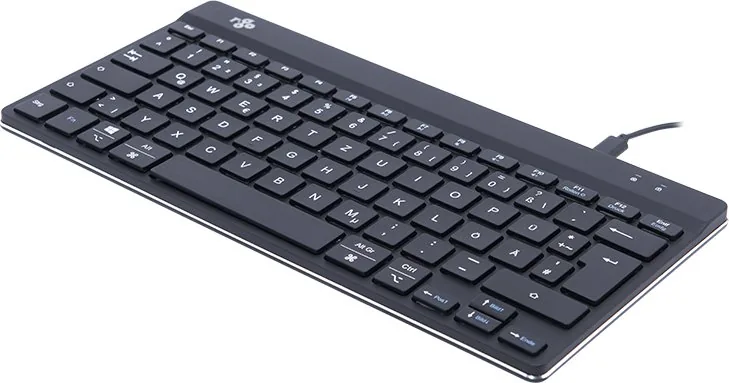
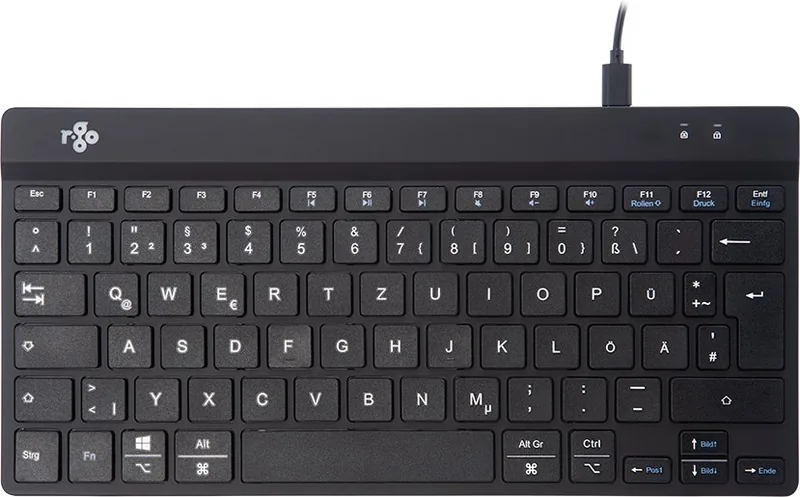
Typing should never cause pain or fatigue. The R-Go Ergonomic Keyboards, USB, QWERTZ / DE Layout Manual offers a solution designed for healthy and efficient work habits. This keyboard features a unique split design that keeps your hands within shoulder width, promoting a natural posture that significantly reduces muscle tension in your shoulders and arms. By maintaining this alignment, users can prevent repetitive strain injuries commonly associated with traditional flat keyboards.
The device boasts a thin profile that ensures a relaxed position for your wrists while typing. A standout feature is the integrated break indicator system. An LED light changes color based on your usage patterns to remind you when it is time to rest. Green indicates you are good to go, orange signals that a break is due, and red warns that you have skipped a necessary pause. This visual cue helps maintain long-term productivity without compromising health.
Both wired and wireless versions are available to suit different workspace needs. The wireless model supports multiple Bluetooth channels for connecting various devices seamlessly. Setup is straightforward, allowing you to connect peripherals like numpads directly to the keyboard ports. The included software provides deeper insights into your work behavior, encouraging better ergonomics throughout the day. Whether you are working on Windows XP, Vista, or 10, this keyboard integrates smoothly into your existing setup.
Search for 67,732 Manuals online


Type-in Brand or Model