
R-Go HE Manual
PDF manual · 30 Pages
English



Quick check
Incorrect answer, please try again.
Chat with your R-Go HE manual using AI
Get instant AI answers from your R-Go HE manual
Ask anything about the R-Go HE. Answers come from this manual, with the pages they are based on.
HE Maintenance Schedule
Keep the sensitive laser lens free from dust and clean it regularly to ensure proper operation.
Disconnect from PC and use a water-based damp cloth. Do not use alcohol, soap, or water directly as they damage the coating.
Ask a Question
Do you recommend HE?
Yes NoFrequently Asked Questions
Yes, this specific model is designed for left-handers with an ergonomic vertical grip tailored to their needs.
Is this answer helpful?
You can charge the wireless mouse using the provided USB cable, but you must keep the USB receiver connected to the computer to use it simultaneously.
Is this answer helpful?
No, the forward and backward buttons are not supported on MacOS operating systems.
Is this answer helpful?
Disconnect the mouse and wipe it with a damp, water-based cloth. Do not use alcohol, soap, or submerge the device in water.
Is this answer helpful?
A low DPI setting is recommended to encourage moving the mouse with your arm rather than your wrist, which helps prevent RSI.
Is this answer helpful?
The hardware is compatible with R-Go Break software, which can be downloaded separately to track work behavior and customize buttons.
Is this answer helpful?
Advantages and Disadvantages
Advantages

- Vertical design reduces wrist strain and prevents RSI
- Compatible with R-Go Break software for work habit tracking
- Adjustable DPI switch for customized cursor speed
- Lightweight construction minimizes muscle tension
- Available in both wired and wireless versions
Disadvantages

- Left-handed version may have limited availability compared to right-handed models
- Forward and backward buttons do not function on MacOS systems
- Charging cable cannot be used for data transfer while charging
- Cleaning requires specific water-based cloths to protect coating
- Wireless model requires USB receiver which takes up a port
Product Specification
Suitability
left hand (vertical)
Scroll wheel
1x 2-way
Product Description
Discover the R-Go Ergonomic Vertical Mouse for Left Handers
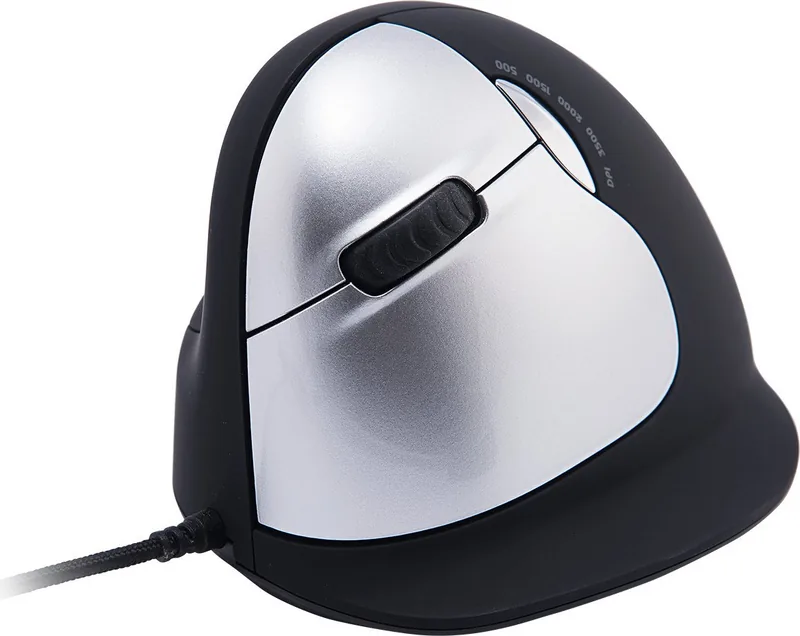
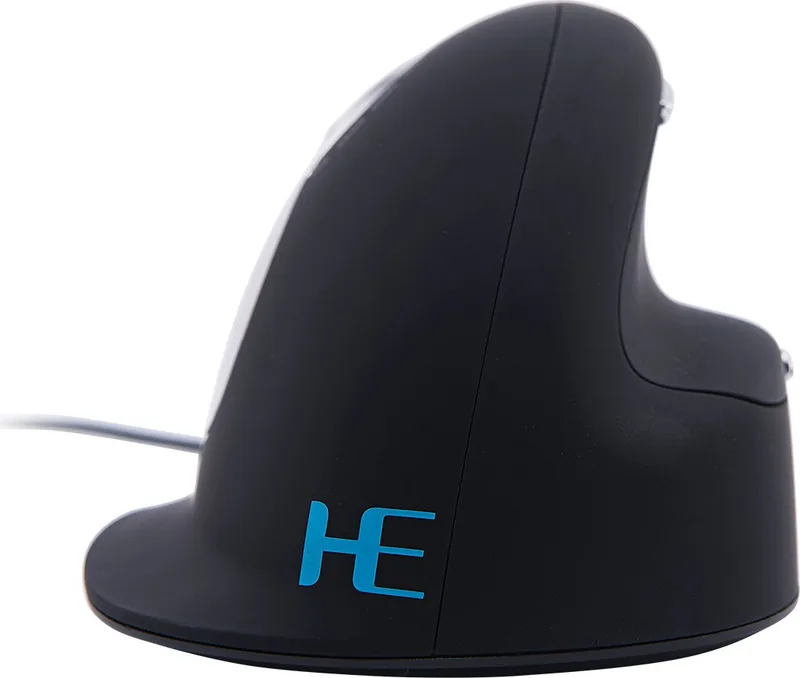
The R-Go Ergonomic Vertical Mouse for Left Handers is designed to revolutionize your daily computer experience by prioritizing hand health and comfort. This specialized device features a unique vertical grip that keeps your hand in a natural handshake position, significantly reducing strain on the wrist and forearm. By stimulating movements from the underarm rather than twisting the wrist, this mouse effectively prevents Repetitive Strain Injury (RSI) and promotes better posture during long work sessions.
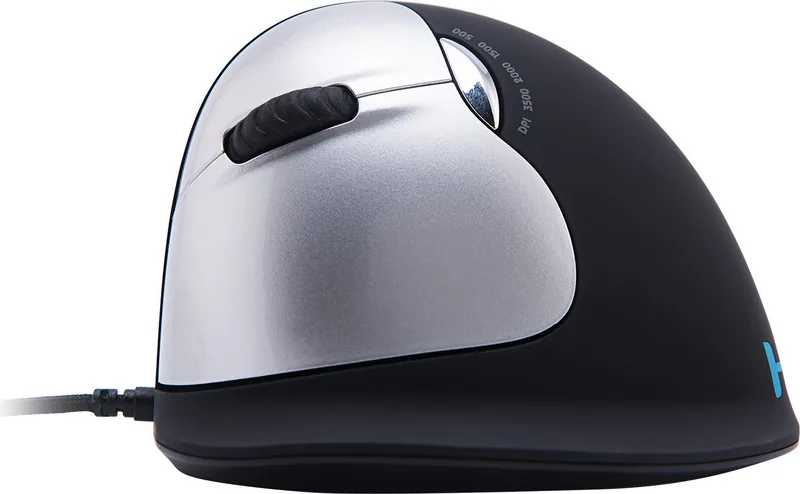
Available in both wired and wireless configurations, the mouse offers versatility to suit any workspace. The ergonomic design supports your thumb and fingers while remaining as lightweight as possible to minimize muscle tension. Users can customize their experience with an adjustable DPI switch, allowing them to control cursor speed precisely. We recommend lower DPI settings to encourage arm movement over wrist movement, further enhancing ergonomic benefits.
For those seeking advanced functionality, the mouse is compatible with R-Go Break software. This tool provides insights into work habits and allows button customization. When paired with specific R-Go Break devices, an LED indicator changes color to remind users when it is time to take a well-deserved break, fostering a healthier work-life balance. Whether you are a gamer, designer, or office worker, this mouse stands as a vital tool for maintaining physical well-being.
Important Maintenance Notes
To ensure longevity and optimal performance, avoid exposing the mouse to water or moisture. Clean the device only with a damp, water-based cloth; never use alcohol or soap as these will damage the coating. Do not remove the rubber feet from the bottom, as this will affect smooth movement. Keep the laser sensor clean and free of obstructions to maintain accuracy.
Search for 67,732 Manuals online


Type-in Brand or Model