
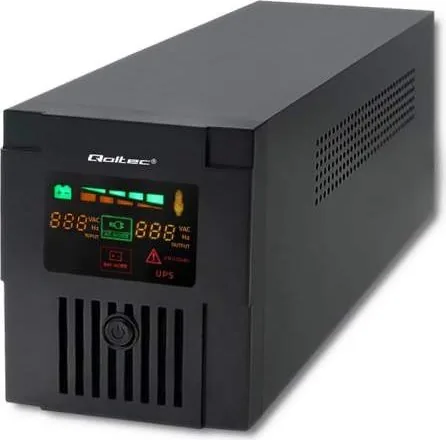
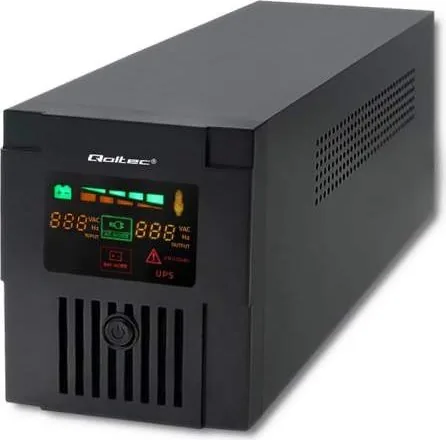
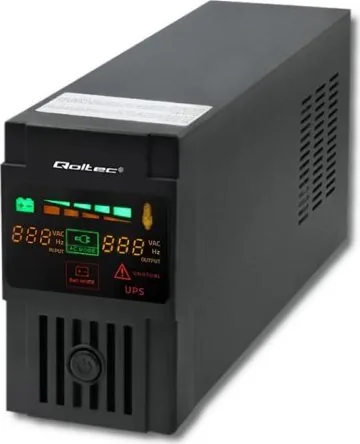
Qoltec Monolith VI Manual
PDF manual · 6 Pages
English



Quick check
Incorrect answer, please try again.
Chat with your Qoltec Monolith VI manual using AI
Get instant AI answers from your Qoltec Monolith VI manual
Ask anything about the Qoltec Monolith VI. Answers come from this manual, with the pages they are based on.
Ask a Question
Do you recommend Monolith VI?
Yes NoFrequently Asked Questions
The input voltage range spans from 140 to 290 Vac. This allows the UPS to function correctly under various utility conditions without shutting down unexpectedly during normal fluctuations or brownouts.
Is this answer helpful?
Before initial use, charge the battery for at least six hours. The UPS charges its batteries while connecting to the utility power source. This ensures maximum backup time is available immediately upon installation.
Is this answer helpful?
Never connect a laser printer or scanner to the UPS output ports. Doing so may cause damage to the device or the power supply unit itself, voiding warranties or causing safety hazards.
Is this answer helpful?
If power fails, the UPS switches to battery backup mode. The LED lighting changes to indicate battery mode. Backup time varies by load but typically offers enough time to save data or shutdown safely.
Is this answer helpful?
Check if the UPS is overloaded. Remove some loads first and verify load capability in the manual. If the battery is faulty, replacing it with the same type may resolve continuous alarm issues effectively.
Is this answer helpful?
Disconnect charging sources before replacing batteries. Use tools with insulated handles. Remove metal items like watches to prevent short circuits. Follow all manufacturer safety guidelines strictly.
Is this answer helpful?
Advantages and Disadvantages
Advantages

- Comprehensive protection against overvoltages and voltage spikes and high power density issues.
- Built-in microprocessor driver ensures high reliability for continuous online work.
- Line-interactive design with Intelligent auto AVR function for voltage stability.
- Cold start feature allows power during utility failures without battery connection initially.
Disadvantages

- Output waveform is modified sine wave which limits some device types compatibility.
- Battery replacement requires specific precautions and safety tools for proper handling.
- Laser printers and scanners must not be connected to avoid device damage risk.
- Backup time may shorten significantly if the UPS is overloaded heavily during operation.
Product Specification
Type
Tower
Classification
VI (Line-Interactive)
Voltage
220V-230V
Input
Hardwired
Interfaces
1x USB
Data Line Protection
2x RJ-45
Charge Time
6 hours (90%)
Features
LCD
Manufacturer Warranty
2 years
Product Description
Discover Reliable Power with the Qoltec Monolith VI Tower
Ensuring Stability in Every Connection
Protect your sensitive electronics with the Qoltec Monolith VI Tower. This series offers comprehensive protection against overvoltages, voltage spikes, and high power density issues. Thanks to the built-in voltage stabilizer, the unit continues to work online and provides stable power when voltage fluctuations occur unexpectedly. The built-in microprocessor driver ensures high reliability in all operational modes for your business continuity and peace of mind regarding data safety.
Understanding the Qoltec Monolith VI Tower Manual is essential for optimal performance and safety. Users should install the Unit in a protected area without excessive dust accumulation. Adequate air flow is crucial to prevent overheating during heavy load operations. Please place the device away from other equipment at least 20 cm to avoid electromagnetic interference. Always operate within specified temperature and humidity limits to prolong equipment life significantly for your investment.
Connecting your loads requires careful attention to safety protocols and setup guidelines. Plug loads into output receptacles on the rear panel of the tower unit. Caution: NEVER connect a laser printer or scanner to the UPS output ports as this may cause permanent damage. Turn on the unit by pressing the main switch. The cold start function allows operation even without utility power availability in emergency scenarios.
Safety warnings are paramount to prevent fire or electric shock risks during use at home or office. Install in an indoor area free of conductive contaminants or liquids. Do not cover cooling vents or expose the device to direct sunlight. Do not attach medical or life-support equipment to this unit. In an emergency, press the off button and disconnect the power cord immediately.
Maintenance requires care when handling internal components and battery replacement procedures. Use rubber gloves and tools with insulated handles. Disconnect the charging source before replacing batteries internally. Internal battery voltage is 12V DC. Sealed lead-acid batteries are utilized for stability and consistent performance. Do not dispose of batteries in fire as they may explode causing health risks.
Specifications include models ranging from 400VA to 1000VA capacity options for diverse needs. Input voltage ranges from 140 to 290 Vac. Output voltage stabilizes at 220 Vac generally. Backup time varies by model load specifics. 100W load yields minutes of backup power per unit. Modified sine wave output defines compatibility requirements. Regular checks ensure peace of mind.
Search for 67,706 Manuals online


Type-in Brand or Model