
PureLink PT-HDBT-200 Manual
PDF manual · 12 Pages
English



Quick check
Incorrect answer, please try again.
Chat with your PureLink PT-HDBT-200 manual using AI
Get instant AI answers from your PureLink PT-HDBT-200 manual
Ask anything about the PureLink PT-HDBT-200. Answers come from this manual, with the pages they are based on.
Ask a Question
Do you recommend PT-HDBT-200?
Yes NoFrequently Asked Questions
The system supports a maximum distance of 40 meters for 4Kx2K resolution at 60Hz. For 1080p content, the signal can reach up to 70 meters over CAT5e or CAT6a cables using HDBaseT technology.
Is this answer helpful?
Yes, the device supports HDR content and complies with HDCP2.2 copy protection standards. It ensures secure transmission of protected 4K content from source to display.
Is this answer helpful?
Yes, it features IR and RS232 pass-through ports. You can connect an IR receiver at the source and IR emitter at the display to control signals over the single cable.
Is this answer helpful?
Yes, the extender supports bi-directional Power over Cable. This allows power to be supplied through the HDBaseT cable, simplifying the wiring setup near the display.
Is this answer helpful?
The product comes with a limited warranty covering defects in materials and workmanship for two full years from the date of purchase. Proof of purchase is required.
Is this answer helpful?
You should use CAT5e or CAT6a cables for the best performance. These cables support the required bandwidth for HDMI2.0 signals over the specified distances.
Is this answer helpful?
Yes, avoid liquids, ensure ventilation to prevent overheating, and do not dismantle the housing. Use qualified personnel for servicing and follow electrical disposal rules.
Is this answer helpful?
Advantages and Disadvantages
Advantages

- Supports 4K@60Hz with 4:4:4 chroma subsampling
- Extends HDMI signal up to 40m at 4K resolution
- Bi-directional PoC reduces power cable requirements
- Includes IR and RS232 pass-through for remote control
- Visually lossless VLC compression ensures video integrity
Disadvantages

- Requires specific 12VDC 2A power adapter for operation
- Maximum distance for 4K is limited to 40m
- Installation requires careful handling to avoid ventilation issues
- Disposal must follow specific electrical waste guidelines
- Module housing cannot be opened or modified by user
Product Specification
Type
Extender
Specification
HDMI 2.0a
Features
Active, HDCP 2.2
Product Description
PureLink PureTools Extender Overview
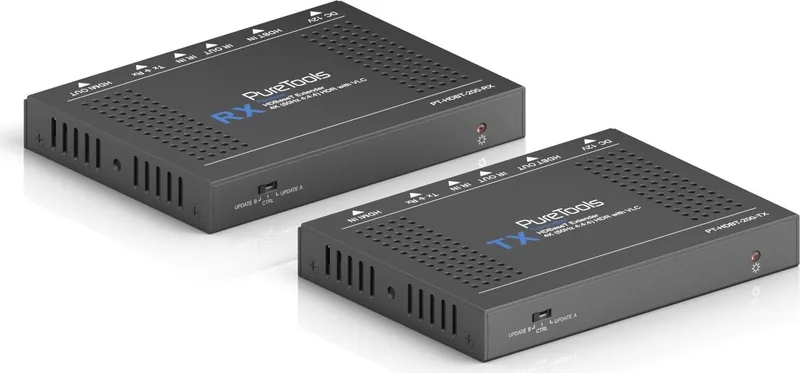
Experience seamless audio visual connectivity with the PureLink PureTools 4K 18Gbps HDMI HDBaseT Extender Set with VLC. This robust system allows you to distribute high definition signals over standard network cables efficiently. You can extend HDMI up to 40m with the 4K signal intact without degradation. The technology supports full resolution at 60Hz with HDR enabled for vibrant colors. This setup is ideal for modern home theaters or professional conference rooms requiring long reach.
System Features and Capabilities
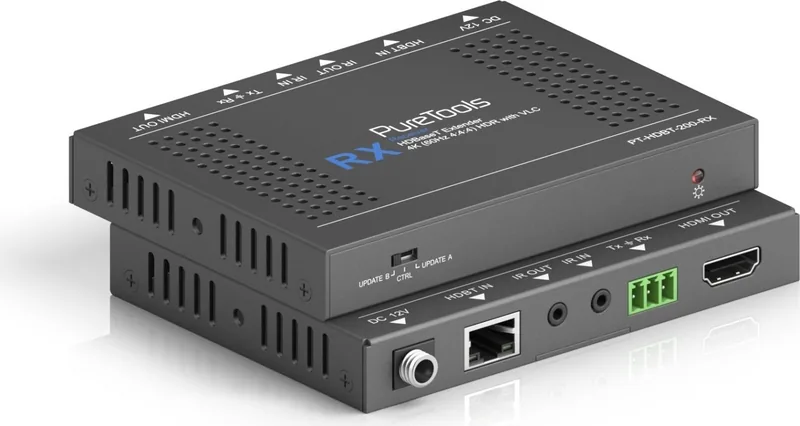
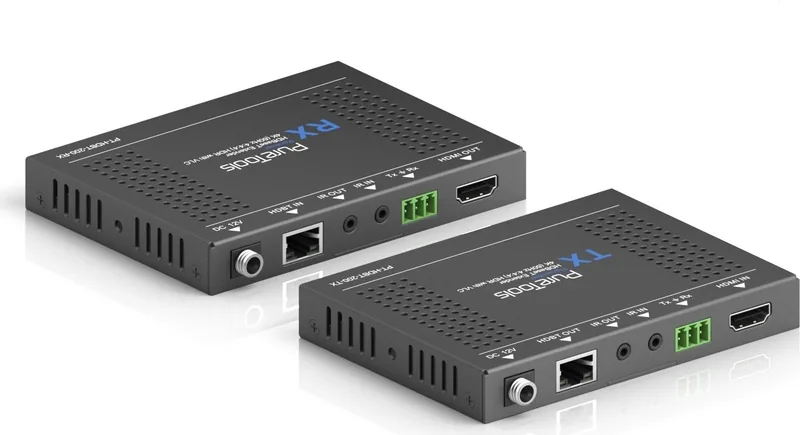
The transmission mode relies on advanced HDBaseT technology found in the PT-HDBT-200. It ensures signal stability over long distances using CAT5e or CAT6a cables. You can achieve 70 meters for 1080p content while maintaining high fidelity. For higher resolutions, the limit is 40 meters with 4Kx2K video. The device supports bi directional PoC which simplifies wiring significantly. This means you do not need extra power cables for the receiver near the display. Control signals like IR and RS232 pass through effortlessly through the same cable. You can control the source device from the far end display location.
The unit features a visually lossless video compression technology called VLC. This ensures HD lossless transmission of HDR and 4K@60Hz/4:4:4 data. It supports HDMI2.0 standards and HDCP2.2 copy protection without issues. Backward compatibility allows use with older HDMI devices. The band width reaches 18Gbps for maximum data throughput. Operation temperature ranges from 0 to 40 degrees Celsius safely.
Installation Guidelines and Safety
Setting up the unit involves connecting a transmitter and receiver properly. Input HDMI goes to the source like a laptop or player. Output HDMI connects to the display or projector screen. HDBaseT cables link the two units together securely. Safety precautions are vital during installation to avoid injury. Keep the module away from liquids to prevent internal damage hazards. Install in a place with good ventilation to avoid overheating. Avoid exposing the hardware to rain or moisture.
Unpack the equipment carefully and save original packaging material. Do not dismantle the housing or modify the module yourself. Refer all servicing to qualified service personnel only. Do not put heavy items on the extension cable in case of extrusion. Unplug the power cord when left unused for a long period of time. Information on disposal for scrapped devices requires special treatment as electrical wastes.
Performance and Reliability Standards
This extender supports HDCP2.2 for protected content reliably. It is backward compatible with previous HDMI versions on the market. The 18Gbps bandwidth handles uncompressed video data streams. You can enjoy a visually lossless experience thanks to VLC compression technology. The build quality adheres to European directives regarding electromagnetic compatibility and voltage safety. Power consumption remains efficient at 14W maximum usage.
Conclusion and Value
Integrating this solution streamlines your AV infrastructure. You reduce system clutter while maintaining high quality audio output. The system is designed in Germany for quality assurance. Users should refer to safety warnings regarding power disposal procedures. This investment ensures future proofing for your media room expansion. Support is available through technical support channels if issues arise. The warranty covers defects in materials and workmanship for two full years.
Search for 67,706 Manuals online


Type-in Brand or Model