
Pure Evoke Spot Manual
PDF manual · 80 Pages
English



Quick check
Incorrect answer, please try again.
Chat with your Pure Evoke Spot manual using AI
Get instant AI answers from your Pure Evoke Spot manual
Ask anything about the Pure Evoke Spot. Answers come from this manual, with the pages they are based on.
Ask a Question
Do you recommend Evoke Spot?
Yes NoFrequently Asked Questions
To pair a device, long-press the Bluetooth button on the unit until the light ring flashes repeatedly. Then, enable Bluetooth on your phone or tablet and select 'Pure Evoke Spot' from the list of available devices.
Is this answer helpful?
Yes, provided you have a Spotify Premium account. Ensure both your device and the Evoke Spot are on the same Wi-Fi network, open the Spotify app, tap the song image, select the Connect icon, and choose your Evoke from the list.
Is this answer helpful?
When the display is folded down, it turns off automatically to provide a clean, discreet look. If moved beyond its defined end point, however, the joint may be damaged, so handle it carefully.
Is this answer helpful?
Navigate to the Main Menu, select Alarms, and choose Alarm 1 or 2. Set the frequency (daily, once, weekends), time, and sound source (buzzer, radio, etc.). Adjust the volume ramp-up level using the navigation arrows.
Is this answer helpful?
Yes, the clock can update automatically via DAB, FM, or Network signals. Go to System Settings > Time/Date to choose the update source and configure your timezone and daylight savings settings.
Is this answer helpful?
Yes, the Evoke Play has a pinhole reset switch on the back. Use a paperclip to press it briefly to cut power and reboot the device without removing the battery pack.
Is this answer helpful?
Advantages and Disadvantages
Advantages

- Foldaway display offers both accessibility and a discreet aesthetic when closed
- Supports multiple audio sources including DAB+, FM, Internet Radio, and Spotify Connect
- Intuitive volume dial controls power, volume, and playback functions seamlessly
- Allows saving up to 40 presets for quick access to favorite stations
- Includes dual alarms with flexible snooze options and various alarm sounds
Disadvantages

- CD player functionality is exclusive to the Evoke Home model, not available here
- AUX input is only present on the Evoke Home variant
- Internet Radio station lists depend on external portal updates and internet connection
- No built-in rechargeable battery; requires continuous power or separate ChargePAK accessory
- Remote control is not included with the Evoke Spot model
Product Specification
Power
20W RMS
Tuner
FM, DAB, DAB+, Internet Radio, 60 Station Memory
Streaming Clients
Spotify
Display
LCD, Clock
Wireless
Bluetooth 4.2, Wi-Fi (WLAN)
Power Supply
Mains Power
Features
Remote Control, Sleep Timer, Telescopic Antenna, Alarm Function
Dimensions
4.72x7.40x4.33 in (WxHxD)
Weight
2.87 lbs
Product Description
Pure Evoke Spot: The Ultimate Digital Radio Experience
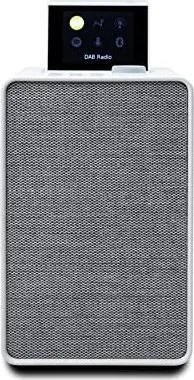
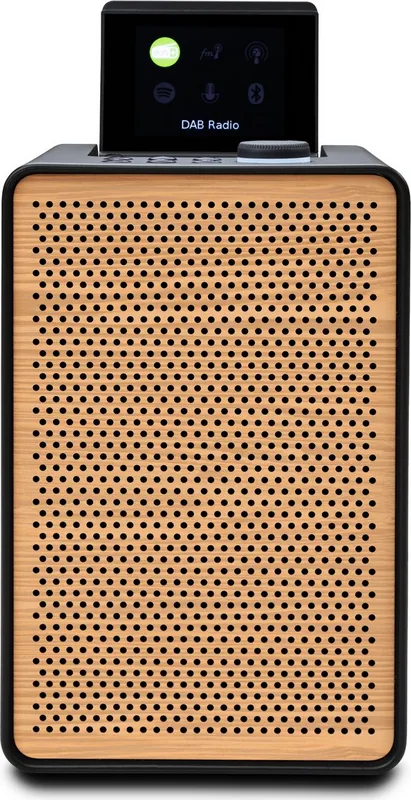
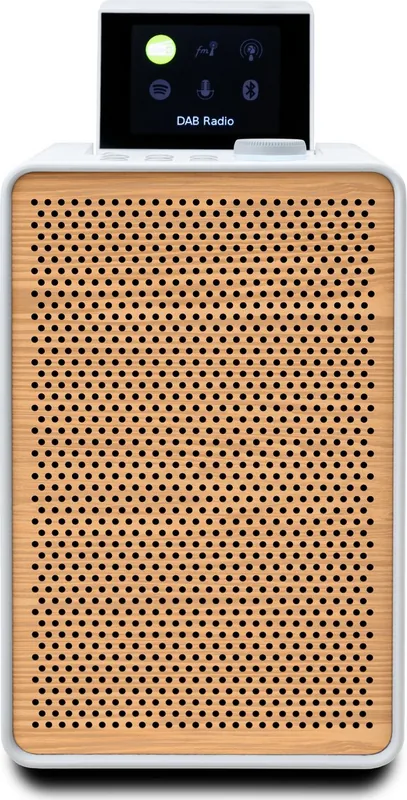
The Pure Evoke Spot is a versatile digital radio designed to bring high-quality audio and modern connectivity to your home. Whether you are waking up to the news, enjoying your favorite podcasts, or streaming music via Bluetooth, this device offers a seamless listening experience. Its standout feature is the foldaway display, which can be flipped up for easy access to settings or folded down for a discreet, minimalist look when not in use.
Equipped with DAB+ and FM tuners, the Evoke Spot ensures crystal clear reception of local and national stations. It also supports Internet Radio and Spotify Connect, allowing you to access thousands of global stations and your personal music library without interruption. The intuitive controls, centered around a volume dial that doubles as a power button and playback controller, make navigation effortless. You can easily save up to 40 presets across different sources, ensuring your favorite content is always just a press away.
For those who need flexibility, the Evoke Spot includes a sleep timer to automatically turn off the radio after a set period, perfect for winding down at night. Two programmable alarms with snooze functions allow you to wake up gently to your preferred audio source, from radio broadcasts to digital streams. The light ring under the volume dial provides visual feedback on the radio's status, from pairing mode to muted audio, adding a touch of elegance to its functional design.
Setting up the Pure Evoke Spot is straightforward. Simply connect the power supply, extend the telescopic antenna, and follow the on-screen setup wizard to configure your time, date, and network preferences. With support for Wi-Fi Protected Setup (WPS), connecting to your home network is quick and secure. The system settings menu allows further customization, including equalizer adjustments for treble and bass, language selection, and backlight brightness control.
Whether placed on a bedside table or a kitchen counter, the Pure Evoke Spot combines style, functionality, and advanced features to enhance your daily audio environment.
Search for 67,635 Manuals online


Type-in Brand or Model