
Pure Elan Connect Manual
PDF manual · 55 Pages
English



Quick check
Incorrect answer, please try again.
Chat with your Pure Elan Connect manual using AI
Get instant AI answers from your Pure Elan Connect manual
Ask anything about the Pure Elan Connect. Answers come from this manual, with the pages they are based on.
Ask a Question
Do you recommend Elan Connect?
Yes NoFrequently Asked Questions
Press the Source button to access the menu, then navigate to System Settings and select Network. Choose the Network Wizard option. Select your Wi-Fi name from the list. If the network is encrypted, use the Select dial to enter the password character by character. For WPS networks, you can either press the button on your router or enter the 8-digit code generated by the device.
Is this answer helpful?
Yes, the device supports Bluetooth audio streaming. Press the Source button and scroll to select Bluetooth Audio. Pair your smartphone or tablet using the device's pairing mode. Once connected, play music from your mobile device, and the Elan Connect will stream the audio wirelessly with full track metadata displayed on the screen.
Is this answer helpful?
Go to Menu, select System Settings, and choose Alarms. Pick Alarm 1 or 2, then set the time, frequency (daily, once, weekends), and source (buzzer, radio, or Bluetooth). You can adjust the duration and volume. The alarm will gradually increase in volume and can be snoozed for 5, 10, 15, or 30 minutes.
Is this answer helpful?
If power is interrupted while the setup wizard or station scan is running, the device will automatically restart the process the next time it is powered on. This ensures that no configuration steps are skipped and the station list is fully updated before you begin listening.
Is this answer helpful?
Yes, the clock can update automatically via DAB, FM, or the Internet network. Navigate to System Settings > Time/Date to choose the update source. When updating via the network, ensure your time zone is set correctly. Note that daylight saving adjustments must be enabled manually if your region observes them.
Is this answer helpful?
You can force mono playback for weak stations to improve audio quality. Go to Menu > System Settings > Audio Setting and select Mono Only. Additionally, extend the telescopic antenna fully and manually tune to the frequency to find the best signal strength indicated on the display bar.
Is this answer helpful?
Advantages and Disadvantages
Advantages

- Supports diverse audio sources including Internet Radio, DAB+, FM, and Bluetooth
- Intuitive setup wizard simplifies initial configuration and network connection
- Customizable equalizer with preset modes and manual treble/bass adjustments
- Two independent alarms with flexible source selection and snooze options
- Remembers up to four previous Wi-Fi networks for automatic reconnection
Disadvantages

- USB power adapter is not included in the package
- DAB station list may be incomplete if antenna reception is poor
- Internet Radio station menus depend on external portal availability and may change
- Manual tuning requires precise antenna adjustment for optimal signal quality
- Factory reset erases all user-defined settings and station lists permanently
Product Specification
Power
2.5W RMS
Tuner
FM, DAB+, Internet Radio
Display
LCD
Audio Connections
AUX In (3.5mm Jack)
Wireless
Bluetooth 4.2, Wi-Fi (WLAN)
Power Supply
AA Battery, Mains Operation
Weight
1.01 lbs
Product Description
Pure Elan Connect: Your Ultimate Multi-Source Audio Companion
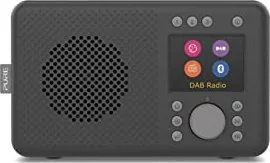
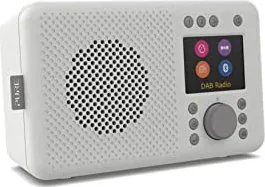
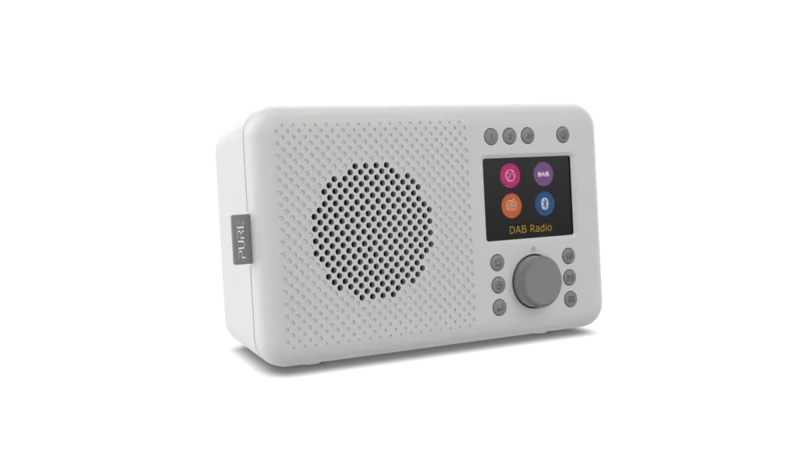
The Pure Elan Connect is a versatile internet radio and digital audio player designed to bring high-quality sound into your home with effortless connectivity. This sleek device serves as the perfect centerpiece for your daily listening routine, supporting a wide array of sources including Internet Radio, DAB+, FM, and Bluetooth streaming. Whether you are tuning into global podcasts, enjoying local news broadcasts, or playing music from your smartphone, the Elan Connect delivers crisp audio through its user-friendly interface.
Seamless Setup and Connectivity
Getting started with the Elan Connect is incredibly simple. The unit requires only a standard USB power source, eliminating the need for complex wiring. Once powered on, an intuitive setup wizard guides you through configuring the date, time, and network settings. The device supports Wi-Fi Protected Setup (WPS) for quick and secure connections to your wireless router. It remembers up to four previously connected networks, ensuring you can switch between locations without re-entering passwords every time.
Rich Media Experience
One of the standout features of the Pure Elan Connect is its extensive station library. Through the Internet Radio portal, users can access thousands of stations categorized by country, genre, popularity, and language. The interface allows for deep searches using keywords, making it easy to discover new content. For traditional radio enthusiasts, the DAB+ tuner provides digital clarity with dynamic label segments that display program titles and artist information in real-time. The FM section includes RDS support, offering text information alongside frequency details.
Customization and Control
Personalization is at the heart of the Elan Connect experience. The built-in equalizer offers multiple presets like Jazz, Rock, and Classic, or allows for manual adjustment of treble and bass levels. Users can also enable Loudness mode to enhance low-level sounds. The system menu provides comprehensive control over alarms, sleep timers, and backlight brightness. Two independent alarms can be set to trigger via buzzer or specific audio sources, ensuring you never miss a morning broadcast. The snooze function offers flexible intervals, while the sleep timer automatically powers down the unit after a set duration.
Key Features Summary
- Multi-Platform Support: Seamlessly switch between Internet, DAB, FM, and Bluetooth sources.
- Smart Navigation: Intuitive dial controls make scrolling through menus and station lists effortless.
- Visual Feedback: The LCD screen displays track info, signal strength, and slideshow images where available.
- Flexible Alarms: Set wake-up times with customizable sources and gradual volume build-up.
- Network Memory: Automatically reconnects to up to four saved Wi-Fi networks.
Search for 67,732 Manuals online


Type-in Brand or Model