
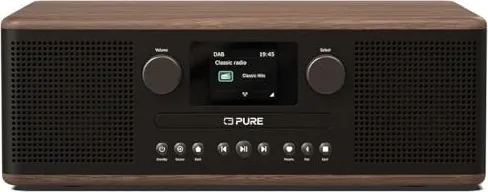
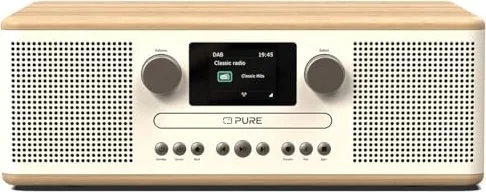
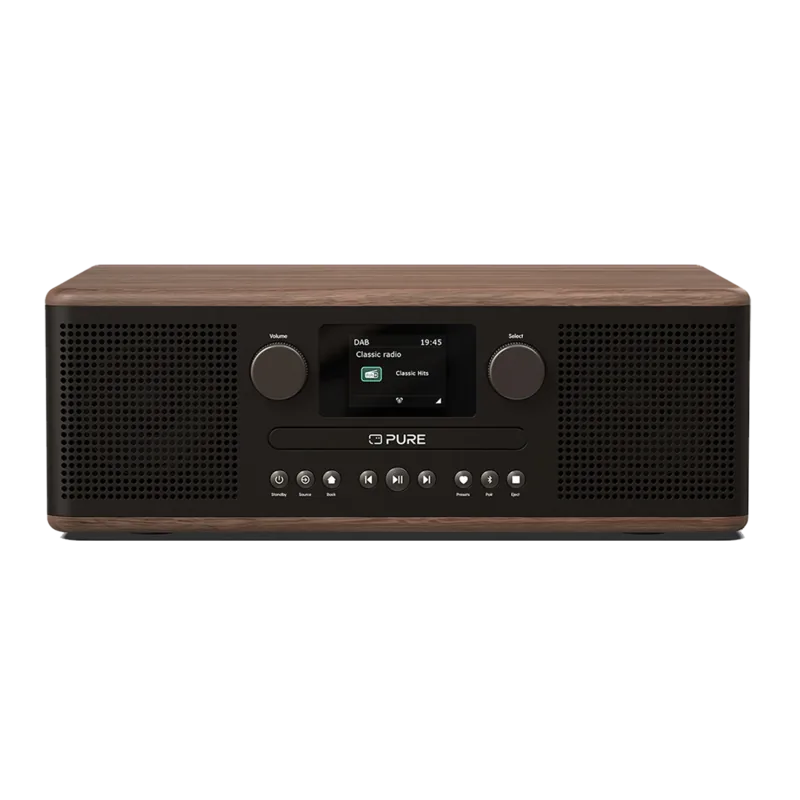
Pure Classic C-D6 Manual
PDF manual · 2 Pages
English



Quick check
Incorrect answer, please try again.
Chat with your Pure Classic C-D6 manual using AI
Get instant AI answers from your Pure Classic C-D6 manual
Ask anything about the Pure Classic C-D6. Answers come from this manual, with the pages they are based on.
Ask a Question
Do you recommend Classic C-D6?
Yes NoFrequently Asked Questions
Insert a music CD into the CD slot; the Classic C-D6 will begin playback. Press the play button to start or resume playback and use skip/back buttons to navigate tracks.
Is this answer helpful?
Switch the unit to Bluetooth mode; pairing mode starts automatically so you can connect from your device. To disconnect Bluetooth manually, press and hold the Bluetooth button for two seconds.
Is this answer helpful?
To save a station, hold the preset list button for 2 seconds, rotate the select dial to the desired slot, then press the dial to save. Use the preset list or quick preset buttons on the remote to recall saved stations.
Is this answer helpful?
There are three EQ settings: Dynamic (deep bass extension and pronounced vocals/instruments), Comfort (softer, easy listening for long periods), and Neutral (sound as close to the source as possible). Toggle them using the EQ button on the remote.
Is this answer helpful?
USB playback supports MP3 music files when the unit is set to ‘Music Player’ mode. For full compatibility details and potential firmware updates, visit support.pure-audio.com.
Is this answer helpful?
The package includes the Classic C-D6 unit, power adaptor with EU and UK plugs, remote control (requires supplied AAA batteries), and a quick start guide and safety information sheet.
Is this answer helpful?
Use the left skip back/forward buttons to step through FM; long-press these buttons to seek quickly. For DAB, use the encoder or remote navigation to browse and select stations from the station list.
Is this answer helpful?
Advantages and Disadvantages
Advantages

- Multiple source support: CD, DAB/DAB+, FM, Bluetooth, USB and aux input for flexible listening.
- Intuitive controls: front encoder plus remote navigation for easy tuning and menu access.
- Three EQ presets (Dynamic, Comfort, Neutral) let you quickly tailor sound character.
- Simple preset management: hold to save, rotate select dial to choose slots, quick remote presets.
- Automatic Bluetooth pairing and straightforward USB MP3 playback for modern convenience.
Disadvantages

- USB playback limited to MP3 format; other codecs may not be supported without checking compatibility.
- Basic remote uses AAA batteries and may lack advanced smartphone app integration.
- No mention of network streaming (Wi‑Fi) — relies on Bluetooth and physical media only.
- Physical presets limit number of saved stations compared with cloud-based solutions.
- Display and feature set are focused on simplicity, which may lack advanced customization for audiophiles.
Product Specification
Includes
CD player, receiver, tuner, integrated speakers, all-in-one device
Power
2x 15W RMS
Tuner
FM, DAB, DAB+
Audio formats
CD-Audio, CD-R/RW, MP3
Audio connections
AUX In (3.5mm jack)
Additional connections
USB-A
Wireless
Bluetooth 5.3
Device dimensions
14.37x5.12x11.42 in (WxHxD)
Weight
7.94 lbs
Product Description
Pure Classic C-D6 Manual
Discover the Pure Classic C-D6, a versatile compact audio system built for effortless, high-quality listening. The Classic C-D6 combines CD playback, DAB/DAB+ and FM radio, Bluetooth streaming, USB music playback, and an auxiliary input into a single sleek unit. Designed for everyday use, it emphasizes simple operation: insert a CD to start playback, switch to Bluetooth for automatic pairing, or plug in a USB stick to play stored MP3s. The receiver also accepts line-level inputs so you can connect external players and enjoy your existing collection through a refined audio path.
Key features and daily use
The C-D6 offers intuitive control with both a front-panel encoder and a full-function remote. Use the encoder or remote navigation to browse DAB station lists and step through FM frequencies; long-press skip buttons for quick seeking. Preset management is straightforward: hold the preset button for two seconds to save the current station, rotate the select dial to choose a slot, then press to confirm. Quick-presets on the remote let you store and recall favorite stations instantly.
Audio customization is handled through three EQ presets—Dynamic, Comfort, and Neutral—accessible via the remote. Dynamic extends deep bass and accentuates vocals and instruments for lively playback. Comfort smooths and softens the sound for easy all-day listening. Neutral aims to reproduce audio as close to the source material as possible. A sleep timer and simple display modes round out the practical features for bedside or kitchen use.
Practical setup and compatibility
Installation is minimal: insert the supplied AAA batteries into the remote, connect the included power adaptor (EU/UK plugs provided), and place a CD or USB stick in the appropriate slot. Bluetooth pairing starts automatically when you switch to Bluetooth mode; press and hold the Bluetooth button for two seconds to disconnect. For USB compatibility details and firmware or support resources, Pure directs users to support.pure-audio.com.
Why it stands out
The Classic C-D6 is ideal for users who want a blend of legacy media playback (CD, FM) and modern conveniences (Bluetooth, USB, DAB). Its simple preset workflow, clear EQ choices, and combined control methods make it accessible for non-technical listeners while delivering a satisfying audio experience.
Notes
- USB playback supports MP3 files; check support.pure-audio.com for compatibility updates.
- Preset saving requires holding the preset button for 2 seconds, then selecting a slot.
- To disconnect Bluetooth, press and hold the Bluetooth button for 2 seconds.
Search for 67,732 Manuals online


Type-in Brand or Model